Starting the Game
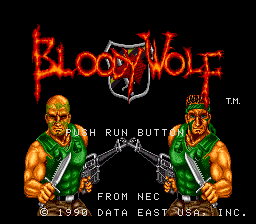
From the Title Screen, press the RUN Button.
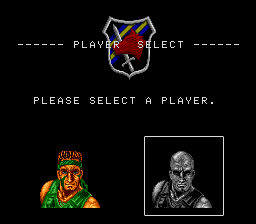
Select Your Character
When the “Character Selection” screen appears, use the Direction Key to select the Bloody Wolf character you would like to be.
•
Enter your selection with Button II.
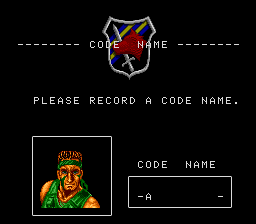
Enter Your Name
Move the Direction Key left or right to select up to 5 letters for your name.
•
Enter your letters with Button II.
•
Press Button I if you make a mistake.
Note: Please be sure to enter 5 letters for your name. If you enter “AAAAA”, the two characters in the game will automatically be named “SNAKE” and “EAGLE.”
Playing the Game
Bloody Wolf is based on the “damage” system. How long you last in the game depends upon the amount of damage your enemies inflict on you.
Be Careful!
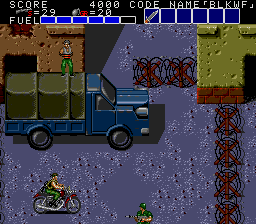
You are invincible while you are riding your motorcycle, as long as the motorcycle is not destroyed by a hand grenade. However, when you run out of fuel, your motorcycle explodes.
•
Press the RUN Button to dismount safely.
Also watch out when handling prisoners or boxes. If you accidentally injure a prisoner or damage some boxes, you will not get the information or items you are looking for.
Pausing the Game
During play, the game may be paused by pressing the SELECT Button.
Resetting the Game
During play, the game can be reset to the title screen by holding down the RUN Button and pressing the SELECT Button at the same time.
How to “Continue”
When the game is over, you may resume play by pressing the RUN Button before all of the blue tiles fill the screen. This returns you to the beginning of the last round where you were playing. You may “continue” an unlimited number of times.
Controlling the Movements of Your Character
The movements of your character are controlled using your TurboPad controller. Mastering its operation is critical to your success in rescuing the President. Basic TurboPad components and operation are shown below.
Direction Key (4-way controller)
•
Moves your player left and right, up and down.
•
Also used for determining the direction of an attack.
SELECT Button
•
For temporarily interrupting or resuming battle.
RUN Button
•
Used when attacking with powerful hand grenades, flash bombs, or flame throwers.
•
Allows you to dismount from your motorcycle.
Button I
•
For jumping or diving into the water to dodge an enemy attack.
•
Also used to advance to the next message screen when talking.
Button II
•
For attacking with a machine gun, knife, shotgun, or bazooka.
•
Also used for entering selections.
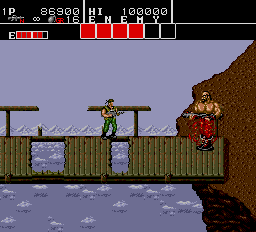
Remember: For close-in combat, use Button II to attack enemies with your knife. You cannot attack while jumping!

.png)
.png)