Getting Started
1. Turn OFF the power switch on your Nintendo® Game Boy® Advance. Never insert or remove a Game Pak when the power is on.
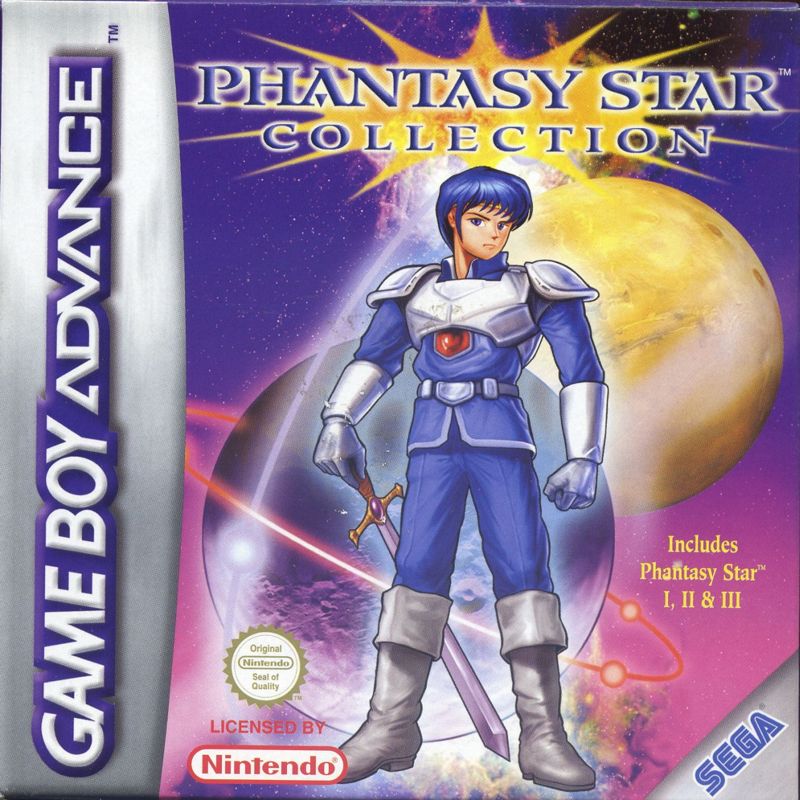
2. Insert the Game Pak of *Phantasy Star Collection*™ into the slot on the Game Boy® Advance. To lock the Game Pak in place, press firmly. 3. Turn ON the POWER switch. The logo screens will appear (if you don't see them, begin again at step 1).
4. When the Title Screen appears, press START to proceed to the Main Menu.
Game Menu Options
MST: Mesetas
The monetary unit of the Algol Solar System. The more Mesetas you have, the more items you can buy!
MAGC: Magic
This menu lists the spells the character has learned. (see SPELLS on page 14).
ITEM
ITEM: These are the special tools and equipment that have been purchased or accumulated during the quest. Up to 24 different items can be carried at one time. However, since there isn't enough space on the screen to show all of the items at one time, choose the NEXT prompt to move to the second or third listing screen. To use an item, another menu appears showing:
•
USE: After selecting an item with the selection cursor, pick the USE selection to activate the item.
•
EQP: Equip. Select this when you want to outfit your character with new weapons or armor, or replace the current weapons and armor with new equipment from your items list.
•
DRP: Drop. When you have more than 24 items, you cannot carry any more. Use this command to get rid of an ITEM, or to drop something won in combat.
SRCH: SEARCH
Selecting this command lets you search the area directly in front of Alis and her party. Searching can sometimes reveal important items.
SAVE
When you want to leave the game and come back later to the same position, you must use the SAVE command. This command will store everything you have done in the game up to that point. This feature allows you to return to the exact same point you left the game at with all of your characters and possessions intact.
Combat
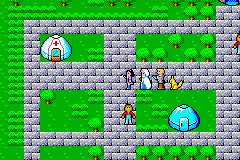
When you leave the safety of the villages and start exploring the countryside, you will quickly see why the people of the Algol Solar System are so worried about their lands. Monsters... in every strength, shape and size! When you meet a monster, the countryside scene will automatically change to a combat screen, and the Combat Menu will appear. In the combat screen, you will see:
•
The Monster! You will see its name and one or several HP ratings in the upper right corner of the screen. Note the number of monsters and strength of each of them.
•
On the bottom of the screen, you will see the names of all the characters in Alis' party. The battle must be fought by all of them.
Next, you must select the battle commands for each member of the party. Use the selection cursor to pick the command wanted for each member of the party. Push the A Button to confirm the command, or push the B Button to cancel the command. If you cancel a command, you must choose a new one. When all commands have been selected, push the A Button to begin the first round of combat.
NOTE: Each member of the party must fight. If you select RUN for one member, all party members will run unless an enemy blocks your retreat.
Before you enter into battle with a monster, you can select from several options:
•
ATTK - Attack. If this option is selected, you will attack the monster with the weapons the character is using.
•
MAGC - Magic. Alis, Myau, and Noah can use magic when they learn spells. When you choose this command, a new menu will appear showing which spells the character may use. Choose a spell and confirm by pressing the A Button. When using magic for healing and curing, make sure to choose the person who needs it.
•
ITEM - If you choose this command, another window containing a different list will appear. The list is the same as the one you can call up in the Non-Combat Menu. The use is the same, except the ITEMS used in battle are more limited.
•
TALK - Not all monsters are bad. Some will talk to Alis and her friends. Try using this command before entering battle.
•
RUN - If you do not wish to fight, try to RUN. Sometimes, when there is more than one monster, a second monster will block your path and you will have to stay and fight. The battle is over when the HP for either side reaches zero, or when you run away.
Special Items
Items will be invaluable during your quest. Keys, burgers, lights, and vehicles will all help you along the way. Important items to obtain include:
•
TRANSER - Go to the last church you visited.
•
MAGIC HAT - By using this item you will be able to understand the language of certain monsters.
•
ESCAPER - Become temporarily invisible and escape combat.
•
COLA - Use this item to restore your HP by 10.
•
ALSULIN - Found hanging around Myau's neck - What is its use?
•
POLYMTRL - This powerful, smelly liquid will melt all materials except Laconia. Best used on junk.
•
DUNGEON KEY - Opens locked dungeon doors. Can be used over and over again.
Buildings and Services
Some of these buildings have signs on them that tell you what services they offer. When you enter a building, go up to the clerk behind the counter and press the A


_2.png)
.png)
.png)


_1.png)
 (Rev 1).png)
_1.jpg)
 (Rev 2).png)


.png)





_1.png)

.png)