Game Start
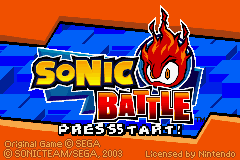
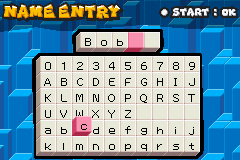
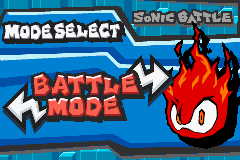
Press START during the intro to access the Title Screen. Pressing START again displays the Mode Selection Screen. If starting a new game or after deleting data, press START to confirm.
Mode Selection
Select from five game modes on the Mode Selection Screen:
•
Story Mode: Learn skills from various characters and develop the mysterious robot Emerl across eight stories. •
Battle Mode: Choose a playable character to fight against the computer or other players via link cable.
•
Challenge Mode: Play as one character to win five battles. Knocking opponents down 10 times advances the round.
•
Training Mode: Practice battle techniques against the computer, which can be customized.
•
Mini Game: Play various mini games alone or with up to 3 other players.
•
Battle Record: View past battle records and popular characters.
•
Options: Change language settings, check BGM/sound effects, or delete saved data.
Story Mode Overview
Select a character (only Sonic is available initially) and proceed through eight stories. You can resume a previously saved chapter by pressing the A button. Selecting "Play The Other Episodes" aborts the current story but saves Emerl's obtained skills for new stories, though earlier completed episodes will be erased. Menu Controls
Use the following controls while in the menu:
•
Control Pad: Select items.
•
START: Start game or pause.
•
B Button: Cancel (hold to move icons promptly).
Note that the game cannot be paused during events.
Pause Menu
Press START to pause the game.
•
CONTINUE: Resume the game.
•
QUIT: Return to the Mode Selection Screen.
Battle Flow
Typical battle rules include the following steps:
1. Allocate and set Special Moves.
2. The battle begins.
3. Win the battle.
4. Proceed to the next story/event.
5. Lose the battle (HP reaches 0).
6. Retry option available.
Special Moves
Special Moves are categorized into three types:
•
Ground: Attacking opponents on the ground.
•
Aerial: Striking opponents in mid-air.
•
Defend: Guarding against attacks.
Defend Mechanics
An attack using a move customized to "Defend" cannot damage your character. For example, customizing a "Power" move to "Defend" makes you invulnerable to Power category attacks. Allocate frequently used opponent moves to "Defend" for protection.
Special Move Categories
•
Power: Direct attack causing explosive damage.
•
Shot: Long-range attacks, such as Shockwave or Energy Ball.
•
Set: Mine blast traps. Deals great damage if opponents step on it or if the R Button is pressed.
Emerl Skills and Editing
When Emerl joins a battle, he captures attack moves by watching or receiving them. These moves must be customized on the Editing Screen to be used. Emerl earns Skill Points after battles. Access the Edit Screen in the field by pressing the R Button after the story advances. Use Skill Points to customize moves, actions, and body color.
Skill Types
•
Running Skill: Related to map movement velocity.
•
Dashing Skill: Captured dashing movement from a character.
•
Jumping Skill: Captured jumping movement from a character.
•
Guard Skill: Captured guarding movement from a character.
•
Heal Skill: Captured movement when HP is recovered.
Multi-Player Requirements
This game requires a Game Boy Advance™ Game Link™ Cable for multi-player features.
Equipment Needed
•
Game Boy Advance systems (one per player).
•
"Sonic Battle" Game Pak (one per player for multi-play). •
Game Boy Advance Game Link Cables (specific quantities required: 1 for 2 players, 2 for 3 players, 3 for 4 players).
Link Play Caution
Communication may fail or the game may malfunction under these conditions:
•
Using a cable other than the official Game Boy Advance Game Link Cable.
•
The cable is not connected all the way in.
•
Disconnecting the cable while communicating.
•
Improper connection between cable and systems.
•
Inserting the Game Pak into a unit other than 1P in single-play mode.
•
Connecting 5 or more systems.
Connecting the Link Cable
1. Turn OFF all Game Boy Advance systems.
2. Insert the Game Pak into each system (only 1P for single-play).
3. Connect the Game Boy Advance Game Link Cable to the expansion connector. Ensure the smaller plug connects to 1P's system.
4. Turn ON all systems.
*Note: Do not connect unused systems or cables if playing with 2 or 3 players. The system with the smaller plug is 1P.*
Battle Mode Setup
Select characters for yourself and the computer.
•
L Button: Access Map Selection to choose battle stages and their order.
•
R Button: Access Rule Settings to customize battle rules.
Battle Mode Rules
•
TAG: Form a team with another character. You can enable "Hit the ally" to attack friends, but this reduces their lives or KOs.
•
Interval: Adjust the time (5, 10, 20, or 30 seconds) to customize Special Moves if HP drops to 0.


 (En,Ja,Fr,De,Es,It).png)
 (En,Ja,Fr,De,Es,It).png)
 (En,Ja).png)

.png)
_1.png)
_1.png)


.png)

 (En,Fr,De,Es,It).png)










_1.jpg)