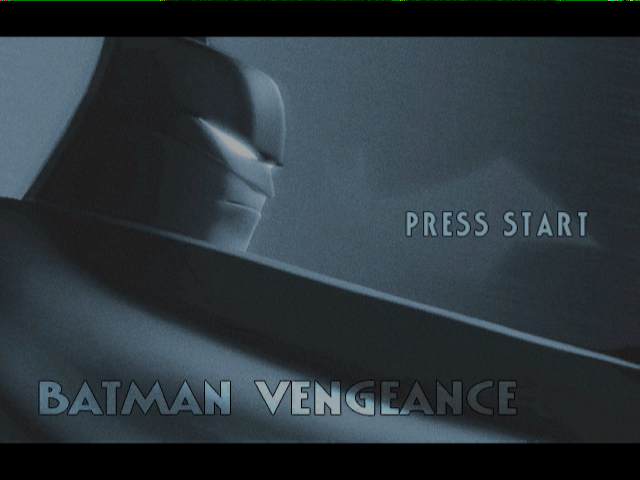
Starting the Game
Language Selection
Choose which language you wish the subtitled text to appear in.
Select Game File
Main Menu
Enter Game
Choosing this option automatically loads a new game. After the first game, you can choose which level to start in, based on the levels previously played.
Options
This selection opens the menus to choose game settings.
•
INVERT CROSSHAIR (ON/OFF)
Cinematics
Select this option to watch the high-resolution cinematics from the levels you've already finished.
Credits
Quit
Quit Game
Prologue
As the citizens of Gotham City slumber under the soft darkness of the night, Batman stands watch over the city. From the rooftops and ornamental statuary that hangs high over the night draped streets, the Dark Knight is ever vigilant, alert for the slightest breach of the peace or threat against the citizenry of Gotham City. This night, Batman will find the peace not only breached... but shattered by explosive fury set in place by the very personification of evil. It begins with a woman the Caped Crusader discovers bound and gagged, the remainder of her life measured by the clock counting down the seconds to the detonation of the bomb beside her. Her name is Mary Flynn. The villain who left her for dead is The Joker, the twisted Clown Prince of Crime with an explosive sense of humor. The Joker had taken her young son Toby hostage, holding him for a ransom the frightened mother could never hope to raise. At least, that's the story Mary Flynn tells! But the truth is far more insidious than even Batman can imagine, and before this night is done, the Dark Knight will find himself entangled in a plot that threatens far more than a single child. The Joker's scheme would light up the night with fiery death and destruction, leaving Gotham City a smoldering ruin that none would survive. Marshalling all his wits, strength and technology, Batman must save Gotham City from impending disaster by making sense of the massive crimewave that's swept through the city. In the course of his investigations, Batman will encounter a host of thieves, thugs, and deadly costumed villains who must be stopped. Mind-twisting puzzles and deadly traps are thrown in his path to sabotage his efforts, but with his assemblage of high-tech weapons and devices, Batman must crack the most deadly and bizarre case of his crime-fighting career. The Charge Bar
The Charge Bar powers the more Batman fights. Batman can execute more advanced power moves as his Charge Bar fills up to full capacity. Power Moves
•
HOLD THE L BUTTON + B BUTTON: THE HAMMER
•
HOLD THE L BUTTON + A BUTTON: THE CLEAN SWEEP
•
HOLD THE L BUTTON + X BUTTON: SPIN-OUT
•
HOLD THE L BUTTON + X BUTTON & A BUTTON: THE TAKE DOWN
•
HOLD THE L BUTTON + A BUTTON & B BUTTON: LIGHTS OUT
Weapons & Items
To select any weapon or item, press and hold the R button to bring up your weapon selection, then select the desired weapon or item with the Control Stick or the + Control Pad.
•
BATARANGS ARE MULTI-PURPOSE THROWING WEAPONS THAT CAN BE USED ALMOST ANYWHERE WHEN BATMAN IS IN TROUBLE.
•
ELECTRIC BATARANGS HAVE MORE OF A KICK THAN THE OTHERS. IN SOME INSTANCES WHEN THE REGULAR ONES DON'T WORK, TRY THESE OUT.
•
THE BATGRAPPLE LETS BATMAN SWING OR HOIST HIMSELF OVER LONG DISTANCES THROUGH GOTHAM CITY.
•
THE BATLAUNCHER THROWS NETS AND CHARGES AT ENEMIES.
•
ONCE ELECTRIC STUNNERS ARE LAUNCHED BY THE BATLAUNCHER, THEY RENDER SOME OPPONENTS HELPLESS FOR A FEW MOMENTS.
•
THE NETS ARE FIRED WITH THE BATLAUNCHER. MOST OPPONENTS WON'T BE ABLE TO GET FREE OF THE NETS - BUT SOME CAN!
•
REMOTE CHARGES CAN ONLY BE PLACED ONE AT A TIME - KNOCKING OUT PASSING OPPONENTS.
•
WHEN FLASH BOMBS ARE USED, ENEMIES ARE STUNNED FOR A FEW SECONDS, LEAVING BATMAN TIME TO ESCAPE OR CUFF THEM.
•
THE BATSCOPE LETS BATMAN VIEW FROM A DISTANCE. THERE IS ALSO ONE ON THE BATMOBILE.
•
YOU CAN CUFF KNOCKED OUT THUGS WITH BATCUFFS TO LEAVE THEM FOR THE GOTHAM CITY POLICE.
•
THE BATCOMMUNICATOR IS THE MAIN LINK BETWEEN BATMAN AND BATGIRL. SHE GIVES TIPS AND HINTS THROUGHOUT THE GAME. PRESS THE L BUTTON TO ACTIVATE.
Inventory
Press START to display Batman's inventory. Cycle between sections of the inventory by either using the Control Stick or the + Control Pad. To exit the inventory system, press the Y button. To get an item's description, press A button to select an item. The information appears on the left hand side of the inventory screen. Press A button again to access the item's description and to scroll down for extra information with the directional pad if the down arrow appears at the bottom. Press the Y button to exit the inventory.
Achievement
.png)

.png)