Starting the Game
From the game's Main Menu, select New Game to start fresh or Load Game to return to a previously saved game.
If you choose a New Game, you'll be prompted to select a Difficulty level — Easy, Normal or Hard. Next, you'll choose to play as either Niobe or Ghost. Select either character to get started. Saving and Loading
At specific points throughout the game, you will be prompted to save your progress. You must have a Nintendo GameCube™ Memory Card in Memory Card Slot A to save a game. Choose an empty game slot or overwrite an existing game (if you do this, the game previously saved in that game slot will be lost). Your position in the game is indicated in the saved game slot. After saving, you can continue the game or quit the game in progress.
To load a saved game, choose your character, select Load and choose your saved game. When choosing a game to load, you may start from any point at which you previously saved. You must have a Memory Card with saved games in Memory Card Slot A.
Progressive Scan Mode
This game can be set to display a higher resolution image on TVs that support progressive scan mode. In order to use the progressive scan mode, you need a TV that can accept this type of input (see your TV operation manual), and a Nintendo GameCube Component Video Cable (available only through Nintendo, visit www.nintendo.com or call 1-800-255-3700). To activate the progressive scan mode, press and hold the B Button while the Nintendo GameCube logo is being displayed until the message “Do you want to display the game in progressive mode?” appears. Select YES to activate the mode. Please note that on some TVs, activating the progressive scan mode will set the format of the image to a widescreen (16:9) format.
Options
From the Main Menu, select Options to enter the Options Menu.
Nintendo GameCube™ Controller
•
Toggle Nintendo GameCube™ Controller Rumble Feature ON/OFF. •
Set the “look up” control for first-person mode.
•
Switch Controller's button mappings — the mappings for each controller configuration are displayed on the screen.
Audio
•
Adjust the volume level of the game's sound effects, music and dialogue.
•
Choose Mono or Stereo options. Refer to the Nintendo GameCube™ Instruction Booklet for details about these audio options. Video
•
Toggle subtitles for all voice dialogue ON / OFF.
•
Adjust video settings for Gamma and Brightness.
Save Settings
Save your current Controller, audio and video settings.
Videos and Cineractives
Enter The Matrix™ tells its story through a combination of live-action film footage, in-game movies called “cineractives,” and the actual gameplay. Clues and instructions appear in the film and cineractive segments. Hacking
The rabbit hole is very deep, with many places to explore. You must have a previously saved game stored to begin hacking. After that, you're on your own.
Moving Around
The Control Stick controls direction and speed for both walking and running.
Holding down the Focus Button (L Button) while jumping will increase the length of your jump. If you Strafe (R Button + Control Stick), press the Focus Button and then jump (B Button), your character will do a sideways cartwheel.
When facing an obstacle such as a wall, move close to the object and then tap the Control Stick forward as if to walk into the object. Your character will turn his or her back and press up against the object.
If the object is low, your character will automatically crouch down and hide. You can use Control Stick to move or creep along the obstacle.
You can peer around corners by turning your back against an obstacle and using the Control Stick to move to the edge and peer around. Your character can even fire weapons from behind cover in this fashion: Move to the edge of the obstacle and press the Y Button to lean out and fire. Release the Y Button to stop shooting, and your character will automatically move back behind cover.
To jump out and surprise enemies, press the Jump Button (B Button) as you look around the corner.
Wall-Running and Wall-Jumping
Run alongside a wall, hold down the Focus Button and continue running toward the wall at an angle. You'll bend the rules of gravity in the Matrix and sprint along the wall. Time it right, and you'll even turn corners while still airborne. To jump off the wall, press the Jump Button.
For wall-flips, press the Focus Button and run directly at a wall you'll take a few steps up the side and backflip to the ground.
These moves are great ways to avoid enemies and obstacles. Experiment with other Focused running and jumping moves to discover more combinations and effects.
Jumping and Climbing
Use the Jump Button (B Button) to jump onto various objects, and use the Control Stick to climb up and down ladders and fences, or press the Jump Button to quickly slide down a ladder.
Jump up to grab pipes and rails, and use the Control Stick to move hand-over-hand along the pipe. Press the A Button to pull yourself higher onto the pipe. Move the C Stick in any direction to lower yourself back down. To jump down from the pipe, pull the Control Stick back and hit the Jump Button. Be sure you're above a safe landing spot!
Try hanging upside down for a unique sniper's perch. While on a pipe, select any primary weapon, and press the Y Button to
 (Disc 2).png)

![Enter the Matrix [Player's Choice] box art for Gamecube](https://media.retro.gold/Nintendo_-_GameCube/Named_Boxarts/enter_the_matrix_players_choice.png)
![Enter the Matrix [Player's Choice] screenshot 3 for Gamecube](https://media.retro.gold/moby_img/Nintendo_-_GameCube/Named_Snaps/Enter the Matrix_screenshot_0.jpg)
![Enter the Matrix [Player's Choice] screenshot 4 for Gamecube](https://media.retro.gold/moby_img/Nintendo_-_GameCube/Named_Snaps/Enter the Matrix [Players Choice]_screenshot_0.jpg)
![Enter the Matrix [Player's Choice] screenshot 5 for Gamecube](https://media.retro.gold/moby_img/Nintendo_-_GameCube/Named_Snaps/Enter the Matrix [Players Choice]_screenshot_1.jpg)
![Enter the Matrix [Player's Choice] title screen for Gamecube](https://media.retro.gold/Nintendo_-_GameCube/Named_Titles/enter_the_matrix_players_choice.png)
![Enter the Matrix [Player's Choice] logo for Gamecube](https://media.retro.gold/Nintendo_-_GameCube/Named_Logos/Enter the Matrix (USA) (Disc 1).png)



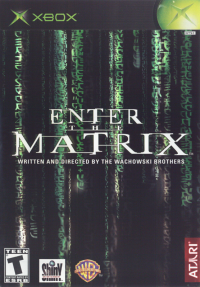

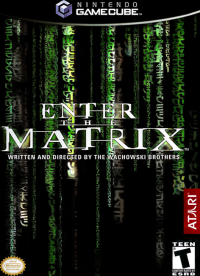
_1.png)
_1.png)