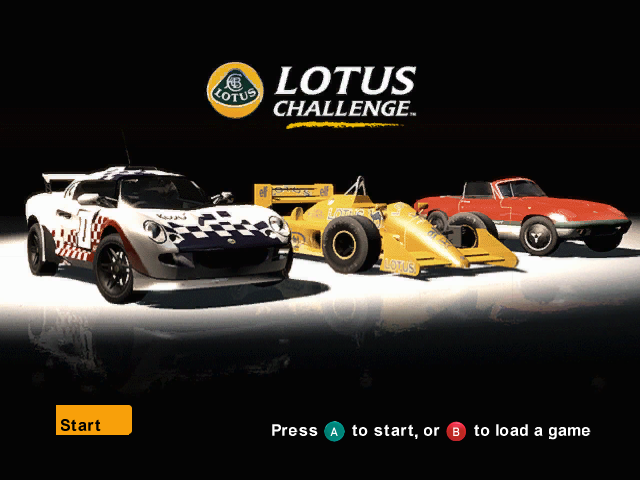
Options Menu Navigation
At the Lotus Challenge™ main menu, navigate options using the +Control Pad or the Control Stick.
•
Press the A Button to move forward through menus and make a selection.
•
Press the B Button to move back through menus and cancel a selection.
Main Menu Options
When playing Lotus Challenge™, the following options are available:
•
1 Player: Select to play a single-player game.
•
2 Players: Select to play a two-player game.
•
Options: Choose to set your preferences for playing Lotus Challenge™.
•
Credits: To see who made this game, choose Options, Credits.
•
History: To read a brief history of Lotus, choose Options, History.
•
Display: To change the display settings, choose Options, Display and then select Layout, Colors or Center.
•
Audio: To change the sound settings, choose Options, Audio and then select from Engine Volume, Music Volume and Sound Volume.
•
Save: Use this option to save your Player Name, Settings and Preferences.
•
Player Controls: To change profiles and adjust steering sensitivity, choose Options, Game Options, Player 1 Controls or Player 2 Controls. Steering Sensitivity allows you to change the sensitivity of the steering.
•
Player Names: To enter your name, choose Options, Game Options, Player 1 Name or Player 2 Name.
Saving Your Game
If you are playing the Challenge, Championship or Single Play race modes, you will be given the option to save your progress at the end of each race, event, stunt, or challenge.
Driving Aids
There are three difficulty settings in Lotus Challenge™. Choose the option that suits you best. Novice drivers are recommended to select Full Driving Aids when first playing the game. •
Full Driving Aids: Recommended for novice drivers, includes ABS brakes, traction control and assisted steering. •
Standard Driving Aids: Includes ABS brakes and traction control. •
No Driving Aids: Recommended only for advanced drivers. Vehicle Damage
You can select from three choices:
•
No Damage: Even if you crash, your vehicle will not suffer any mechanical or visual damage.
•
Minimal Car Damage: Your vehicle will suffer visual damage only if you crash.
•
Full Car Damage: Your car will suffer visual and mechanical damage if you crash. The mechanical damage will be reflected in the handling of your vehicle.
Pause Menu
While playing Lotus Challenge™, you can pause the game anytime by pressing START. This will bring up the Pause Menu.
From the Pause Menu, you can adjust the steering sensitivity, steering method, driving aids, vibration, music, engine, and sound volume. You can also Restart your race, or Quit. •
Use the +Control Pad to navigate the Pause Menu and press the A Button to make your selections.
•
To return to the game from the Pause Menu, select Resume and press the A Button or press Start.
PLEASE NOTE: You are not always able to change the steering method and driving aids while playing the Challenge Mode. Pause Menu Options
Heads Up Display
•
Current position in the race
•
Number of laps completed/number of laps of race
•
ABS Anti-Lock Braking System
1-Player Game Modes
Lotus Challenge™ has four 1-Player Game Modes.
Collection
Collection is where you can access all cars and tracks that you have unlocked while playing Lotus Challenge™.
When you have unlocked all the cars and tracks, you can take any car, select your team colors, and race on any track in Time Trial from Collection.
Challenge
Challenge is the main 1-Player Story Mode. Select your character and try out for the Lotus Challenge™ Team.
In this mode, you will take on the challenge of being the world's best Lotus Team driver. Your aim is to compete against other Lotus Team drivers from around the world in a World Series Championship, as well as undertake a whole variety of stunts, challenges, and one-on-one races.
From stunt driving for Hollywood movie directors to playing car football in a penalty shoot-out, your driving skills will be constantly challenged. Championship
Championship is where the serious racing action takes place. There are a total of seven different championship classes ranging from the classic cars to the super cars, taking in some of Lotus's most famous racing cars along the way. When you first start to play Lotus Challenge™, all the championship classes are available for you to race. However, only two cars from each class are available to drive. The other cars must first be unlocked before you can use them.
To play Championship, select your car from the choices available to you, choose your team colors, then select the Driving Aids, Opponent Skill, Vehicle Damage and Transmission you require and you're ready to race! Single Play
Single Play allows you to drive all the events, challenges, stunts, and races from Lotus Challenge™ mode as quick one-off games.
As you play through the Lotus Challenge™ mode, the events, challenges, stunts, and races will unlock in Single Play.
Single Play Options
.png)

.png)