LOADING
1. Make sure the POWER Button is OFF on your Nintendo GameCube™. 2. Insert your ATV: Quad Power Racing™ 2 Nintendo GameCube™ Game Disc as described in the instruction manual. 3. Insert Nintendo GameCube™ Controller into Controller Socket 1. •
ATV: Quad Power Racing™ 2 is for 1 to 2 players. Each player should insert a controller into the proper controller socket at this time. 4. If you wish to save a game, insert a Nintendo GameCube™ Memory Card into Memory Card Slot A. 5. Press the POWER Button ON (important: make sure not to touch the Control Stick while doing so).
NINTENDO GAMECUBE CONTROLLER
INTRODUCTION
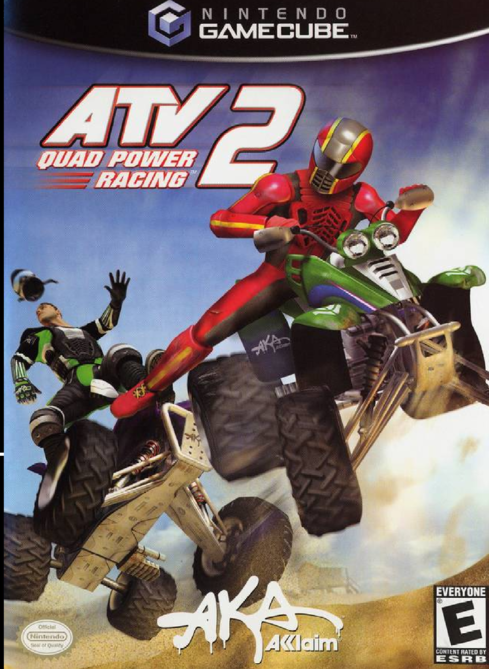
ATV: Quad Power Racing™ 2 puts you behind the wheels of some of the most powerful all terrain vehicles in the world and pushes you to the limit with insane death-defying stunts, exaggerated power slides and mind-blowing big air jumps. ATV: Quad Power Racing™ 2 features a wide range of all terrain vehicles and official pro riders offering a perfect blend between motorcross racing, freestyle and all the insane thrills and spills of extreme over the top action. If you think you need something extra to be a winner, you may find yourself resorting to dirty tricks like kicking or ramming your opponents. Whether you're racing across the many challenging terrains or pulling off mad stunts in the arena, the thrills and excitement are unbeatable. If you're really skilled, you'll get to put together your own custom championship. So fuel up and get ready for a ride that's unreal. MENU NAVIGATION
•
A Button: Confirm/select / advance
•
B Button: Cancel / go back
•
+ Control Pad/ Control Stick: Move highlight / toggle settings
MAIN MENU
ATV ACADEMY
Learn to ride before you take on the other modes. See page 14 for details.
CAREER
Bring up your rider from Amateur to Master status, unlocking items as you progress. See page 14 for details.
SINGLE RACE
ARCADE
Arcade-style antics rule as you try to advance through progressively-tougher race challenges. See page 16 for details. FREESTYLE
Indoor mayhem reigns as you try to pull off your best tricks. See page 16 for details.
CHALLENGE
Take challenges from top riders to show your skills.
TIME TRIAL
You and your bike try to beat the best times. See page 16 for details.
CUSTOM
Once you complete Career mode, you can set up your own custom championship season.
MULTIPLAYER
Two players compete in a variety of head-to-head competitions. See page 17 for details.
OPTIONS
Set up the game to suit your style.
ATV BASICS
Default Controls
•
Bicycle: Turn left/right, Lean forward / backward.
•
NOTE: The speed of the movement depends on how far the C-Stick is pushed.
OPTIONS
Before selecting your game mode, you may wish to set these options:
AUDIO
Adjust various music and sound effects levels, and access unlocked musical tracks on the Playlist.
CONTROLLER
View controls and select from among three pre-set control configurations. You can also choose to turn the Rumble ON or OFF.
PROFILES
Save your settings and configurations to a current profile. You can view, create or delete rider profiles, too.
CREDITS
View the team behind ATV: Quad Power Racing 2. TRICKS
There are plenty of stunning tricks you can pull off, once you've learned how in the ATV ACADEMY. Available tricks depend on your rider's skill level. As you progress, more tricks become available.
To view a rider's Trick Book, press the Y Button on the Rider Select screen.
IMPORTANT HINT
To pull off a trick you need to be safely in the air and press the button(s) and direction SIMULTANEOUSLY, then RELEASE them so you can do another trick. If you are using the Control Stick then it is a flicking action.
RIDER PROFILE
Your game progress is tracked through a rider profile. The first time you start the game (or if no profiles have been saved), you'll be asked to create a profile before you advance to the Main Menu.
Once you have advanced, you can also access the profile feature from the Options menu. Choose one of the rider personalities, enter a name, then off you go. When you are done, highlight OK and press the A Button.
NAME YOUR RIDER
RIDER SELECT
Before you get into action, you'll need to select your rider. You can select any of the available riders. Each rider is shown in the middle of the screen, with their name, stats
.png)

.png)