GETTING STARTED
Set up your Nintendo GameCube by following the instructions in the Nintendo GameCube instruction booklet. Saving Your Game
To save your game progress, you will need a Nintendo GameCube Memory Card. Insert the Memory Card correctly into Memory Card Slot A before turning on the console. This game does not use Slot B. If you turn off the console after playing without a Memory Card, your progress and records will not be saved.
You will need 1 file and 20 blocks to save a Spyro A Hero's Tail save file on to the Memory Card. To manage the contents of your Memory Card, use the Memory Card Screen.
Refer to the Nintendo GameCube instruction booklet (pages 18-20) for directions on how to format and delete a Memory Card file. Starting the Game
•
Press the OPEN Button to raise the Nintendo GameCube Disc Cover. •
Correctly place the Spyro A Hero's Tail Game Disc into the Nintendo GameCube. •
Press the POWER Button to turn on the Nintendo GameCube. Follow on-screen instructions and refer to this manual for more information about playing Spyro A Hero's Tail.
Avoiding Damage to the Nintendo GameCube Game Disc or Optical Disc Drive
•
Insert only Nintendo GameCube Game Discs in the console. •
Never use oddly shaped discs, such as star-shaped or heart-shaped discs.
•
Do not apply labels, stickers or other foreign objects to game discs.
Explosive Chests
Watch out for the explosive fireworks that erupt when one of these is destroyed.
Dark Gems
These evil gems are scattered throughout the land, absorbing all life around them. Smash the gems to restore the Dragon Realms to their former majestic beauty. Light Gems
Collect these precious gems to open up new areas and to activate the Professor's gadgets. Dragon Eggs
These eggs were stolen and hidden throughout the Dragon Realms. Return them to the Dragon Nanny to unlock special features.
Firecrackers
Light these on fire to destroy Strong Chests. MAP AND STATUS SCREEN
Keep track of Spyro's location and progress in the Dragon Realms by holding the Z Button to access the Map and Status Screen at any time.
The Map Screen is initially blacked out, with the name of the level at the bottom. As Spyro explores the Dragon Realms, he automatically fills in the blank map areas.
•
Press the R Button or L Button in the Map Screen to access maps from previous areas.
Task List
•
Press the Y Button to access the Task List.
•
The various inhabitants of the Dragon Realms will request help, and the quests they give to Spyro show up in the Task List.
•
As each task is completed, Spyro will automatically place a "check" next to it.
Status Screen
•
Press the X Button to view the Status screen.
•
The left side of the Status screen shows the total number of Dragon Eggs and Light Gems collected, Dark Gems destroyed, and percentage of the game completed. •
In the right portion of the screen, you can see how many Dragon Eggs you still need to collect to unlock special features.
Power-ups
•
Press the R Button to check the quantity of each of your power-ups.
•
This will especially help you avoid overspending when visiting Moneybags! (Although he won't mind.)
Help Screen
•
Press the A Button to access the Help screen.
•
This will list all the helpful hints and instructions that Spyro has learned in each level.
.png)

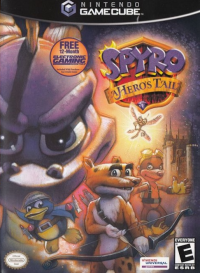
![Spyro A Hero's Tail [Player's Choice] box art for Gamecube](https://media.retro.gold/Nintendo_-_GameCube/Named_Boxarts/spyro_a_heros_tail_players_choice.png)
![Spyro A Hero's Tail [Player's Choice] screenshot 3 for Gamecube](https://media.retro.gold/Nintendo_-_GameCube/Named_Snaps/Spyro - A Hero's Tail (USA).png)
![Spyro A Hero's Tail [Player's Choice] title screen for Gamecube](https://media.retro.gold/Nintendo_-_GameCube/Named_Titles/spyro_a_heros_tail_players_choice.png)



.png)
.png)
