Using the Super Game Boy Accessory
Tetris Plus can be played using the Game Boy system or with the Super Game Boy accessory and your Super NES Control Deck.
Please refer to your Super Game Boy instruction manual for details on its use.
Starting the Game
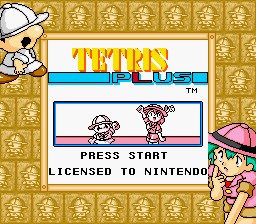
On the title screen, press START to display the Select Mode screen. Use the + Control Pad to select a mode, then press the A Button to enter.
Pause Menu
Press START during the game to pause and display the Pause menu. Use the + Control Pad to select CONTINUE or RETIRE, then press START.
•
CONTINUE: Cancel PAUSE and return to the game.
•
RETIRE: Quit playing this round and force GAME OVER.
Tetris: Basic Rules
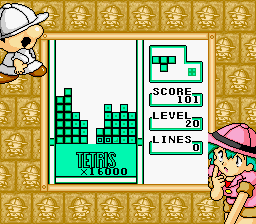
Manipulate the falling blocks and stack them up without leaving any spaces. Each time a complete horizontal line is formed, that line will disappear.
Eliminate multiple lines at one time to get maximum points! When the stack of blocks reaches the top of the playfield, the game is over!
Classic Mode
Starting the Game
After selecting Classic mode, you must select your beginning level. Use the + Control Pad to make your selection. After pressing the A Button to enter, the game will begin.
•
The higher the level number chosen, the more difficult the game will be.
How to Play
In Classic mode, you will play with the basic rules only. Manipulate the falling blocks into unbroken horizontal lines so you can erase them.
Game Over
When the stack of blocks reaches the top of the playfield, the game is over! What speed level can you achieve?
Try Again
When GAME OVER appears, press START while TRY AGAIN is displayed to start a new Classic mode game.
Puzzle Mode
Starting the Game
Select the Puzzle mode, and NEW GAME and CONTINUE will be displayed. Move the cursor with the + Control Pad and enter with the A Button. •
NEW GAME: Choose this to start from the beginning. If data has been saved previously, you will be asked if you want to erase the data. Selecting YES erases the data and begins a new game. If you select NO, you will return to the NEW GAME/CONTINUE screen.
•
CONTINUE: Using the data stored in battery-backed memory, the game will restart from your last stage played. If no data has been saved, the game will start from the beginning.
Selecting the Difficulty Level
After choosing either NEW GAME or CONTINUE, select the difficulty level. You can select any of the difficulties that you like.
WORLD MAP
Select the location where you would like to begin with the + Control Pad. Press the A Button to start the game.
How to Play the Puzzle Mode
The lines will disappear according to the basic rules of Tetris, but the object of the game and how to achieve it is a little different!
How to Clear the Stage
Eliminate the blocks that keep the Professor from the GOAL. When you drop the Professor down to the GOAL, the stage will be cleared!
Miss
If the Professor touches the Cutter, it's a miss!
Continue
Press START while CONTINUE? is displayed to restart that stage from its beginning. If you press the A Button, you will speed up the CONTINUE countdown.
Auto Save
The progress of the game will be saved automatically into battery-backed memory as each new stage begins.
Retire
While the game is paused, select RETIRE to force a MISS. Use this handy feature to restart that stage and try again.
The Professor's Peculiarities
You cannot operate the Professor, but you can learn how he will act!
Always On The Move!
The Professor is very single-minded in his movement. He will continue to walk in one direction to the left or right until he encounters blocks or a wall. At this point, he'll quickly U-turn!
He's A Bit Pudgy!
1. He can walk over the space of a single block without a problem.
2. Unless the space is larger than one block, he won't fall!
3. If the space is two or more blocks wide, he drops right through!
Not Afraid of Heights!
If you layer any blocks on the Professor, he'll climb right up them. Dropping them on top of him will not smash him, so take advantage of it!
By the way, the Professor is two blocks high and two blocks wide.
Additional Mechanics
•
If you score a Triple or a Tetris, the Cutter will rise.
•
The Cutter destroys any blocks it touches. Use it to dispose of the blocks that you do not need.
•
Even though it might look like you cannot place some blocks, they just might fit when rotated.
VS MODE
You can play Tetris Plus against a friend. Please see page 17 for instructions on how to use the Game Link Cable.
How to Start
On the Select Mode screen, choose VS mode. If properly linked to another Game Boy system, the VS mode will start.
MATCH SIZE
Begin by selecting the number of games for one match using the + Control Pad, then enter your choice with the A Button.
Handicap
You can set how high the Cutter will be when the game starts. Use the + Control Pad, then enter using the A Button.
•
You can select a different handicap for each player.
How to Play The VS Mode
You will play this
.png)

_2.png)
 (SGB Enhanced).png)
 (SGB Enhanced).png)









.png)


.png)