PlayStation 2 Components
Setting Up the Game
Set up your PlayStation® 2 computer entertainment system according to the instructions supplied with your system. Check that the system is turned on (the on/standby indicator is green).
Insert the Cabela's® Dangerous Hunts 2009 disc in the system with the label side facing up. Attach game controllers and other peripherals as appropriate. Follow the on-screen instructions and refer to this manual for information on using the software.
Memory Card (8MB) (for PlayStation™ 2)
To save game settings and progress, insert a memory card (8MB) (for PlayStation®2) into MEMORY CARD slot 1 of your PlayStation®2 system. You can load saved game data from the same memory card or any memory card (8MB) (for PlayStation®2) containing previously saved games.
Start Page
When you first play Cabela's Dangerous Hunts 2009 you will choose if you want to create a new game or load from a previously saved game.
New Game
Select a difficulty level and a profile name. After that you can save your profile.
Load Game
Select this to load a previously saved profile.
Main Menu
From the main menu, you can:
•
Begin your hunting adventure by selecting Career.
•
Go on a variety of special hunts on Bonus Missions.
•
Aim for a high score in the Action Zone.
•
Change your gameplay preferences in Options.
•
View your progress or the credits in Extras.
Career
Take on the role of Flint Abrahams as he adventures across the globe to hunt the most dangerous game in existence. In each location there is a deadly animal you must hunt, but who knows what will happen along the way...
Bonus Missions
In bonus missions you will use the skills you have learned in Career mode to hunt a variety of targets in special scenarios. Follow the objectives for each hunt and use the special equipment you will be issued to bag an impressive trophy!
More bonus hunts will unlock as you progress through Career. Completing them will give you more upgrade points, allowing you to customize your firearms.
Action Zone
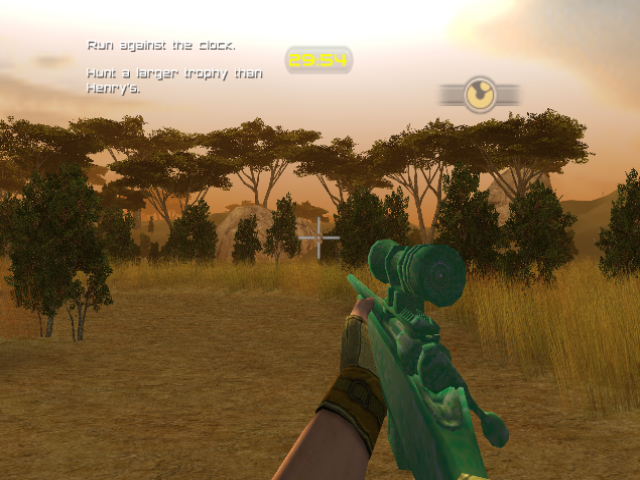
In this arcade-style mode you will face off against packs of vicious game in a series of timed challenges. Hunt each group of animals then run for the portal to make it to the next level, but be fast because the clock is ticking!
By fulfilling certain requirements, you can earn power-ups that will help you increase your score. Press the R3 button to use them.
Action zone challenges will unlock as you progress through Career mode, and by achieving the target score on each level you will earn more upgrade points.
Options
•
Audio: Adjust music, sound effects, speech, and environmental audio volume levels.
•
Controls: Adjust control sensitivity and choose to invert the Y-Axis.
•
Gameplay: Set options for subtitles, vibration, and autosave.
Gameplay
Look & Move
Use the right analog stick to look around, and the left analog stick to move your character.
Firearms
When hunting dangerous game, nothing but the biggest, baddest rifles will keep you safe. For each hunt you can select one large caliber rifle, one small caliber rifle, and a handgun. Guns can be selected from the Gear Menu or by pressing the directional buttons.
Before entering an area, you will have a chance to customize different parts of your rifles to improve their abilities. New guns will be unlocked by playing through the game, and custom parts require that you earn upgrade points to purchase them.
Hunter Sense
By using hunter sense, you will gain an acute awareness of your surroundings, and any interest points will be highlighted gold. By moving your crosshairs over any highlighted object, you will get information that could be vital to your hunt.
Adrenaline
As you find yourself in dangerous situations, you will build up a store of adrenaline that can be used when needed. It will slow down your perception of time when used, allowing for a perfect shot even against moving targets.
Melee Actions
If you miss your shot, you may find yourself up close and personal with a very angry animal. Follow the prompts that appear on the screen to escape with your life, but be fast because you only have a short window to perform the required input. Note that depending on the control style you are using, these prompts will change.
Baiting
As many dangerous game animals are carnivorous, sometimes the carcasses of other animals can be used to draw your target. If an animal can be picked up as bait, a hand icon will appear when near it, and you can press the action button to pick it up. It will be added to your Gear Menu.
An icon will appear on your screen when you are in a good area to use the bait. Press the SELECT button to go to the Gear Menu and use it. Once it is placed, be patient and your target should appear.
Stealth
To remain quiet when approaching animals, crouch and move slowly, and they will be less likely to see you.


_1.png)




.png)
_1.png)

.png)


.png)


.png)