Before Starting
•
Target Machine: 3DO Interactive Multi Player FZ-1 •
Contents: CD-ROM, Instructions Manual
Back-up Memory
If you do not have enough memory space to save new data, delete unnecessary files via the delete menu.
Do not delete the following data:
How to Start the Game
1. Turn on the power to the 3DO system. 2. Open the disc tray and insert the GUARDIAN WAR CD-ROM. Ensure the CD label faces up.
3. Close the disc tray. The opening demo starts automatically.
4. Press any button during the demo to bring up the title screen.
5. Press the designated button during the title screen or game to access the Load Menu.
Load Menu
This menu appears when you press the button during the title screen or gameplay.
•
Select [NEW GAME] to restart the game.
•
Move the cursor to the Data and press the button to continue a saved game.
Save Menu
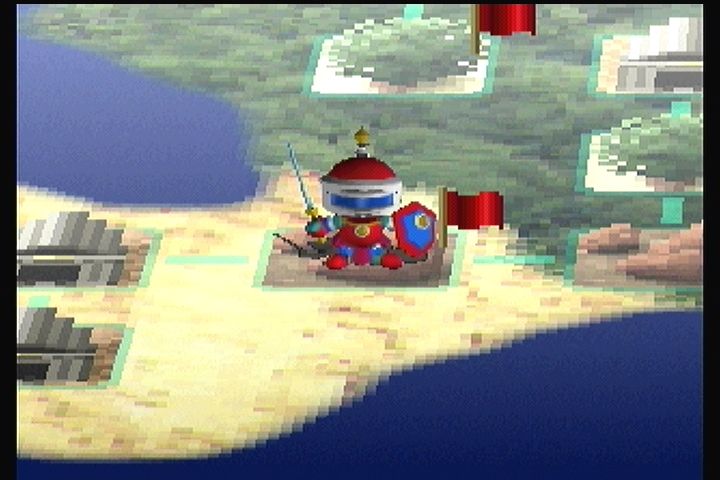
Saving is only possible while traveling on the World Map or Field Map. Use the Save command from the Menu. You can save up to 3 parts. Exiting the Game
If you wish to save your progress before finishing, please use the Save function before turning off the machine. You can continue from the same place the next time you play.
Game Over
The game cannot continue if all Battle participants become unable to battle (HP0) or turn to Stone. In this case, you must restart from a saved Data file.
Equipment
Bodies, weapons, and items can be equipped. Changing a Golem's body alters its appearance and abilities.
Character Values
Abilities depend on the types of bodies used. Each body has special features, so be careful when changing them. Character values include:
Body Values
Changing Equipment
Names, bodies, and items can be changed. Move the cursor to the desired part and press the A button.
•
Character Level: Increases by gaining Experience values after defeating enemies. The maximum level is 30.
•
Body Level: Increases after every fight. The maximum level is 5.
Attributes
Bodies and monsters have attributes such as Light, Wind, or Fire. Light attributes, for example, are weak against Darkness (Dark Magic).
•
The blue meter indicates your strength.
•
The red meter shows your weakness.
Name Alteration
You can input a maximum of 8 letters.
•
Select letters using the Directional pad.
•
Use the A button to insert letters and the B button to go back.
Acquiring Bodies
Go to the SHOP or use Treasure Boxes to gain bodies you are not currently equipped with. Class levels differ according to the Golems and must be raised separately.
•
Lower Class Body: Levels 1-5
•
Upper Class Body: Levels 1-5
•
Light Attribute Body: Levels 1-5
•
Dark Attribute Body: Levels 1-5
*Note: If you haven't reached level 5 in the Lower Class body, you cannot select the Upper Class or Attribute bodies.*
Items and Skills
•
Items: Select equipped weapons, shields, or items. Press the A button to determine your choice.
•
Skills: There are direct attacks and magic attacks (which spend MP).
•
Combination Attack: This is a special skill conducted only when you first use a trick on a partner character, and they use it again in order. It deals great damage to the enemy.
Field Commands
Basic Commands While Traveling
These are the same as World Map commands. Press the C button to display them. Basic Commands During Field Battles
This menu appears during battles. Be careful: you cannot save during these commands. Press the C button to display.
Skill Commands During Battle
•
Press the A button to display the menu.
•
Select skills using Up/Down on the Directional pad.
•
Use Left/Right on the Directional pad or Right/Left shift buttons to switch between 3 menus (switching tricks for 3 different bodies).
•
The display shows the amount of MP spent and the limits of attack.
Battle Overview
Battle continues until you win by annihilating all enemies, or until your comrades are totally destroyed. If you win or retreat, characters kept aside and unable to battle will be restored.
Field Map Commands
Look Over Map
Move the cursor using the Directional pad and place it under the character you wish to request. Information will appear at the bottom of the screen. The C button performs the same function.
Withdraw
You withdraw from the current Field and return to the World Map. Characters who were unable to fight will be restored. Finish Moving
This stops moving and attacking. After this command, the next character

.png)
