Setting Up Your PlayStation 2 System
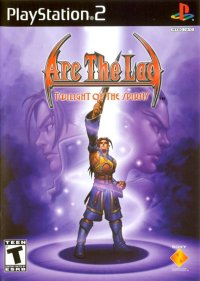
Set up your PlayStation 2 computer entertainment system according to the instructions in the manual. Make sure the MAIN POWER switch (located in the back of the console) is turned ON. Press the RESET button. When the power indicator turns green, press the OPEN button and the disc tray will open. Place the Arc the Lad: Twilight of the Spirits disc on the disc tray with the label side facing up. Press the OPEN button again and the disc tray will close. Attach a game controller and other peripherals, as appropriate. Follow on-screen instructions and refer to this manual for information on using the software.
Memory Card (8MB) (for PlayStation 2)
To save game settings and progress, insert a Memory Card (8MB)(for PlayStation 2) into MEMORY CARD slot 1 or MEMORY CARD slot 2 of your PlayStation 2 computer entertainment system. You can load saved game data from the same card or any Memory Card (8MB)(for PlayStation 2) containing previously saved games. Controller Diagram
DUALSHOCK 2 ANALOG CONTROLLER CONFIGURATIONS
•
left analog stick (L3 button when pushed down)
•
right analog stick (R3 button when pushed down)
Playing the Game
Travel the world on a quest to save the Human and Deimos races. Powers beyond your comprehension will reveal themselves as you fight to discover the true nature of the world.
Talking to People
The most important part of exploration is talking. The more you talk to people, the more you will learn about your world, its past and present.
To talk to someone, walk up to them and press the O button. Press the O button to progress through dialogue screens. When presented with response options, select how you want to respond to someone and press the O button.
Battle
You will encounter both Humans and Deimos who you will have to fight as they attempt to stop you from completing your quest. Monsters who roam the countryside will also attack your party.
Defend yourself with weapons and Magic. Victories will increase the power and wealth of your characters. Your party may consist of several allies or one character. If all characters are defeated in combat, the game is over. See "Combat" on page 15.
Acquiring Items
You need many Items to complete your quest. Items are weapons, healing potions, gold and other things of value. They can be bought, received as gifts or won in battle.
To pick up Items on the battlefield, walk up to an Item with the active character. When the word ITEM appears, press the O button. The Items you picked up will then be listed on-screen.
Note: After picking up Items, your character can no longer move, but can attack using Magic, Special Moves or Items from that position.
You can purchase Items from merchants using gold taken from your enemies.
Travel
The World Map
Use the World Map to move to new destinations which will become more numerous as the story progresses.
To open the World Map, move to the boundary of your current location. When you are asked if you want to "GO OUTSIDE?" select YES.
Use the left analog stick or directional button ←/→ or ↑/↓ to move the cursor over the World Map to your next destination and press the O button to begin your journey.
Each time a destination is mentioned during conversations, it will appear in green in the dialogue box. The next time you open the World Map, that new destination will be available.
You might be able to skip over some destinations, but may be forced into combat as you pass through some areas.
The Globe
Use the Globe to travel great distances.
To travel:
•
Highlight a destination and press the O button.
Character Status
It is important to know the status of each character in your party. The Status screen can tell you the battle readiness of each ally, his or her powers, what type of Items they are carrying and his or her Elemental Defense status.
To view the status of any one of your allies, highlight STATUS from a menu and press the O button. Press the L1/R1 button to cycle through the status screen for each party member.
LV (Level)
This is the Level of experience attained by the character based on combat victories.
Spirit Stone Total
This displays the current Spirit Stones and current maximum possible for this character. Spirit Stones are vital to spell casting and some weapon attacks. You can pick up Spirit Stones from fallen enemies or buy them from merchants. Also, some Items in the game can increase a character's maximum Spirit Stones.
Item Total
This is the total Items currently held.
HP (Hit Points)
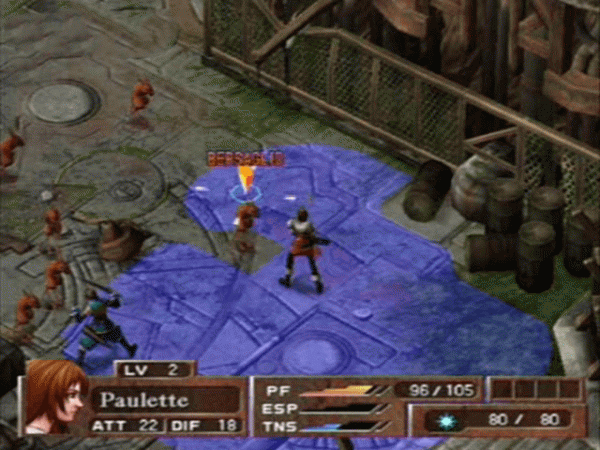
Hit Points represent how much damage a character or enemy can receive in battle before he or she is defeated. HP is usually expressed with two numbers: Current Hit Points remaining/Maximum Hit Points. When the current Hit Points reaches zero, the combatant is defeated.
During battle, the number of HP a combatant has lost to an attack appears over them. Battle experience will raise the maximum HP for