STARTING THE GAME
Press START on the Title screen to go to the Game Mode Select screen. Highlight a game mode with the directional buttons and press X to confirm.
GAME MODES
•
STORY MODE: Follow a story and complete 7 missions to win. You can also load a previously saved game.
•
ENDLESS MODE: Play individual stages for as long as you want.
•
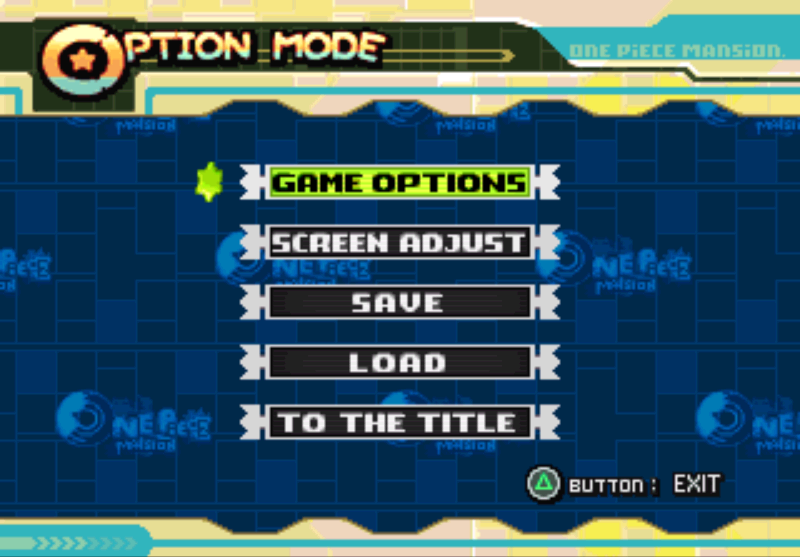
OPTIONS: Adjust various game settings.
SAVE DATA
Saving ONE PIECE MANSION™ play data requires an optional memory card with 1 free block.
•
Use the SAVE option in Options to save your game.
•
You can also save after clearing a stage.
•
To load a saved game, use the LOAD option in Options, or load the game when you begin Story Mode.
•
You cannot save your play data in a Memory Card (8MB) (for PlayStation®2). •
Do not turn off your PlayStation®, press the reset button, or remove the memory card while saving or loading game data. Doing so may destroy saved data. MANSION PANDEMONIUM!
Welcome to ONE PIECE MANSION, a place where mysterious residents live, work, play, and sometimes cause trouble! You are Polpo, the mansion manager. Your job is to run a happy, harmonious mansion by protecting your residents from trouble and fending off criminals.
Sometimes unexpected disasters will erupt. A rival mansion across the street will often be the cause of your problems. Make ONE PIECE MANSION the best place in town and keep the roof from caving in!
MANSION MONEY
You need money to accomplish many management tasks.
•
Collecting monthly rents.
•
Completing building contracts.
•
Switching residents' rooms.
•
Paying damage penalties when rooms explode.
MANAGING YOUR MANSION
All residents living in ONE PIECE MANSION affect each other. You must arrange them comfortably in their rooms, or they could cause a lot of trouble.
STRESS
If a resident is too stressed out, they will move out and the room will explode. You'll lose rental income and have to pay to repair the damage.
If a resident spends two years in your mansion without any problems, the happy tenant will leave with a musical fanfare, and you'll earn a huge bonus.
JUDGING RESIDENT STRESS
•
MOOD ARROWS: Watch these to see how your residents are relating. A blue arrow means the tenant is having a positive effect in that direction; a red arrow means the tenant is causing stress in that direction.
•
STRESS GAUGE: The Stress Gauge at the top of a room shows the resident's stress level. As the stress level gets higher, it changes color from green to yellow, then to red. As it nears its critical point, it starts to blink, and finally the room explodes!
SWITCHING RESIDENTS
When residents have problems, switch their rooms so everyone can live comfortably. For example, Sodaigorou causes stress to rooms all around him because he makes lots of noise. To straighten out this situation, move Sodaigorou to a room away from everyone else.
•
Place the cursor on Sodaigorou's room and press the X button to open the Manager's Menu.
•
Use the directional buttons to select SWITCH, and press the X button.
•
Select the room you want to move Sodaigorou into, and press the X button to complete the switch. If the second room already has tenants, they will move into Sodaigorou's old room.
OTHER IDEAS FOR SWITCHING
Ai-chan radiates a healing aura that reduces the stress of everyone around her. Move Ai-chan to Sodaigorou's old room to ease stressed residents.
If you want a resident to leave, move a troublemaker (such as Sodaigorou) to a nearby room so the unwanted resident will stress to the max.
MANAGER'S ROOM
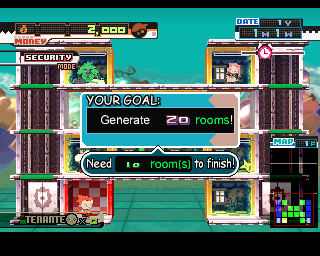
Polpo starts the game in the Manager's Room.
•
To return Polpo to this room quickly, press the X button to open the Manager's Menu, select SECURITY, and press the X button again. This also changes your current mode to Manager Mode (shown in the upper left corner).
•
You can also move the Manager's Room to another location by using the SWITCH command.
MOVING IN NEW RESIDENTS
The Waiting Residents number at the bottom left of the screen shows how many people want to move into your mansion. Since more people are constantly added to the list, you need to move them in quickly.
•
Select an empty room you'd like to rent and press the X button.
•
On the Manager's Menu, select TENANT and press the X button again.
•
You'll now see a row of "cards" showing which characters are waiting to move in. This gives you the opportunity to choose the right personality for the new room. Highlight the character you want to move in, and press the X button.
•
Highlight an empty room and press the X button to complete the move.
BUILDING A NEW ROOM
When all your available rooms are filled, it's time to build new apartments. You can build a new room next to any existing room.
•
Make sure you have the money to do the work.
•
Select the location of the new room, and press the X button.
•
On the Manager's Menu, select TENANT, and press
.png)



.png)
