Game Description
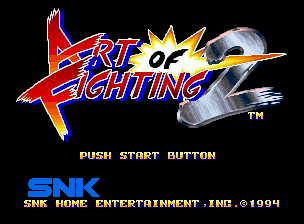
When you turn on the power, the title screen will be displayed. Press the START button on the controller to switch to various selection screens.
Select in the order of Game Level, Game Speed, Language → (Data Load) → Mode → Character with the lever, and confirm with the A button.
How to Start the Game
•
Select Level, Speed, and Language.
Level Select
Choose from 6 types of game difficulty (computer player strength). Select with the lever.
The more stars there are, the higher the difficulty.
Speed Select
Select the character's action speed. The movement speed increases in the order of 85%, 100%, 115%, and 130%. Press the B button to select.
Language Select
You can choose from three types of screen language display: Japanese, English, and Spanish. Press the C button to select.
During 2P battles, the level setting does not affect gameplay. Also, level, speed, and language are not saved on the memory card.
Memory Card Load
The "Load Selection Screen" will only be displayed if a memory card is inserted into the console. If you select "YES", you can play from the stage you saved last time.
Mode Select
Choose between Computer Battle (1P VS COM) or 2P Battle (1P VS 2P). Use the lever to select and press the A button.
Even during a computer battle, you can enjoy a 2P battle by pressing the start button on the 2P side. Two controllers are required for 2P battles.
Character Select
Select the character you want to use and their color. Select with the lever and press any of the A~D buttons to start the game.
Pressing the A button to start will give you the standard color, while pressing other buttons to start will allow you to play with characters of different colors. You can also have same-character battles, but even if you press the same button, the characters will be of different colors.
In computer battles, only the first opponent can be freely chosen, so please select. Choose from 4 colors!
About Continue
If you lose a match, the continue screen will be displayed. To continue playing, press the start button before the countdown reaches 0.
In computer battles, you can only continue up to 3 times. In 2P battles, it's a free continue (unlimited).
Bonus Stages
During computer battles, bonus stages will appear in the game. Select from "Physical Training," "Spirit Training," or "Super Special Move Instruction" with the lever and press the A button.
If you complete the given challenges, you will be able to proceed with subsequent battles at an advantage, and bonus points will also be added.
Spirit UP
Match the timing on the power meter to chop down the large tree. If successful, your spirit gauge's MAX level will increase.
Super Special Move Instruction
Clear the challenge using a special move. The challenges given vary depending on the character. If successful, you will be taught how to perform powerful super special moves and be able to use them.
In 2P battles, you can use super special moves from the beginning, so please master the controls.
Physical Strength UP
Defeat a set number of opponents within the time limit. If successful, your physical strength gauge's MAX level will increase.
About the Spirit System
Special moves consume spirit. This is why there is a spirit gauge in "Art of Fighting". If you don't have enough spirit, you can't use special moves even if you want to. Conversely, when your opponent has no spirit, you don't have to worry about taking a lot of damage, and it becomes an opportunity to attack. Managing your spirit is important.
Spirit Consumption
Special moves consume spirit! If you don't have enough spirit for a special move, the power of the special move will decrease.
Even if you don't use special moves, if you are provoked, your spirit will gradually decrease. Passive fighting will be fatal.
Spirit Recovery
Reduced spirit can be recovered. However, like provocation, you will be in a defenseless state, so pay attention to your opponent's movements.
•
Press and hold any of the A, B, or C buttons to recover.
Taunt
Reduce your opponent's spirit and create a favorable situation. Both spirit recovery and taunting leave you in a defenseless state, so pay attention to your opponent's movements.
•
Press the D button to taunt. You can reduce your opponent's spirit.
Special Moves
By inputting commands, you can use more powerful techniques than normal moves (punch, kick, etc.). However, these require spirit. The amount of spirit consumed varies depending on the special move.
•
Special moves are performed by combining the lever and buttons. (See the character introduction for details.)
Notes on Use
About Memory Card Backup
This game allows you to easily back up your progress data by using a separately sold "memory card". Please insert the memory card securely into the memory card slot of the Neo Geo console.
Load (Data Retrieval) Method
If the memory card is






_1.png)