Notes on Usage
About Memory Card Backup
This game allows you to easily back up your progress data using a separately sold "memory card."
Please insert the memory card securely into the Neo Geo console's memory card slot and follow the instructions below to save and load game data.
Load (Data Retrieval) Method
If the memory card is correctly set, a "Load Selection Screen" will appear before the game starts.
•
Select "YES" with the lever and press the A button to continue playing from your previous save.
Save (Data Recording) Method
If the memory card is correctly set, a "Save Selection Screen" will appear after the game is over.
•
Select "YES" with the lever and press the A button to record your progress data up to that point.
•
Some software may automatically save during the game.
•
Normally, multiple saves for the same game are not possible. If data for the same game is saved on the memory card, the previous data will be automatically erased.
About Card Formatting (Initialization)
New memory cards are not formatted (initialized). Please be sure to format them according to the following procedure before use.
•
Correctly set your Neo Geo cassette and memory card into the Neo Geo console.
•
While simultaneously pressing the A~D buttons on the 1P controller, press the reset button on the Neo Geo console.
•
When the "Data Screen" appears on the TV, select "Format Card" with the lever.
•
Press the A button to complete the format.
Memory Card Usage Precautions
•
For saving and loading with a memory card, a Neo Geo cassette is required in addition to the Neo Geo main unit set.
•
Never insert or remove the memory card or cassette, or turn the main unit's power ON/OFF, during saving or loading.
•
When inserting the memory card, make sure the arrow is pointing upwards.
•
Memory cards are sold separately. Please purchase and use only those specifically designed for Neo Geo.
Cassette Usage Precautions
•
This product is a Neo Geo exclusive game cassette.
•
Always turn off the main unit's power when inserting or removing the cassette.
•
Cassettes are precision instruments, so avoid using or storing them under strong shock or extreme temperature conditions.
•
Do not touch the terminals with your hands or get them wet.
•
Do not wipe the cassette case with chemicals such as thinner.
•
When not playing, always unplug the AC adapter from the outlet.
•
Connecting the Neo Geo to a projection TV (screen projection type TV) may cause screen burn-in, so do not connect it.
Game Start
•
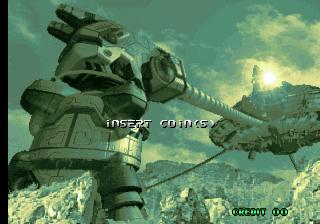
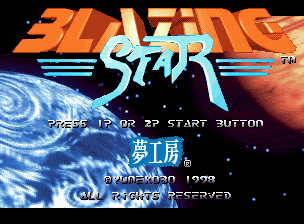
On the title screen, press the Start button on Controller 1 or 2. You can play with the controller you pressed.
Player Select
•
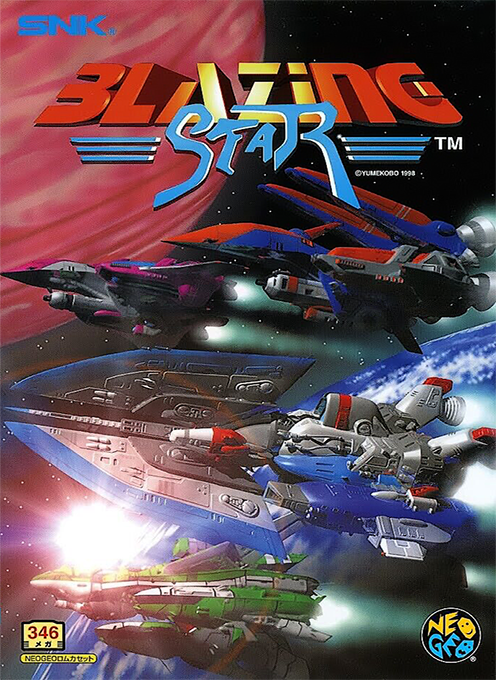
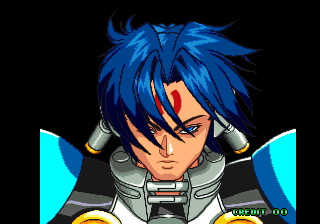
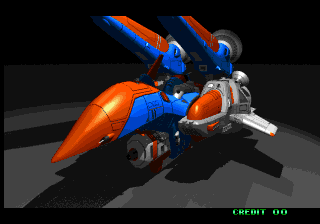
After the operation explanation screen, you can select your aircraft.
•
From all 6 aircraft, select the one you want to use by moving the lever up and down, and confirm with the A button.
•
The operation explanation screen can be skipped by pressing the A button.
Data Load Selection
•
If a memory card with Blazing Star data is set, you can play from the stage you last saved.
•
To load, select "YES" and confirm with the A button.
Difficulty Setting
•
If you start without loading, you can set the game's difficulty.
•
The initial setting is "NORMAL", with "EASIEST" being the easiest and "GODLY" being the most difficult.
•
Select your preferred difficulty with the lever and confirm with the A button.
•
If data is loaded from a memory card, difficulty cannot be set. Difficulty is also saved on the memory card.
About 2P Simultaneous Play and Mid-Game Participation
With two controllers connected, if you press the start button on the controller not being used during 1P play, two-player simultaneous play and mid-game participation are possible.
Mid-game participation is not possible when "PLEASE WAIT" is displayed on the screen.
About Continue
If you lose a player when you have no remaining lives, a continue countdown will be displayed on the screen.
If you press the start button before the count reaches "0", you can resume the game.
Multiplier Up System
If you defeat enemies with the same charge shot, the enemy's score will increase by a multiplier depending on the number of enemies defeated.
However, if you break it, no matter how many you defeat, only a uniform multiplier will be applied.
The number of enemies defeated by a charge shot is displayed on the screen as the HIT count.
Play Message
During the game, when items appear, messages are displayed on the screen.
Depending on how you play, messages of praise or criticism may also be displayed.



_1.png)
_1.jpg)


_1.png)



 (En,Ja).png)