Starting a Game
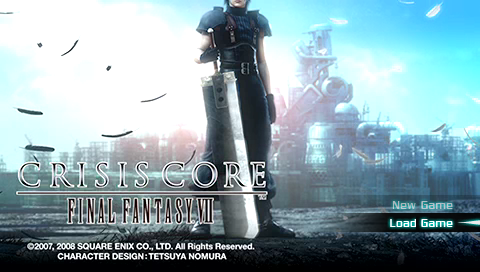
During the opening movie, press START, △, ○, ✕, or ▢ to show the title menu.
New Game
This will start the game from the beginning of the story. You can also select the overall difficulty of the game (Normal Mode or Hard Mode).
Please note that once a difficulty mode is selected here, it cannot be changed during gameplay.
Load Game
Select the data to load. This will continue the game from where you left off.
Saving Data
You can save your progress at any save point or at certain points during the story. Before you start the game, make sure to have a Memory Stick Duo™ or a Memory Stick PRO Duo™ with at least 256KB of free space inserted into the Memory Stick Duo™ slot.
When saving at a save point, enter the save point and press ✕. Then select a file in which to save your data. To delete data, press SELECT at the save point and select the file to delete.
Advancing the Story
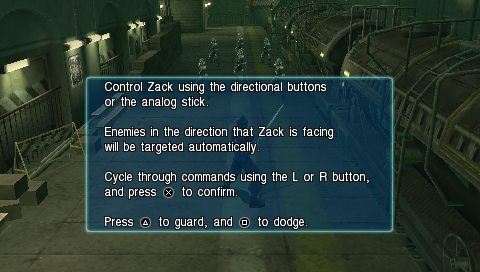
Move Zack in the field screen in order to gather information and advance the story. Encounters with enemies will take you into the battle screen. Use the main menu to make adjustments to your equipment and use items.
•
Field Screen: Enables you to move through towns and various facilities. You can talk to people to gather information.
•
Battle Screen: When you encounter enemies in the field, or an event leads to battle, the resulting fight will take place in the battle screen.
•
Main Menu: While in the field screen, press △ to enter the main menu, where you can make adjustments to your equipment and use items.
DMW (Digital Mind Wave)
The DMW is a slot reel system that continues to spin and stop during battle by expending SP. Matching numbers or character panels can activate a variety of special effects, such as "Invincible" and "No MP Cost."
•
The DMW cannot be manually controlled by the player.
•
The DMW will not spin or activate effects if SP is insufficient.
Limit Gauge and Limit Verge
The limit gauge monitors DMW status. It fluctuates between five levels (from LOW to HEAVENLY) depending on Zack's emotional state and DMW results. A higher gauge level increases the chances of a limit verge.
When the left and right slots have matching character panels, the screen changes to show a limit verge. Matching character panels or numbers on this screen can activate different effects:
•
Matching characters: Activate a limit break that corresponds with the character shown in the panels.
•
Matching numbers: Level up Zack or his equipped materia.
Status Changes (Permanent)
During battles, certain attacks and DMW effects can cause status changes. Some changes are beneficial, while others (status ailments) are not. Most status ailments can be healed through the use of items such as remedies and elixirs.
The following status changes are not canceled over time:
•
Poison: Gradually drains HP at regular intervals.
•
Silence: Prevents use of magic.
•
Curse: Prevents DMW rotation.
•
Raise: Fully recovers HP from incapacitation.
Status Changes (Temporary)
The following status changes are canceled over time:
•
Stun: Temporarily prevents action and command input. Pressing buttons repeatedly can help you snap out of it faster.
•
Endure: Prevents falling from received damage.
•
Stop: Temporarily halts the flow of time.
•
Barrier: Halves damage from physical attacks.
•
MBarrier: Halves damage from attack spells.
•
Regen: Gradually recovers HP at regular intervals.
•
Null Physical: Nulls damage from physical attacks.
•
Null Magic: Nulls damage from magic attacks.
•
Invincible: Nulls all damage.
•
No MP Cost: Stops magic-related materia from expending MP.
•
No AP Cost: Stops defensive actions and action-related materia from expending AP.
•
Critical: All attacks become critical hits.
Items and Equipment Submenus
Select the "Items" and "Equipment" submenus to prepare Zack for battle by using items and equipping him with materia.
•
Items: You can use or sort items in your possession.
•
Equipment: You can equip or unequip materia and accessories in your possession. Press △ to check the abilities granted by the selected equipment.
Item and Equipment Actions
•
Use: Select an item to use from the available choices.
•
Equip: First, select the slot in which to place the materia or accessory. Then choose the materia or accessory to equip. Materia that are usable in battle become materia commands on the battle screen.
•
Sort (Items): Select either "Auto" or "Manual" to sort your items.
•
Sort (Equipment): You can change the order of equipped materia or accessories by choosing what to move, and then selecting where you want it to go. The order of materia here will be reflected in the battle screen's materia commands.
•
Unequip: Select the materia or accessory to unequip. Then press ✕ to confirm your selection.
•
Auto: Sort items automatically.
•
Manual: You can sort items according to your preference. First, choose the item to move, and then choose where you want the item to go.
•
Best: This allows the system to automatically choose from materia and accessories in your possession for the best possible equipment based on offense (physical attack), magic (attack spells), or defense.
Materia Submenu
You can use and sort materia in your possession. Please note that you can only carry 99 of