On The Ice
This section helps you excel at all aspects of the game, from taking a breather to pinpointing your penalty-kill strategy.
Face-Off
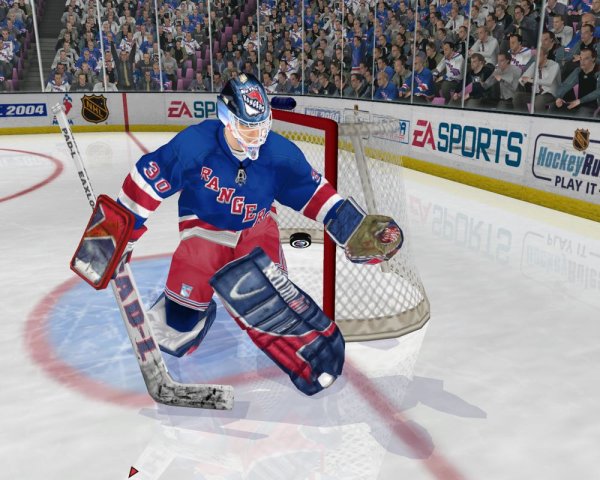
It all starts with the face-off. Be ready to play when the ref drops the puck.
•
Press the button + the left analog stick to win the face-off and pass the puck to a teammate.
Pause Menu
Press the START button to access the Pause menu during a game.
•
RESUME: Return to the game.
•
REPLAY: View an instant replay of the last few moments of the game.
•
RULES AND OPTIONS: Adjust your Rules, Game Speed, Display, and Sound Options.
•
STATS CENTRAL: View the Team Comparison, Scoring Summary, Penalty Summary, [Team] Stats, and Goalie stats.
•
CAMERA: Change the Camera View, toggle Autozoom ON/OFF, toggle Camera View to ALTERNATING, ALWAYS UP or ALWAYS DOWN.
•
[TEAM] OPTIONS: Edit lines, adjust your strategies, set Line Changes to OFF/MANUAL/AUTO, toggle Shot Aim MANUAL/AUTO, pull your Goalie or leave him in the net, or Take A Timeout.
•
CONTROLLER SETUP: Change the team you control.
•
QUIT: Quit the game and return to the Main menu.
Strategies
Adjust your Strategies to suit the situation on the ice.
To Adjust Your Strategy
1. From the Team Options screen, highlight STRATEGIES and press the button. The Strategies screen appears for the team selected.
2. Adjust pressure and select a strategy for each Offensive line and your Power Play strategy.
3. Adjust your strategies for Pressure, Strategy, and Penalty Killing on defense.
For more Information on Strategies, check out the Marc Grawford strategy videos from the EA SPORTS Extras menu.
Play Online
Go up against the best gamers in the country. Take your NHL team on the road without leaving your home.
Important Information on the EA Sports™ Online Service
Including availability for play, terms and conditions, and membership agreement can be found at http://www.easports.com/ps2legal/.
This software uses "DNAS" (Dynamic Network Authentication System), a proprietary authentication system created by Sony Computer Entertainment Inc. ("SCEI"). "DNAS" retrieves information about user's hardware and software for authentication, copy protection, account blocking, system, rules, or game management and other purposes. The information collected does not identify the user personally.
A Publisher can combine this information with personally identifying information from the Publisher's records if the user provides the personally identifying information. Before providing any personal information to a Publisher, please be sure to review the Publisher's privacy policy and terms and conditions of use. Do not provide personally identifying information to a Publisher unless you accept the conditions of use and terms of their privacy policy.
SCEI, Sony Computer Entertainment America ("SCEA") and their affiliates cannot guarantee the continuous operation of the "DNAS" servers. SCEA shall not be liable for any delay or failure of the "DNAS" servers to perform. If you receive a message during login identifying a "DNAS" authentication error, please contact SCEA Consumer Services at 1-866-466-5333. For additional information concerning "DNAS", visit www.us.playstation.com/DNAS.
In the event of the system's incompatibility or inoperability with DNAS, the sole liability of SCE, SCEA and their affiliates shall be limited to the repair or replacement of the user's affected game software, console, or peripherals at the option of SCEA. SCEA, its parents, affiliates, or licensed Publishers shall not be liable for any delays, systems failures, authentication failures, or system outages, which may, from time to time, affect online game play or access thereto.
EA RESERVES THE RIGHT TO RETIRE THE EA SPORTS ONLINE SERVICE FOR THIS PRODUCT AFTER 90 DAYS NOTICE, OR 30 DAYS AFTER THE LAST DAY OF THE 2003-2004 NHL SEASON.
Note
In order to play online, you will need the following items: a Network Adaptor (Ethernet/modem) (for PlayStation 2) installed, an active Internet connection via your own Internet Service Provider (ISP) account, and a memory card (8MB) (for PlayStation®2) with at least 256 KB free space. Prior to playing online, you will need to: set up Your Network Configuration file. NHL 2004 includes a Network Configuration GUI for setting up this file. Note
When saving and loading Your Network Configuration file, you must use MEMORY CARD slot 1.
Select Network Configuration
Before you can begin playing online, you must select Your Network Configuration file (found on your memory card) or create a new one through the Network Configuration GUI.
Note
After using the included Network Configuration GUI, the RESET button functions differently in NHL 2004. To put the console into standby mode press and hold the RESET button until the LED turns red.
Network Configuration File
Press the D-button to scroll through the available Internet service provider settings and select one for the upcoming online game. The default displayed onscreen is the last Internet service provider settings used when playing online.
Create/Edit Configuration
The Network Configuration GUI allows you to create and edit Your Network Configuration file. When selected, the game shuts itself down while the Network Configuration GUI loads. When complete, the game re-launches itself and goes through its normal loading procedure before returning to the Main menu screen.