Player Icons
The icons next to your players indicate their strengths or status.
•
INJURED, can play but is susceptible to further injury if he does
•
TIRED, indicates a goalie who has played too many games without resting
Play Now
This mode offers a quick fix of hard-hitting hockey with minimal setup.
To Start a Play Now Game
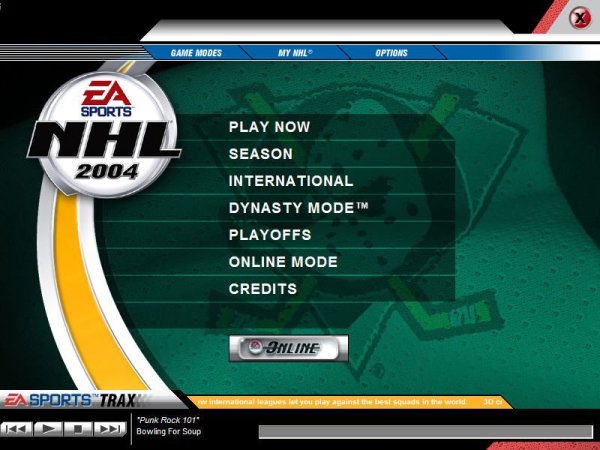
1. From the Main menu, choose PLAY NOW and press the A Button. The Choose Teams screen appears.
2. Press the +Control Pad or the Control Stick to select a team.
•
Press the +Control Pad or the Control Stick to alternate between Home and Away teams.
•
Press the L Button or the R Button to cycle between leagues.
•
Press the X Button to select random teams.
3. Press the A Button to advance to the Choose Sides screen.
4. Press the +Control Pad or Control Stick to position the controller icon on the side you want to control and then press the A Button.
•
To set your Team Options, press the Y Button.
5. When you're finished selecting teams, press the A Button to advance to the Quick Settings menu.
Team Options
Give an advantage to one team's players or goalie by moving the appropriate slider closer to the team you want to give the advantage to.
Quick Settings Menu
•
Choose a skill level from BEGINNER to DIFFICULT.
•
Select a camera view from ICE, CLASSIC, OVERHEAD, BROADCAST, ACTION.
•
Set your period length to 5, 10, 15, or 20 minutes.
•
Set the rules governing the game to CUSTOM (uses the rules that you set in the Rules & Options screen), OFF (no rules enforced), NHL, or INTERNATIONAL.
When you've adjusted your settings, press the A Button to accept your choices and advance to gameplay.
On The Ice
This section helps you excel at all aspects of the game, from taking a breather to pinpointing your penalty-kill strategy.
Face-Off
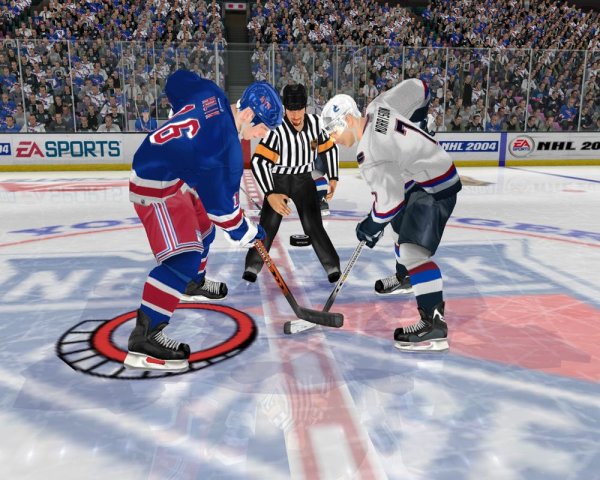
It all starts with the face-off. Be ready to play when the ref drops the puck.
•
Press the A Button + the Control Stick to win the face-off and direct the puck to a teammate.
Pause Menu
Press START/PAUSE to access the Pause menu during a game.
•
View an instant replay of the amazing goal or bone-crunching hit that just happened.
•
Adjust your Rules, Game Speed, Display, and Sound Options.
•
View the Team Comparison, Scoring Summary, Penalty Summary, [Team] Stats, and Goalie stats.
•
Change the Camera View, toggle Autozoom ON/OFF, change Camera Perspective to ALTERNATING, ALWAYS UP, or ALWAYS DOWN.
•
Edit lines, adjust your strategies, set Line Changes to OFF/MANUAL/AUTO, toggle Shot Aim MANUAL/AUTO, pull your Goalie or leave him in the net, take a Timeout.
•
Change the team you control or choose to lock to a position.
•
Quit the game and return to the Main menu.
Strategies
Adjust your Strategies to suit the situation on the ice.
To Adjust Your Strategy
1. From the Team Options screen, highlight STRATEGIES by pressing the A Button. The Strategies screen appears for the team selected.
2. Select a strategy for each Offensive line, and for your Power Play squad.
3. Select your defensive strategy and your strategy for Penalty Kill on defense.
Dynasty Mode™
Take your team from the trenches to the playoffs and see how many times you can bring home the Stanley Cup®.
To Start a Dynasty Mode™ Game
1. From the Game Modes menu, choose DYNASTY MODE. The Dynasty Mode pop-up appears.
2. Choose NEW and press the A Button. The Create GM screen appears.
3. Highlight the GM info that you want to enter or edit and press the A Button. The Text Entry overlay appears.
4. Highlight the character you want to enter and press the A Button. When you're finished entering characters, highlight DONE and press the A Button.
5. When you've entered all your GM info, highlight DONE and press the A Button. The Dynasty Setup menu appears.
6. Press the +Control Pad or Control Stick to highlight the various Dynasty settings, and then press the +Control Pad or Control Stick to change the setting. When you're done making adjustments, highlight DONE and press the A Button to advance to the Select Team screen.
7. Press the +Control Pad or Control Stick to highlight the team you want and then press the A Button.
•
To substitute a Custom Team in place of an NHL team, press the Y