Console Overview
Starting a New Game
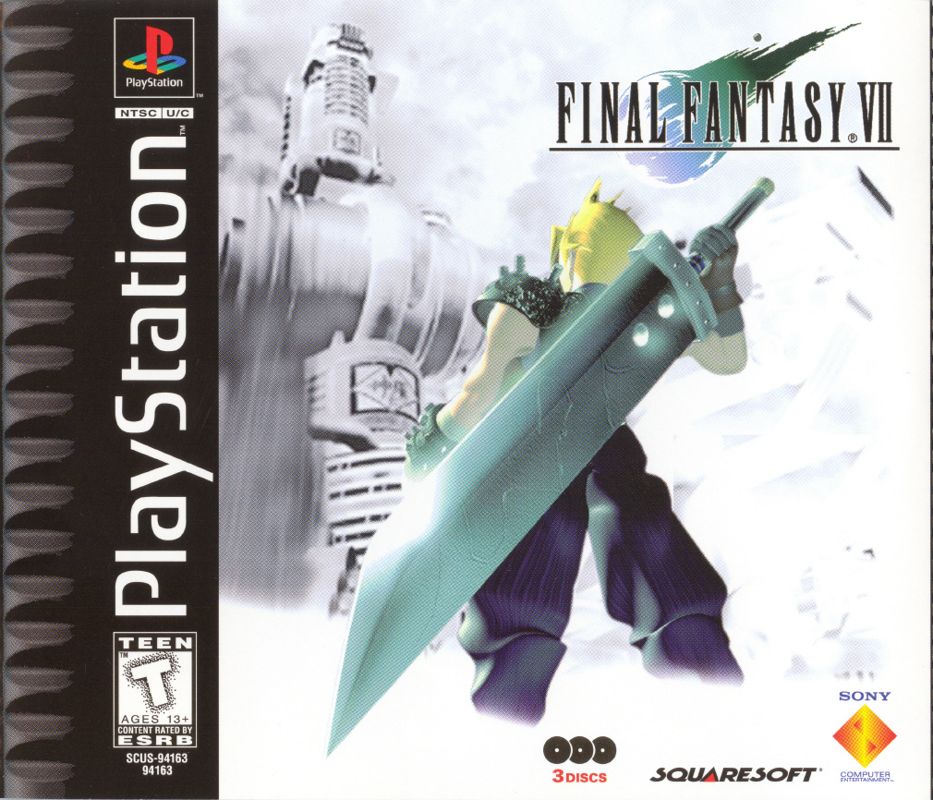
Open the PlayStation game console by pressing the Open button. Insert the first Final Fantasy VII disc and close the Disc Cover. Turn ON the PlayStation game console.
When the demo screen appears, the game is ready to be played. Press the ● button for another screen, allowing you to choose either NEW GAME or CONTINUE. Use the Directional Buttons to move the cursor to NEW GAME, and press the ● button to start.
To save your game, insert a Memory Card (sold separately) into Slot 1 or Slot 2 of the PlayStation game console in advance.
Continuing from Saved Data
Insert the disc for the previous game and the Memory Card with the saved data, and turn ON the PlayStation game console. Go to the NEW GAME or CONTINUE screen, and choose CONTINUE. Select the slot into which you inserted the Memory Card (either Slot 1 or Slot 2), and press the ● button.
From the File Select screen, choose the data file that contains the game you want to resume. If the data file cannot be loaded for some reason, remove the Memory Card without turning OFF the game console and then reinsert it.
Changing Discs
Final Fantasy VII is the first 3 CD-ROM disc RPG for the PlayStation game console. Occasionally, during the game, a screen will appear with the message "Please insert disc 2 or 3" along with a CG image (screenshots representing discs 1 through 3 of the CD-ROM).
Without turning off the console, open the Disc Cover and insert the disc designated on screen. Close the Disc Cover and press the ● button to resume. The CG image randomly changes every time this screen is displayed.
Field Controls
Entering Names
As you encounter each character, you will be able to customize their name using up to nine letters. If the default name is acceptable, press the START button to move the cursor to "Select" and push the ● button.
To change a character's name, select a letter using the Directional Buttons and enter each letter using the ● button. After a name is entered, select "Select." If you want to change back to the default name, select "Default." Press the ✖ button to backspace and erase letters.
Selecting Messages
You can occasionally select a response or reaction when you are talking with other characters in the game. Select the response or reaction by using the Up or Down Directional Buttons, then press the ● button.
Shops, Inns, Etc.
There are various shops, inns, etc. throughout the world, where you can buy things you need for your next adventure and rest. You can sell extra weapons or items at any shop, except for inns.
Inns
If you rest one night at most of the inns, the HP and MP of all party members will be completely restored. Also, abnormality status caused during battles will be reversed. The cost depends on the inn.
Weapon Shop
Weapons and armor are available. Weapons are specific for each character (for instance, Gun-arms may only be equipped on Barret). Armor may be equipped on any character.
Item Shop
A number of items for various effects, such as recovery and attacking, are available.
Accessory Shop
Various accessories are available. Once equipped, they will have various special effects.
Materia Shop
Materia are magic orbs that have a number of positive effects if equipped in weapons or armor. Purchasing Materia is the same as purchasing other goods in other shops, however, it cannot be purchased in bulk like items or weapons.
Beginner's Hall
Located above the Weapon shop in the Sector 7 Slums near AVALANCHE headquarters. It is not a shop, but if you talk to people at the Hall (and listen to Cloud), you will learn many helpful things about playing the game.
Event Games
Some of the events that take place during your adventure require different controller functions. For instance, there is an event in which you throw barrels at enemies below you. There are other events where you compete, relying on your amount of stamina.
Tips may be hidden in messages and screens, so look for them carefully before starting an event. In some cases you will have to complete an event within a certain time limit. If you have to discontinue an Event Game, you can finish the game after saving or press the START button during an Event Game to pause.
ATB (Active Time Battle)
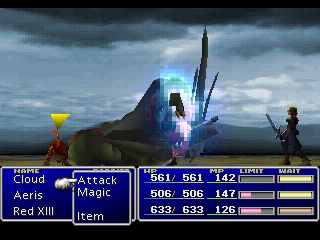
For battles in Final Fantasy VII, the ATB (Active Time Battle) system is introduced. Whether ally or enemy, the character whose Time gauge fills up first is given priority for entering commands. Choose commands in order to best attack or to defend yourself from the enemy.
Battle Commands
The following commands, displayed in the command window, change as you proceed throughout the game, depending on the characters in your party.
Attack
You attack with equipped weapons. You can also fight your allies by selecting them as attack targets. The same applies to the "Magic" command.
Limit
The Limit gauge starts filling up with each enemy attack. When the gauge is full, it blinks, indicating Limit Break status. At this point, the "Fight" command changes to the "Limit" command.
By selecting the Limit command, the character will be able to perform his or her unique attack called a Limit Break. If the battle ends without using the Limit Break, you can carry it over to the next battle. In this case
 (Disc 1).png)

 [NTSC-U] [SCUS-94165].png)

_1.jpg)
_1.png)