SETTING UP
Top View
Front View
Set up your PlayStation® game console according to the instructions in its Instruction Manual. Make sure the power is off before inserting or removing a compact disc. Insert the BREATH OF FIRE™ IV disc and close the Disc Cover. Insert a game controller and turn on the PlayStation game console. Follow on-screen instructions to start a game. MEMORY CARDS
To save game settings and results and to continue play on previously saved games, insert a MEMORY CARD into MEMORY CARD slot I of the PlayStation game console BEFORE starting play. If you do not have a MEMORY CARD, the game will allow you to play without saving game settings and results. See page 11 for more information on saving game data.
STARTING A GAME
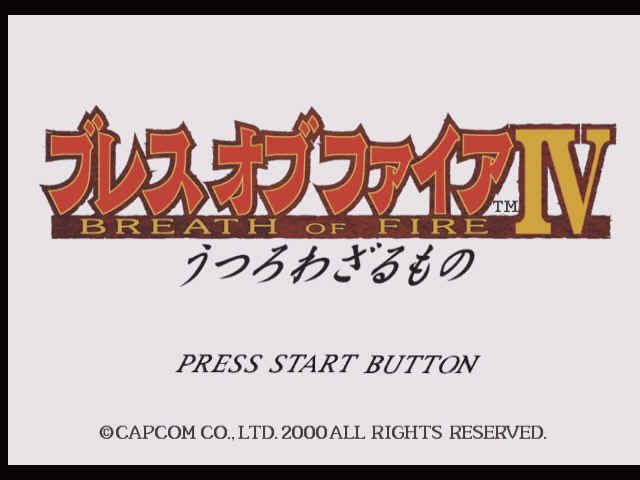
After loading BREATH OF FIRE IV, watch the intro sequence and then press the START button. The Title screen will appear. Press the START button again to begin the game.
At this point, you have a choice between starting a NEW GAME or re-starting a game with LOAD GAME.
NEW GAME
To start a new game, highlight NEW GAME and press the START or X button. Follow the on-screen instructions and name the main character. The game starts when you finish naming your player.
LOAD GAME
To load a saved game and resume play, you must have a memory card with saved BREATH OF FIRE IV files loaded in either MEMORY CARD Slot of the PlayStation game console. Highlight LOAD GAME and press the START button or the X button. See page 11 for more information on saving.
GAME OVER
If the Hit Points (HP) of all your characters drop to zero in battle, your game is over.
OPTION
In Option Mode, you can adjust various settings. To enter Option Mode, choose OPTION in the Title Screen or Sub Screen.
•
VIB(ration) - Turn the vibration function for the DUALSHOCK™ analog controller ON/OFF.
•
DASH - When AUTO is chosen, you can dash only with the Directional buttons.
•
CAMERA - Change the direction of screen rotation.
•
D-PAD - Change control types to move your characters.
•
MESSAGE - Adjust the speed of messages displayed on the screen.
•
SOUND - Choose STEREO or MONAURAL
•
BGM - Adjust volume for the background music.
•
SE - Adjust volume for the sound effects.
•
BUTTONS - Choose from four types to reset the button configuration.
•
SCREEN - Adjust the screen position using the Directional button.
•
DEFAULT - Reset all Option settings to default.
THE SUB SCREEN
In the Sub Screen, you can execute various commands. To open the Sub Screen, press the button in the World Map or Area Map.
Change characters with the Directional buttons.
•
INFO WINDOW - Various explanations appear here.
•
COMMAND - A list of executable commands. Choose with the Directional buttons and press the X button to accept.
•
ZENNY - Amount of money you have.
When an item is chosen, the Sub Screen on the right is displayed:
•
INFO WINDOW - Various explanations appear here.
•
COMMAND - A list of executable commands. Choose with the Directional buttons and press the X button to accept.
•
ITEM LIST - Toggle between four item lists with the Directional buttons
SUB SCREEN COMMANDS
ITEM
Use or organize Items. You can carry up to 99 of each item. Items include Item, Weapon, Armor, Other and Treasure items which you cannot throw away.
SPECIAL
Abilities include magic and skills. Your characters will learn new magic as they increase their levels. Skills can be learned regardless of level (see page 15).
EQUIP
Each character can equip a weapon, armor and accessory.
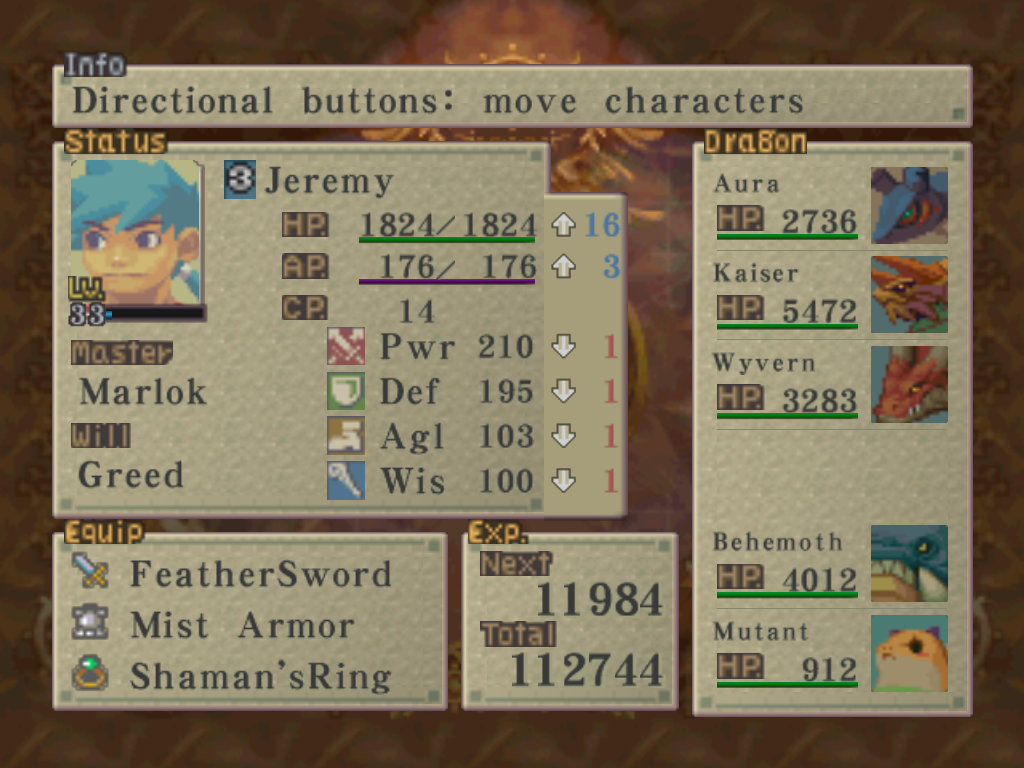
STATUS
Check characters' status and abilities:
•
INFO WINDOWS - Display various data.
•
STATS - Display a character's statistics.
•
EQUIPMENT - Lists the character's equipment.
•
EXP - NEXT shows the experience points needed to the next level. TOTAL shows the total experience points the character has acquired.
•
DATA - Data for fighting and points acquired in mini-games (Game pts.) appear here. For Ryu and Fou-lu, a list of transformable dragons also appears here. STATS
•
LV - Character's level. When a character levels up, other stats will increase.
•
HP - Character's Hit Points. When it drops to zero, the character becomes unconscious and cannot fight.
•
AP - Character's Ability Points used for magic and skills (see the Magic Spells section beginning on page 20).
•
CP - The amount of Ability Points recovered for each turn when the character is resting in the Rear Rank in a battle.
•
PWR - Character's offensive ability with weapons.
•
DEF - Character's defensive ability. The higher this is, the less damage a character takes from enemies' physical attack.
•
AGI - The higher this is, the better chance the character has of moving ahead of enemies.
•
WIS - This affects the character's attacking ability with magic and defense ability from enemies' magical attack.
If you encounter enemies while moving in the
.png)


.png)

_1.jpg)





_1.png)
