Main Menu
The Main menu is the starting point for the Castrol Honda experience. From here, you can name your rider, adjust difficulty, choose races, and save or load games.
•
Use the D-Button to highlight an option. Press to select the highlighted option.
Main Menu Options
•
RIDERS: Choose a one or two player game, enter your rider's name, and proceed to the track.
•
GAME OPTIONS: Set the difficulty level, race distance, and gameplay options.
•
CONTROLLER SETUP: Choose the settings for your controller.
•
SAVING AND LOADING GAMES: Save a game to memory card or load a previously saved game.
•
CREDITS: View the game credits.
Riders
Create a name for your rider at this screen before choosing the type of race and the track you want to ride.
•
D-Button to cycle through the options on the screen.
•
D-Button to choose a one or two player game.
To Enter a Player Name
1. Highlight your player slot.
2. Press to begin entering your name.
3. D-Button to cycle forward/back through the alphabet.
4. To select a letter, D-Button to proceed to the next letter in your player name. To erase a letter, D-Button <.
5. Press when you have finished the name.
•
D-Button to the NEXT button in the lower right of the screen or press START to proceed to the Game Type menu.
Game Type
•
D-Button to choose the game you want to play.
Practice Session
Sample any of the game's tracks on your own with no competition or scoring. Use this to get to know the many tracks better before taking on other riders.
Trainer Session
A trainer rides ahead of you to show you the best ways to handle the track. Follow the trainer's lead and learn the best line on the track to ride.
Single Race
Race against other RC45 riders on any of the 14 tracks in the game.
Championship
Race a tournament through 13 tracks.
To Ride a Practice Session
1. Highlight AVAILABLE TRACKS, then D-Button ↔ to cycle through the tracks available. When you have chosen the track, D-Button ↓ to the next step.
2. Select SETUP BIKE to adjust your bike to your own preferences.
3. D-Button ↓ to START and press ✖ to begin your practice session.
Trainer Session Setup
Setup is the same as Practice Session.
To Ride a Single Race
1. Highlight AVAILABLE TRACKS, then D-Button ↔ to cycle through the tracks available. When you have chosen the track, D-Button ↓ to the NEXT button.
2. Press ✖. The RACE screen appears.
3. D-Button ↓ to move among the available options. Press ✖ to select that option.
Single Race Options
•
START PRACTICE SESSION: Take some time to become familiar with the track.
•
START QUALIFYING RACE: You must qualify before racing to win races on the higher difficulty settings. Otherwise you start at the back of the grid, making it hard to catch up to your rival.
•
START RACE!: Jump right into the race's starting point.
•
SETUP PLAYER 1 BIKE: Fine tune your bike.
•
SETUP PLAYER 2 BIKE: In two-player mode, Player Two enters here to set up his or her bike.
Championship
1. The Championship screen shows the track that begins the tournament. Press ✖ to proceed.
2. The Championship Race screen contains the same options as a Single Race. At the completion of each track you can save the championship tournament and begin play at the start of the next track at a later time.
Total Race Time and Lap Times
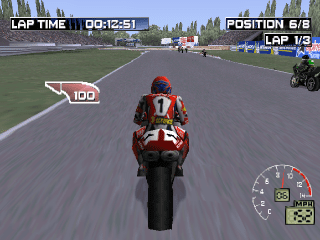
Total Race Time is the time from the moment the starting lights turn green to the time you cross the finish line. Lap Times shown are the time it takes to do a lap from start to finish.
Total lap times do not add up to your race time. To get the race time from your cumulative lap times, add on the time it takes you to cross the start line when the lights go green.
Pausing the Game
To pause the game and access Pause menu items, press START.
•
To select a Pause menu item, highlight it and press ✖.
Pause Menu Options
•
CONTINUE: Select this option to resume the race.
•
ABANDON RACE: Select this option to quit the race.
•
CONTROLLER VIBRATION: This option is only visible if you have a Dual Shock analog controller. Select this option to toggle vibration ON/OFF.
•
RESTART RACE: Begin the race over. This option is not available in Championship mode.
Bike Setup
Fine tune your bike for the different tracks' conditions using this screen. You can create custom settings for each of the courses in advance.
Setup For
•
D-Button to select the track for which you are customizing your bike.
Gearbox
•
D-Button to select MANUAL or AUTOMATIC gear mode. With MANUAL you decide when to shift to higher or lower gears using the L2 and R2 buttons. In AUTOMATIC mode, the bike shifts gears accordingly when you accelerate or slow down.
Even when in AUTOMATIC mode, you need to press R2 to manually shift out of neutral to start the race.
Front Tire/Rear Tire