Starting Up
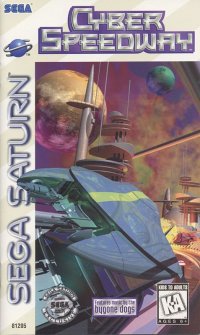
Set up your Sega Saturn system following the instructions in the Sega Saturn Instruction Manual. Plug in Control Pad 1. To play Cyber Speedway as a two-player game, plug in Control Pad 2 also. Cyber Speedway is for one or two players.
Place the Cyber Speedway disc, label side up, in the well of the CD tray, lock into place and close the lid.
Turn on the TV or monitor and the Sega Saturn. The Sega Saturn logo appears on screen. If nothing appears, turn the system off and make sure it is set up correctly before turning it on again. If you wish to stop a game in progress, or if the game ends, press the Reset Button on the Sega Saturn console to display the on-screen Control Panel. Important: Your Sega Saturn CD contains a security code that allows the disc to be read. Be sure to keep the disc clean and handle it carefully. If your Sega Saturn system has trouble reading the disc, remove the disc and wipe it carefully, starting from the center of the disc and wiping straight out toward the edge. Racing à la Mode
Following the Sega logo, a game demo appears. Press Start to advance to the Game Mode Select screen. Highlight Story Mode or Free Run Mode to start racing, or adjust gameplay parameters in the Options screen.
•
Story Mode: Represent Earth in a series of races at the Cyber Speedway where galactic disputes are resolved on the race course.
•
Free Run Mode: Race against a second player, the computer or the clock on the game's various courses.
•
Options: Change your button assignments, adjust and sample the game's audio environment and view the course records.
Press the D-Pad up or down to highlight a mode, and press Button A or C to select.
Options
•
Key Assign: Change your button assignments for your Control Pad. There are three configurations available. Press the D-Pad left or right to cycle through these choices until the configuration you desire is shown.
•
Audio: Set the game's soundtrack to stereo or monaural. Press the D-Pad left or right to highlight your selection.
•
BGM Test: Sample the music used during the game. Press the D-Pad left or right to select a track number, then press Button A or C. The selected soundtrack continues until you select a new track or exit the Options screen.
•
SE Test: Preview of Cyber Speedway's sound effects. Select as for BGM Test.
•
Course Record: List the record times and best lap times for each course at Standard and Advanced racing levels. Press the D-Pad up or down to cycle through the planet names and left or right to switch between Standard and Advanced levels.
•
Exit: Takes you back to the Game Mode Select screen.
Press the D-Pad up or down to highlight an option.
Story Mode
In Story Mode, you represent Earth in a series of races to determine the outcome of its conflicts with the Kaladasians and other war-mongering planets.
After you select Story Mode, the Game Level Select screen appears. Race on either Standard or Advanced level courses. (The final course has no Standard Level.) Press the D-Pad up or down to move the highlighter and press Button A or C to make your selection.
You are given a chance to confirm your choice. Select Yes to advance and No to return to the Game Level Select screen.
Next, you go down to the Meeting Room to pick up some helpful hints about the courses you face. Listen carefully to the advice on Sled settings, too. Press Button A or C to speed through these screens.
Select Settings to fine-tune your sled before the action begins. The Special settings available depend on your performance in the previous race. Press the D-Pad up or down to choose which feature you wish to adjust. Press left or right to make your setting. When you are through, press Button A, B or C.
If you are ready to begin, select Start Race and press Button A or C.
You are given a chance to confirm your choice or make final adjustments before racing. Select No to return to the Settings screen. Select Yes to start the race.
Viewing the Race
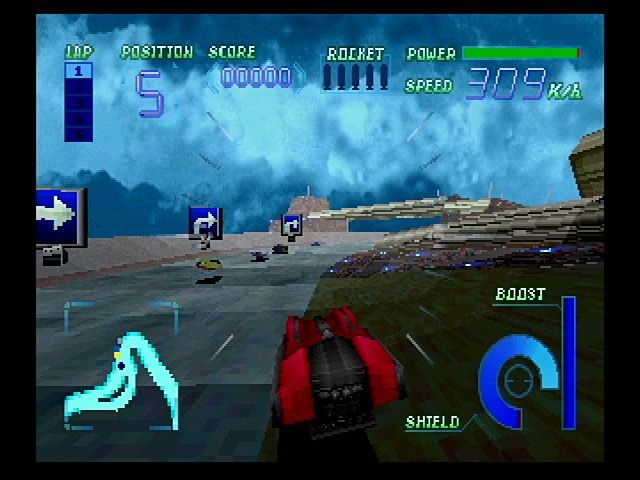
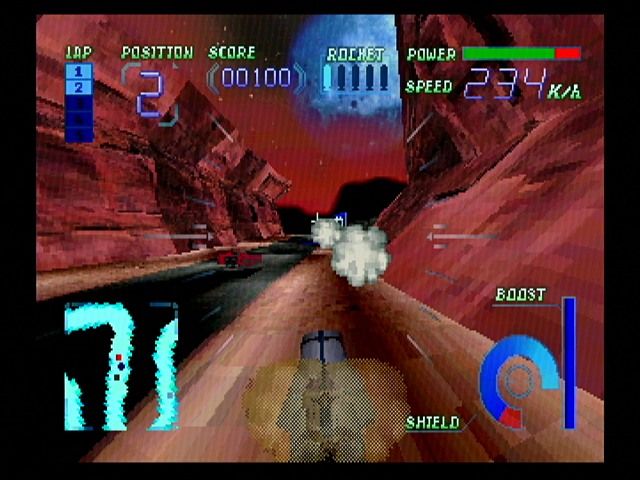
You can control your sled from one of three viewpoints.
•
Driver's View: Puts you in the front seat viewing the action from behind the wheel. Press Button X.
•
Normal View: Allows you to control from a standpoint slightly behind your sled. Press Button Y.
•
High View: Follows the sled in an elevated rear view. Press Button Z.
Press Button A or C to advance to the second Results screen, which shows a breakdown of your score.
•
Total Time: The time you took for the race.
•
Position: Awards bonus points for your performance for each lap (100 for first place, 50 for second and 20 for third).
•
Finish Bonus: Compensates you for your finishing position (1,000 points for first place, 500 points for second and 200 points for third).
•
Remaining Rockets: Gain you 30 points each.
•
Remaining Shield amount: Multiplied by 30 and added to your score.
•
Total Score: The sum of the above.
On with the Race
The final outcome of the conflict with Kaladasia cannot be decided by just one race. You must complete each race to advance to the next, more challenging one. Following the Results screens, you will go to the Meeting Room on the next planet to prepare for the next confrontation.
Continue
You can retire from a race at any time by pressing Start, selecting Retire, and pressing Button A
.png)

.png)

 (Rev A).png)