Set Up
1. Turn the power switch OFF on your Nintendo Game Boy Color. Never insert or remove a Game Pak when the power is on.
2. Insert the MTV SPORTS: TJ LAVIN'S ULTIMATE BMX Game Pak into the slot on the Game Boy Color. Press firmly to lock the Game Pak in place.
3. Turn the power switch ON. The Nintendo logo should appear. (If you don't see it, begin again at step 1.)
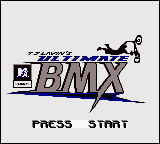
4. When the Title screen appears, press START to proceed to the Main Menu.
Title Screen
Game Modes
At the Title screen, press START to get things going.
In all menu screens, use the CONTROL PAD to highlight available options and press the A BUTTON to select. Press the B BUTTON to go back one menu screen.
Main Menu
Game Modes: Practice
This is for those riders who aren't ready to hang with the big boys just yet. No time limit, no judges - just you and the course.
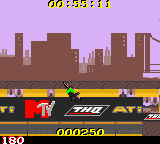
Choose a rider, pick either the FREESTYLE or HALFPIPE course, and then try not to eat pavement.
•
FREESTYLE is a street course full of ramps, stairs and a host of other obstacles.
•
If you don't know what a HALFPIPE is, you shouldn't be playing this game - drop in and try to go big in a huge vert ramp.
Game Modes: Competition
Think you're ready to be a pro? COMPETITION mode is a series of street, vert, and dirt courses designed to make you work for your scores.
See if you can make it through the competition and become the undisputed champion. Be sure to go for combos and a variety of different tricks in order to reach the truly high scores.
At the beginning of COMPETITION mode, only the FREESTYLE course is available. You will need to qualify on each available course before you can progress to the next one.
You qualify by attaining a certain amount of points within a pre-set amount of time. The in-game menu screens will tell you exactly what you need to accomplish on each course.
Competition Course Example
•
1 SAN FRANCISCO CALIFORNIA
Game Modes: Options
Go here to set the game's DIFFICULTY level and toggle either the MUSIC or SOUND effects on and off. If you choose EASY on the DIFFICULTY setting, we have no respect for you...
Options Menu
Pause Menu
At any time during gameplay, you can press START to pause the game.
From the Pause menu, you can toggle the MUSIC and SOUND effects off/on or EXIT the current game.
Pause Menu Options
Equipment Upgrades
We all know that the better the equipment, the better the rider. But we also know quality equipment does not come cheap. As far as equipment goes, you start at the bottom and need to work your way up. Fear not! – there is hope.
In COMPETITION mode you will be awarded money based on your course performance. And with money, well ... shoot, you can upgrade your bad self with new tires, brakes, helmets and forks. And with upgrades, you'll not only look cooler to your friends, you'll ride much better as well.
How Upgrades Work
Successfully execute tricks during COMPETITION mode on each course. You are awarded money for each trick, so do lots of them. For those of you not paying attention: More tricks equals more money.
After time runs out and your score is calculated, you'll go to an upgrade menu screen. Use the CONTROL PAD to scroll through available upgrades and purchase items by pressing the A BUTTON.
Get the best equipment you can buy with the amount of money you have. Choose wisely.
Bike Upgrade Example

_1.png)
_2.png)
_3.png)




.jpg)

.png)


 (En,Fr,De,Es,It,Nl) (Rev 1).png)


.png)