Getting Started
•
Set up your Game Boy or Super Game Boy as described in its instruction manual.
•
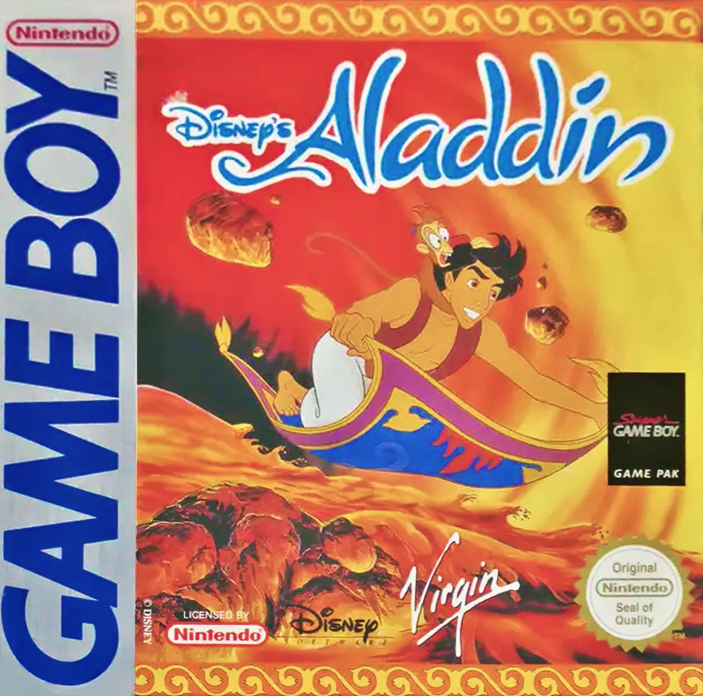
With the Power Switch OFF, insert the Aladdin Game Pak, its label facing toward you, into the Game Boy (or Super Game Boy) and press it down firmly.
•
Push the Power Switch to ON. After a second or so, the Nintendo Screen will appear. When the Aladdin Title Screen is shown you are ready to play Aladdin!
•
If the Nintendo Screen or Title Screen doesn't appear, push the Power Switch to OFF. Ensure your Game Boy or Super Game Boy is set up correctly (do the Game Boy's batteries need replacing?) and the Aladdin Game Pak is properly inserted before pushing the Power Switch to ON again.
Important Note
Always ensure the Game Boy or Super Game Boy's Power Switch is set to OFF before inserting or removing the Aladdin Game Pak.
Playing Aladdin
The evil Jafar is up to no good. He has Princess Jasmine trapped in the Sultan's Palace, and only Aladdin can avert certain catastrophe!
Make the most of Aladdin's athletic repertoire of moves, his dazzling scimitar skills and his ability to adapt to even the most demanding conditions to bring him safely through 9 action-packed levels based on key scenes from Disney's animated feature film. Can you handle it?
The Aladdin Title Screen
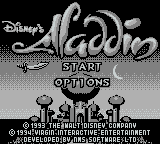
After the Credits have been shown, the Aladdin Title Screen is presented. Two options are given: 'START' and 'OPTIONS,' with a sword pointer to show which one is to be selected.
•
Press the Control Pad up or down to move the sword pointer from option to option.
•
Press the A Button, B Button or Start Button to select the option.
Start
Select this to begin play.
Options
Select this to call up the Options Screen.
The Options Screen
Four new options are presented. Unique to the Options Screen, the option to be selected will flash.
•
Press the Control Pad up or down to move between the options.
•
Press the A Button to change or select the flashing option.
Difficulty
NORMAL or you could choose PRACTICE or DIFFICULT. This option determines the number of Aladdin characters and apples available when play begins. •
Select PRACTICE to start with 6 Aladdin characters and 15 apples. •
Select NORMAL for 4 Aladdin characters and 10 apples. •
Select DIFFICULT for only 3 Aladdin characters and 5 apples. Music Is
ON or you can select OFF if you don't wish to hear the music adapted from the Academy Award® winning film soundtrack.
Sound FX Are
ON or choose OFF if you don't want to listen to the effects during play.
Exit
Select this to return to the Title Screen.
Story Descriptions
Note that between levels the story will unfold through short scene-setting descriptions.
•
Press the Start Button to skip the descriptions.
Using Ropes
Aladdin can climb on any rope he finds. Simply jump to a rope and push the Control Pad up to grab it.
Aladdin can use his sword or throw apples when he's holding onto a rope. To get off a rope, jump to the left or right— but look before you leap! •
Press the Control Pad up or down when Aladdin is over a rope to make him climb in those directions.
Hold It!
It's wise to take a short break in every hour of play. If you find yourself partway through a level and would rather not turn off your Game Boy, why not put the action on hold?
•
Press the Start Button during play to freeze the action. The word 'PAUSED!' will replace Aladdin's Health to show that the action is frozen.
•
Press the Start Button when the action is frozen to resume play.
•
Press and hold the A Button, B Button, Start Button and Select Button at any time during play to reset Aladdin (note that this does not work on the Super Game Boy).
The Magical World of Aladdin
Below is a brief guide to what's found in each of the 9 exciting levels.
The Agrabah Street
The Sultan's armed Guards are in force in the area. Don't step on the leading to Jafar's quarters. Stop Iago at all costs and free Abu!
Jafar's Palace
The end is almost in sight, but are you careful enough to cross the booby-trapped floors? And skillful enough to beat the Palace Guards? Come on — you can do it!
The Genie's Bonus Machine
The Genie's Bonus Machine is a simple game of chance through which prizes can be won — but you only get one turn for every Genie Token collected during play. The prizes are shown (very quickly) in the Genie's mouth. You can win a Gem, 5 apples or an extra Aladdin character, but if Jafar's head is chosen you lose any remaining Genie Tokens you hold. •
Press the A or B Button to select a prize.
Using Wishes
Before you can use Wishes, you have to buy them from the Peddler. These Wishes have one function: you can continue playing from the start of the level in which your last Aladdin character was lost — instead of starting over at the very beginning!
The Peddler
He sells Special Items from his stall, which he opens up especially for Aladdin. But the Peddler will only accept Gems in exchange for Special Items, so make sure you have enough! An extra Aladdin character is priced at 5 Gems, and a Wish costs 10 Gems. .png)

 (SGB Enhanced).png)
 (SGB Enhanced).png)


 (En,Fr,De,Es).png)









.png)

 (SGB Enhanced).png)

_1.png)

.png)



