GETTING STARTED
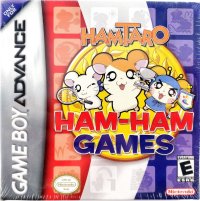
Insert your Hamtaro: Ham-Ham Games Game Pak into your Game Boy Advance system and turn the power ON. At the title screen, press START to bring out the Bo Bunch, and use the D-pad to select one of them. The first time you start, you can also choose whether you want to play in English or Japanese.
Select Bogrape (the one with the Tournament sign) and press A to begin. Pick Bogrape when you want to continue your game, too!
If this is your first time playing, you'll need to create a player card. Use the D-pad and A to enter your name, birthday, and gender. Select END when you're done. Press B to return to the last screen.
PLAYER CARD
On the Player Card screen, you can view your own player information, write a personal message, and try on different costumes.
FRIEND CARDS
This is where you can view cards you've received from friends.
FREE PLAY
Once you finish the Ham-Ham Games, you'll be able to choose individual events and play them whenever you want.
OPTIONS
Choose this when you want to change the language of the game text or erase your game data. Be careful! Once game data is erased, it is gone forever. Friend Cards and Player Cards will not be erased.
Press and hold SELECT and the A, B, L, and R Buttons when turning the power ON to erase all game data.
HAM-HAM LINK
Trade cards with your friends here.
EVENT SCHEDULE
Press START during Hamtaro's free time to see a schedule of events. The Ham-Ham Games take place over seven days.
There are 15 events in all. See page 19 for more details.
During your free time, you can go to the location of the next event, chat with other hamsters, or just wander around!
Seven Days, One Tournament
SLEEPING
After one day's events have been completed, you can return to the Clubhouse for a night of well-earned rest. Going to sleep ends the day; the next day's events begin when you wake up. Who knows-maybe something interesting will happen while you're slumbering...
To go to sleep, face the bed and press A.
CLOSING CEREMONY
Once all events have been completed, the closing ceremony begins, and the winning team is announced. After the closing ceremony ends, a new tournament begins.
EVENT EXPLANATIONS
To enter an event, talk to Howdy at the reception desk. If you want, you can practice the event, view the event's controls, and set the difficulty level.
•
Enter: Choose Enter to register for an event. When you enter an event, all your game progress is saved automatically.
•
Practice: Having trouble with an event? Well, practice makes perfect, and you can practice as often as you like here!
•
Tutorial: Check out individual event controls.
•
Set Difficulty: You can choose different difficulty levels for the events. The higher the difficulty setting, the more sunflower seeds you receive for winning!
Make selections with + and confirm with A.
Resetting or turning the power OFF after entering or during an event is the same as withdrawing from an event, so be careful not to reset or turn the power OFF by mistake.
EVENT RESULTS
When you finish an event, you'll see the scores and current standings. The winner of the event wins a gold medal.
PAUSE MENU
Press START during practice or events to bring up the pause menu and check out simple controls for the event you're in.
•
Continue: Continue the event.
•
Withdraw (During events only): Quit the current event.
•
Restart (in practice / Free Play): Begin the event again.
•
End: Quit the current event.
It's a New Record! If you set a new record during the Hammer Throw, Triple Jump, or Pole Vault, the Withdraw option changes to End. If you choose End, your new record will be your final score for the event.
FREE TIME
After events are finished, you can move about as you please. Try going to different places and talking with other hamsters.
CLUBHOUSE
To read Maxwell's Memos, stand in front of them and press A. Maxwell's Memos contain a lot of important information you might have heard in conversations during free time.
Stand in front of the TV and press A to watch the Ham Studio show. The programming changes depending on when you watch. On the Ham Shopping Network, you can use sunflower seeds to buy costumes.
Earn sunflower seeds by winning events or finding them in the field. Collect a lot, and buy a whole zoo-full of costumes.
TRADING WITH GAME BOY ADVANCE GAME LINK CABLES
Connect two Game Boy Advance systems with Game Boy Advance Game Link cables and turn both systems on. Then, choose Ham-Ham Link from the title screen.
Linking Steps
1. Select Ham-Ham Link on the title screen.
2. Confirm the