Getting Started
•
Turn off the power switch on your Nintendo® Game Boy® Advance. Never insert or remove a Game Pak when the power is ON.
•
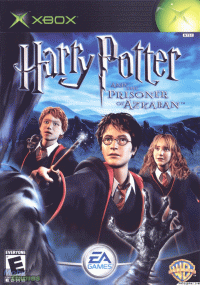
Insert the Harry Potter and the Prisoner of Azkaban Game Pak into the slot on the Game Boy® Advance. Press firmly to lock the Game Pak in place. •
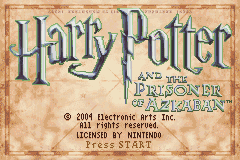
Turn on the power switch. The Legal screen appears.
•
Press the A Button to advance to the Title screen.
•
When the Title screen appears, press START to advance to the Main menu.
Introduction
After a dreadful summer with the Dursleys, Harry Potter can't wait to start his third year at Hogwarts School of Witchcraft and Wizardry. Events take a strange turn when Harry discovers that Sirius Black, the man believed responsible for his parents' murder, has escaped from the wizard prison Azkaban. Black appears to be seeking revenge on Harry for thwarting "You-Know-Who". Meanwhile, the Dementors, Azkaban prison guards sent to Hogwarts to protect the school and recapture Black, affect Harry in a disturbing way. With the help of Ron and Hermione, Harry is intent on unraveling the mystery surrounding Sirius Black and his escape from Azkaban.
Commands for Mini-Games
•
Boggart (Babel): Cast a spell using the Directional Cross.
•
Tea Leaves: Mix the leaves with Button A. Pour the water with Button B.
•
Buck, the Hippogriff: Move with the Directional Cross. Fly higher by pressing and holding A.
•
Surprise Fireworks: Move the wand with the Directional Cross. Burst with Button A.
How to Play
•
Press the A Button to talk with other characters, open chests/doors, and scroll dialogue.
•
Multiplayer: Harry, Ron, and Hermione must accomplish tasks requiring specific maneuvers and spells. Select a character's unique spell to make them the leader.
•
Turn Icons: Indicate the order in which characters and creatures take their turn during magical encounters. After each turn, the results are displayed and the next participant is selected.
•
Action Icons: Available options include Cast a Spell, Use, Flee, Help, Special Move, Informus, and Folio Bruti.
Casting Spells
1. When it is your character's turn, select CAST SPELL and highlight an available spell.
•
Some spells have strength levels. Only the weakest level, Uno, may be available at first. Duo and Tri power spells may become available if that spell is used enough.
•
Note: The number of Magic Points (MP) needed to cast the spell appears next to the spell name. If you do not have enough MP, the spell appears greyed out.
2. Select the spell's target using the Control Pad.
•
If chosen well, the spell reduces the target's Stamina. Reduce the opponent's Stamina to zero and it will flee from the encounter.
•
Hint: For a full list of available spells, consult magical encounters in the in-game Help system.
Special Moves
All characters have their own Special Moves.
1. Select SPECIAL MOVE.
•
Ron and Hermione select from an available Special Move (only available once per encounter).
2. With moves that require a target, highlight one using the Control Pad and press the A Button.
•
Note: Multi-character magical encounters work the same way as single-character ones, except you control more than one character, choosing each character's actions in turn.
•
Hint: For full details of Special Moves, see the Special Moves Glossary in the in-game Help menu.
Using Items and Information
•
Potions: Select USE ITEM and select a potion. If unavailable, it appears greyed out.
•
Informus: Select INFORMUS and then select a creature.
•
Folio Bruti: Select FOLIO BRUTI and press the A Button.
•
Note: The Informus Spell gathers information about creatures and adds it to the Folio Bruti. Once gathered, the creature is no longer hidden by magical clouds on the adventure map, unless grouped with an unknown creature.
•
Folio Bruti Details: Holds information about creatures' strengths and weaknesses. It is empty at the start. Cast Informus during an encounter to gather data.
•
To view information: Highlight a creature using the Control Pad.
•
Creatures Learned: Displays the name, image, and spell bars indicating vulnerability to specific spells.
Accessing Help
•
A full help system and glossary are available to assist you during the game and magical encounters.
Magical Encounter Outcome
•
Reduce the opponent's Stamina to zero to make them flee, but avoid using all your own Stamina to prevent fainting.
•
Note: If a character collapses, a potion or Card Combo must be used to replenish Stamina before they can take part in an encounter again. Once collapsed, potions can only be used after the magical encounter is over.
•
Rewards: Once all opponents have fled, the reward screen appears. You gain Experience Points, Sickles (wizard money for Fred and George's shop on the 7th floor at Hogwarts), and any items dropped by fleeing creatures.
•
Leveling Up: Experience Points increase your character's Level, resulting in new skills and spells and increasing Stamina and Magic Points.
•
Note: Player's Magic Points and Stamina Points are fully restored when they Level-Up.
In-Game Menu
•
Press START to pause the game and access the In-Game menu.