Getting Started
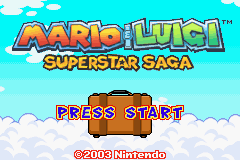
Insert the Game Pak into the Game Boy Advance and turn the power ON. When the title screen appears, press START.
Three different menus will appear. Choose a menu using + and press A to confirm. You can confirm all menu selections in the game with A.
•
1. Mario & Luigi: Superstar Saga: Start a new game or continue a saved one. •
2. Mario Bros.: Play the mini-game (Pg. 34). •
3. Options: Choose your settings.
File Selection
Starting a New Game
Choose one of the three files and confirm with A. You can save midgame with save albums.
Continuing a Game
Choose the file with your saved data, confirm with A, and the following menu will appear:
•
Start: Begin the game at the last place you saved.
•
Copy: Copy the saved file into another file.
•
Erase: Erase the saved data. (Note: If you erase a file, you will not be able to recover it.)
•
Cancel: Return to the file-selection screen.
Options
Choose your settings in the Options menu. After choosing your settings, confirm with A.
•
Easy Sleep: Determine the settings for Easy Sleep. If turned ON, you can enter Easy Sleep at any time by pressing SELECT, L, and R simultaneously.
•
Rumble: Adjust the Rumble feature setting. If turned ON, the controller will react when using the Game Boy Player. The Rumble feature is not available with Mario Bros. •
Auto Sleep: Adjust the Sleep Mode setting. If turned ON, the game will automatically enter Sleep Mode if no buttons are pressed for more than one minute. Auto Sleep works only for Mario Bros. Getting Into the Game
Move around the field and perform various actions! There are Solo Actions that Mario and Luigi perform independently, and Bros. Actions that they do together. As each learns a different move or gets another item, they'll improve their skills. Run into an enemy to begin a battle! If you run into an enemy on the field, you'll enter a battle. You'll get the upper hand if you can land a preemptive strike. Every time you win, you'll increase your experience.
You can go shopping while in the castle town and check what you bought by opening the suitcase that Toadsworth will give you before you embark on your journey. The shop menu allows you to Buy, Sell, or Leave.
Field Actions
•
Jump: You can go up small steps. If you jump under a block, you will be able to activate it.
•
Get Information: Stand in front of something to get information about it. Be sure to get as much information as possible as you travel.
•
Talk to People: Most everybody has something to say. Some people will give you valuable information, so talk to everyone you can.
•
Hammer Things: You'll get a Hammer partway through your journey. With it, you can break rocks and hit switches on walls.
Tip! When you see an “X” over the Action Icon, you cannot perform that action at that time.
Bros. Actions
Here are just a few of the Bros. Actions you'll learn.
•
High Jump: When Luigi is in back, the brothers can jump very high. They can even change direction in midair with +. Use the High Jump to reach high ledges. •
Spin Jump: When Mario is in back, the duo can spin through the air. You can even change directions using +. Spin-Jump to fly through the air over large gaps. •
Mini-Mario: When Luigi is in back, he can hit Mario with his Hammer, shrinking him. Mini-Mario can do things only tiny creatures can do. Control Mini-Mario using +. To return Mario to normal, press B again. •
Luigi Dunk: When Mario is in back, he can pound Luigi with his Hammer. Luigi becomes buried underground and able to do things only a mole could do. Use + to move Luigi around underground and press A to return aboveground. Tip! There are some situations where the Bros. move separately. If you press START at these times, you can switch the character that you control.
Field Features and Blocks
You can interact with many things in the field, such as Bros. Blocks, Bike Pads, and Save Albums.
•
Bros. Block: Make the brothers take turns hitting this block.
•
Bike Pads: Take turns jumping on these and the brothers will pedal through the air.
•
Save Album: Jump and hit this block to save your progress. If you choose YES, you will overwrite the data in the file.
Battles
If you come in contact with an enemy on the field, a battle will begin. How you come in contact (jumping on them, hitting them with your Hammer) determines the way the battle begins. When choosing how to attack, you can go back through the choices by pressing L.
Note! In Battle mode, A controls Mario and B controls Luigi. Characters will attack in order according to their speed. Battle Interface
•
Health and Bros. Points (BP): HP is displayed to the left, BP to the right. Mario's numbers are in red and Luigi's are in green. If both HPs drop to 0, the game is over. You cannot do Bros. Attacks without enough BP. 

_1.png)
_2.png)