MULTIPLAYER SETUP
Linking the Game Boy® Advance Game Link® Cable
You need 2 Game Boy® Advance systems, 2 MEGA MAN BATTLE NETWORK 4 Game Paks, and 1 Game Boy® Advance Game Link® Cable. Follow these steps to link your systems:
•
Make sure the power of both Game Boy® Advance systems is OFF.
•
Insert a MEGA MAN BATTLE NETWORK 4 Game Pak into each Game Boy® Advance system.
•
Link the Game Link® Cable to the external extension connector on both systems. The system connected to the smaller plug is 1P.
The Game Link® Cable may malfunction if it is not for the Game Boy® Advance, if it is not connected correctly, or if more than two systems are connected.
STARTING UP
Main Menu
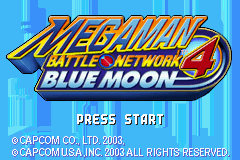
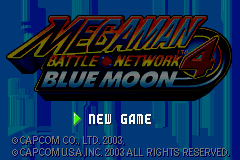
On the Title screen, press START to see two options for starting the game. If this is the first time you are playing and you have not yet saved a game, the CONTINUE option will not appear.
•
NEW GAME: Start a new game from the beginning.
•
CONTINUE: Start the game from the point where you saved it.
Soft Reset
Press START, SELECT, and the A and B Buttons simultaneously anytime during gameplay to soft-reset the game. This returns you to the Title screen and lets you start over from where you last saved.
ACTION!
The Real World
You progress through the game by moving between the Real World and the Cyber World. In the Real World, you play as Lan.
•
SPEAK/EXAMINE: Press the A Button to talk to someone you're standing by, or examine something you've found.
•
DASH: Press the B Button + the Control Pad to make a swift, in-line skating style move.
•
TALK TO MEGA MAN: Press the L Button while on the Field screen to talk to Mega Man inside the PET. Ask him for advice if you are in trouble or don't know what to do. •
JACK-IN: Stand in front of electronic instruments on a computer and press the R Button to send Mega Man into the Cyber World. The Cyber World
In the Cyber World, you play as Mega Man. Search out enemy bosses and solve various problems while getting rid of assaulting viruses. •
SPEAK/EXAMINE: Press the A Button to speak to the program and examine items. Be sure to examine Mystery Data scattered around.
•
DASH: Press the B Button + the Control Pad to move swiftly.
•
SPEAK WITH LAN: Press the L Button anywhere in the Field screen to talk to Lan. Ask him for advice if you are stuck.
•
JACK-OUT: Press the R Button to bail out of the Cyber World. Note that sometimes Mega Man can't jack-out. Internet Exploration
When you jack-in to Lan's room, you can go to the Internet and explore this fascinating world.
•
SECURITY CUBE: This item protects the Internet against viruses and other enemies. It guards homepage entrances, so you need the owner's P Code to disarm it.
•
SHOP: When you speak to a Net Merchant, a Shop screen appears. Move the cursor over an item and press the A Button. Chips and Navi Programs you do not yet have are displayed in green. Press the R Button to see an explanation of the item.
•
NOTICE BOARD: Mayl, Dex, and Lan's friends' homepages are all connected on the Internet. Check the Notice Board to read them and collect valuable information.
MEGAMAN BATTLE NETWORK
Enemies and viruses often invade the Real World's electronic devices. Jack-in to the Cyber World and send Mega Man to do a number on the evil-doers. Even if dangerous events don't occur, you can still jack-in to explore the Cyber World. Check all over the Field screen for different places and things where you might be able to jack-in. RESULT SCREEN
If you reduce all the enemies' HP to zero, Mega Man wins and you proceed to the Result screen. This displays the time it took to clear the stage, your Busting Level, and Data Acquired. •
BUSTING LEVEL SECRETS: The higher your Busting Level gets, the more powerful the data you can acquire will be. To raise your Busting Level, you must defeat enemies quickly. Doing well may allow you to get data the enemy has used.
COUNTER
At the moment you think your opponent is going to release an attack, you can call out his attack with the Counter. If the Counter is right on, your opponent will be paralyzed and you will have a chance to attack. Also, Mega Man's Emotion Window goes into Full Synchro Status for one blast. EMOTION WINDOW
This window reflects Mega Man's state of mind, which can change as he fights. •
NORMAL: Mega Man begins the battle in this state. •
FULL SYNCHRO: If you can see an enemy's Counter timing, the power of the next chip you use is doubled for one time. Using a chip that already has double attack power cancels Full Synchro Status.
•
WORRIED: Mega Man loses his confidence and you cannot make a Soul Unison. •
ANGRY: Mega Man turns red and bends backward. The attack power of the next chip he uses will only be doubled. •
EVIL: When Mega Man's Soul is saturated with evil, he is unable to do a Soul Unison. If he is on the brink