Getting Started
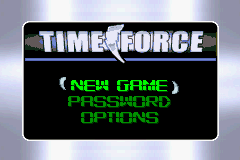
Insert the Power Rangers™ Time Force cartridge into your Game Boy® Advance and turn the power on. Make sure that the power is off to your Game Boy® Advance before inserting or removing the cartridge. Once the game has booted up, press START to bring you to the main menu. From there you can start a new game, continue or configure the game via the options menu.
MAIN MENU
Press START from the Title Screen and proceed to the Main Menu. You can select any of the following modes from the Main Menu:
New Game - Start a new game. See page 9 for a full description.
Password - Pick up the action where you left it the last time you saved. Enter the four-digit code you received after completing a particular level. See page 10 for a full description.
Options - Configure the game to suit your liking. See page 11 for a full description of your choices.
NEW GAME
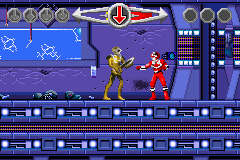
The game begins with you in control of the Red Ranger in his pursuit of Ransik. Scour the Prison ship looking for him! When you run into him in the cityscape, Ransik will flee into the past - get together with the rest of the Time Force Rangers and hunt him down.
At the end of the level, you will have to face off against one of Ransik's minions. Once the villain is beaten, it will mutate to enormous size - and to defeat it you will have to rely on the Time Force Megazord.
In the Megazord battle, Ransik's minion will not have a health bar. Concentrate on building up the Megazord's energy bar as quickly as possible so you can deliver a special attack to put away the villain for good.
To protect yourself from the villain's powerful attacks you must use the Megazord's shield. Press the L Button to raise the Megazord's Shield.
When you have completed a level, the game will issue you a four-digit password. Write the password down, as it will allow you to pick up the game from this point the next time you go to play. This is the only way to save your progress.
OPTIONS
From the Options menu, you can configure the game to better suit your playing style.
•
Sound - From the sound menu, you can turn on or off the music and sound effects in the game.
•
Difficulty - Choose from Kid Mode, Normal, and Hard difficulty levels.
•
Controls - Change the control scheme of the game.
•
Help - Turn help messages on or off.
Circuit will help you out from time to time with messages like the one shown in the screen shot above.
RANGER SELECT MENU
When your Ranger's health bar gets low, switch off to another Ranger. This will keep all of your Rangers in the game. When the health bar becomes depleted, the Ranger is 'retired' until revived by picking-up a Revive/Continue icon.
Press SELECT to bring up the Ranger select menu, then use the Control Pad to highlight another available Ranger.