Getting Started
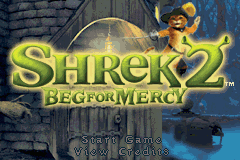
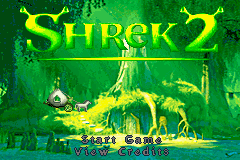
Make sure the POWER switch is OFF. Insert the Shrek 2™ Game Pak into the Game Boy® Advance slot as described in your Nintendo Game Boy® Advance instruction manual. Turn the POWER switch ON.
To skip the introductory sequence, press START. Note that the Shrek 2™ Game Pak is for the Game Boy® Advance system only.
Storybooks
Each storybook contains five chapters, and there are five storybooks total. When you first begin, you will only be able to choose the first storybook. When you complete all the chapters in a storybook, the next book will unlock.
Collecting Coins
As you progress through the levels, you'll find coins scattered randomly about. These belong to the Leprechaun. If you can find all the coins in each of the levels he's dropped them in, he might give you something special. To collect a coin, simply walk over it.
You can keep track of how many you've retrieved so far using the counter in the top right.
Bonus Levels
The Leprechaun is hiding somewhere in each level. If you find him, he'll warp you to a special arena where you can play a bonus game. The bonus game changes based on the character used to find the Leprechaun:
•
Shrek: Use the mushroom to keep the three blind mice from falling. They'll bounce off the mushroom when it's under them, and if any of the mice fall to the ground, the bonus game ends. You'll receive one point for every bounce.
•
Donkey: Don't fall off the moving springboard. The springboard moves from side to side, going faster the longer you stay on top. If you fall off the platform, the bonus game ends. You'll receive one point for every jump.
•
Puss in Boots: Don't get burned by the candle flame. There are two ropes, one on each side, with a candle in the center. Use Puss in Boots' sliding technique to jump over the candle's flame, which slowly moves up. If you get burned, the bonus game ends. You'll receive one point for every dodge.
Movie Scenes
At the beginning of each chapter, some scenes from the Shrek 2 film will be shown. To page through the scenes, press the A Button. To skip all of them, press START.
In-Game Display
In the top left corner of the screen, there's a portrait of the character you're currently controlling. If you're in a level where you can control more than one character, the larger portrait is the character that you're currently controlling.
Switching Characters
To switch characters, press the L or R Button. You'll see the character portraits in the top left corner of the screen become smaller or larger. The larger portrait is the character you're currently controlling. You can switch to any character, on or off the screen.
Controlling Multiple Characters
To control multiple characters, press and hold the L and R Buttons simultaneously. Notice that all the character portraits in the top left corner of the screen become large. Release the buttons to control only one character again.
Note: When you press the L and R Buttons simultaneously, only the characters on screen will be controlled.
Talking to Characters
Sometimes you'll come across a character who wants to talk to you. When this happens, a picture of the B Button appears above the character. Stand next to the character you want to speak to and press the B Button.
Once you're speaking to the character, press the A Button to move to the next page or press START to finish talking immediately.
Platforms, Switches and Push Blocks
Logs and crates are found throughout the game. They're useful for getting to those hard to reach areas because any character can stand on them. They can also be stacked and other items can be placed on top of them. They can be picked up by Shrek and kicked forward by Donkey. For more information, see the Controls section.
Both mushrooms and springboards can be used to reach very high areas. They can also be moved around and stacked like logs. Certain types of tree limbs and flagpoles can be used as springboards. They can't be moved but they can be body slammed by Shrek for extra height.
Many platforms require a team effort to activate them. This kind of platform has a white gauge. The number in red is the number of characters that must stand on the platform to make it fall.
Some surfaces are sloped, such as wires and ropes. Only Puss in Boots can use these to his advantage. Puss in Boots can easily climb up and slide down these surfaces. For more information, please see the Controls section.
Some switches are used to close drawbridges. These switches can be triggered by an attack from any character.
Much like the numbered platforms, these blocks require the effort of several characters. The number on the side determines how many characters must push against the surface at the same time to make the block move.