Getting Started
Make sure the power is OFF on your Nintendo Game Boy® Advance. Insert your Tang Tang Game Pak into the Game Pak slot as described in the instruction manual.
Slide the power switch on the bottom of your Advance Game Boy to ON by pushing it to the RIGHT. In a few moments the game Title Screen will appear.
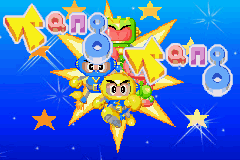
Using the Control Pad press UP or DOWN to select the desired in-game option. Press UP DOWN on the Control Pad to select either Play Game or Configurations to change the current settings.
Game Overview
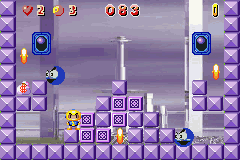
The main objectives of Tang Tang are to retrieve the Energy Crystals and defeat the invading army of aliens. You will use your hero's block conjuring ability and power bolts to trap and destroy these evil aliens.
Your goal is to save the planets of TANG. There are 120 lands to secure, dozens of aliens to vaporize and hundreds of Energy Crystals to collect.
Control System
The following buttons are available for use:
Main Menu
On the Main Menu you have two options to decide from. You may decide to jump straight into a game with the default settings on by pressing the A Button or START once it has been highlighted.
Alternatively, you can go to the CONFIGURE Menu to adjust the settings to your liking. In the CONFIGURE Menu, you can change the default settings by using the Control Pad to Highlight the desired setting (SOUND, LIVES or CONTINUES).
Push either LEFT or RIGHT to toggle the options available. Once the settings are in order you can leave the CONFIGURE screen by pressing the A BUTTON or START.
How to Play
Once you start a game, a HOW TO PLAY demo will begin which gives you a quick tutorial of how the game is played. You may skip this demo by pressing any of the buttons.


.png)
 (En,Fr,De,Es,It,Fi).png)
.png)
