Starting The Game
•
Turn OFF the power switch on your Nintendo® Game Boy® Advance. Never insert or remove a Game Pak when the power is ON.
•
Insert the Game Pak into the slot on the Game Boy Advance. To lock it in place, press firmly.
•
Turn ON the power switch. The Legal screen appears.
•
Press the A Button to advance to the Title screen.
•
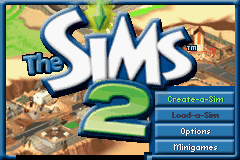
When the Title screen appears, press START to advance to the Main menu.
Playing the Game
Welcome to Barkersville, where everybody in town is crazy about pets! As a brand-new member of the community, nothing helps your Sim fit in faster than adopting a feisty fido or cuddly kitty. Operate a pet daycare center, collect exotic pets, or play with furry friends in the park, downtown, or at home. Just keep in mind that Sim pets have minds of their own, so expect the unexpected!
Create Your Sim
Select CREATE A SIM in the Main menu to create your new Sim.
•
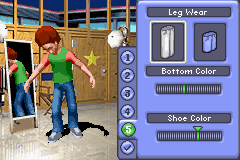
Choose your Sim's gender, skin tone, hairstyle, hair color, clothes, and aspirations.
•
Use the on-screen keyboard to give your Sim a name, select DONE, and press the A Button.
•
At the prompt, “Is your Sim ready to play?” select YES and press the A Button.
Your Sim's adventure begins. To load a Sim you have already created, select LOAD A SIM in the Main menu.
Motives
•
Energy: Take a snooze or eat some energizing food.
•
Hunger: Quiet a Sim's rumbling tummy by eating some tasty vittles. Some food recipes satisfy hunger better than others.
•
Hygiene: Some activities cause your Sim's hygiene to decline. Hit the showers or wash your hands.
•
Bladder: Eating and sleeping increase your Sim's need for the toilet. Find a bathroom to avoid an embarrassing puddle.
•
Comfort: Lounge on a sofa or bask in bed.
•
Fun: Find something entertaining for your fun-deprived Sim to do: watch TV, dance, or play a game.
•
Social: Keep your Sim socialized by interacting with other Sims.
•
Home: A bright, well-furnished abode keeps your Sim's Home meter high. Dirty and rundown locations leave your Sim feeling flat.
Interacting with Other Sims
Your Sim can interact with other Sims or their pet in order to fulfill their needs for socializing. Being friendly isn't just good manners in Barkersville! Other Sims can help you figure out everything from decorating your home to finding a career.
Socializing
When your Sim socializes, a bar appears at the top of the screen. Use the icon to pick the right conversation topics. If everything is done right, your Sim scores positive social points. Pick uninteresting conversation topics or rude actions and your Sim loses some social standing with that character.
Running Errands
Sometimes even Sims need a little help from their friends. If your Sim helps others by successfully completing an errand, they improve their social standing-and maybe even get a gift in the process.
•
To get an errand, talk to Sims with green exclamation marks above their heads.
•
If your Sim chooses to accept an errand, a yellow exclamation mark appears on-screen and remains there until the task is completed (or time runs out).
•
A purple exclamation mark means the errand is completed, so be sure to seek out that Sim who gave you the errand and ask for your reward!
Make Some Simoleons!
There are several ways to add to your Sim's personal wealth, including cashing in collectibles and selling objects.
Careers and Jobs
Going to work is the best way for your Sims to make their moolah.
•
To get a job, get out and socialize!
•
If your Sim runs into a local with an interesting career, they can ask to be an apprentice.
Careers include Pet Sitting, Animal Education, Veterinary Medicine, and Animal Para-Psychology.
Collecting
Recycling pays ... literally! Pick up items around town and then trade them in for Simoleons. Newspapers, Aluminum Cans, Glass Bottles, Batteries, Blue Truffles, and Ruby Penguins all add up to money in your Sim's pocket when they sell them to the Recycling Agent. So keep your eyes peeled for these valuable odds and ends.
Catalogs
Now creature comforts for your Sims (of either the two- or four-legged persuasion) are no more than a phone call away. Order new items via the telephone or Internet. But, if your Sim needs to get out of the house for a little bit, a walk to the local shops may be just what the doctor ordered.
Furnishing Your Home
When you order items from the catalog, they are delivered to your Sim's home the next day. Keep an eye out for the delivery box.
•
To place items in your apartment, approach the delivery box and press the A Button when the arrow appears.
•
Select USE and press the A Button again.
•
Press the Control Pad to select just the right spot for the item.
•
To rotate it, press the L Button and the R Button-it's tough for your Sim to fix themselves a snack when their new fridge faces the kitchen wall.