Callsign
Enter your callsign. It will appear on the Killboard (See page 8 for more information).
On Board the TCS Midway
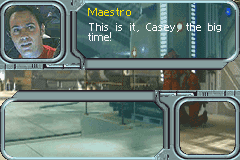
As 2nd Lt. Lance Casey, you arrive on the TCS Midway, a rookie fighter pilot fresh out of the Academy.
Immediately thrust into battle against an unknown enemy, you must now take your training into the real world, where your survival, and the lives of your Wingmates, depends on your newly learned skills.
Game Locations
The interactive action of "Wing Commander: Prophecy" takes place on board the megacarrier TCS Midway, or in the cockpit of your fighter spacecraft. Onboard the Midway, pass your time between missions in the Rec Room, the Ready Room, the Briefing Room and on the Flight Deck.
Hot Spots
Look for "hot spots" in the Rec Room and the Ready Room; when you pass your cursor over a "hot spot" a message describing the spot's function appears.
(Helpful Hint: Holding down R: while moving cursor speeds up movement)
Talking to Characters
Talk with other characters in the Rec Room!
Certain characters will have information to pass on to you; by passing your cursor over them, you'll see a message telling you that the character wishes to speak with you.
Selecting the person will begin conversation.
•
Proceed in the conversation using the A Button
•
Cancel a conversation at any time with START
Rec Room
The Rec Room is the spiritual center of "Pilot Country" on board the TCS Midway.
Off-duty Flyers come here to eat, drink, relax, and hang out with other Pilots.
•
Use the Control Pad to move your cursor
•
Use the A Button to confirm when a "hot spot" is highlighted
Tactical Database
This important reference work shows 3-D views and stats on every Confed fighter in the game, including speed, maneuverability, defences and more.
•
Use the L and R Buttons to toggle backwards or forwards through the available images
•
Rotate the image itself using the Control Pad
•
Use the B Button to go back in the Rec Room
Kill Board
This shows the current kills for each pilot in all squadrons onboard the Midway.
Only kills made since assignment to the Midway are counted.
•
White pilots are from Diamondback squadron
•
Red pilots are from Black Widow squadron
•
Blue pilots are from Wolf Pack squadron
Press the B Button to exit Kill Board and return to the Rec Room.
To Ready Room
Press A Button on this door to go to the Ready Room.
Multiplayer
Wing Commander™ Prophecy Multiplayer Mode offers two variations of the basic gameplay mode for up to four players using the Game Boy® Advance Game Link® cable. Please note, every player must have a Wing Commander™ Game Pak in order to participate in multiplayer games. Select Pilot
All players can select their own pilot between Confederation or Alien pilots.
Selecting the pilot will automatically determine your team (Confed or Alien) in Team Deathmatch.
Select Ship
After selecting the pilot and team, each user needs to select their own ship.
If you choose a Confed pilot, you'll be able to select one of the Confed ships and vice versa.
Multiplayer Options
In all multiplayer modes, player 1 is responsible for picking the game and setting the individual game options.
Once all players have selected their pilots and ships, player 1 can select the Multiplayer options.
Game Type
•
Deathmatch: This is a standard "All vs. All" battle for 2 to 4 players. Players are ranked by the number of successful kills they can achieve. In addition to the 2-4 human players, player 1 will be able to assign additional AI-controlled pilots for a maximum of 4 pilots
•
Team Deathmatch: Team play divides the forces into two separate teams. All players are free to choose Confederation or Alien side. In addition to the 2-4 human players, player 1 will be able to assign additional AI-controlled pilots for a maximum of 4 pilots (human and Al) on each side. By assigning all the Al pilots to one side, it is possible to play a cooperative battle with friends against the Al-controlled pilots
Mode
•
Kills: The match ends after a certain number of kills have been reached
•
Minutes: The match has a time limit
Limit
It shows the minutes or the number of kills needed to end a multiplayer game.
Summary
The summary shows to all players the multiplayer option selected by player one and all the pilots involved in the match for each side (Confed, Alien).
•
Player 1 is allowed to enter the game by pressing the A Button
•
Player 1 can cancel all the selections by pressing B Button
Playing a Multiplayer Game
If your pilot is shot down during a multiplayer game, press the A Button to leap back into the fray.
The game will proceed until the time limit or point limit has been reached.
Once the match is over, all players will be shown the results of the match, including the victor.
Player 1 must press the A Button to leave this screen.


 (En,Fr,De,Es,It).png)

.png)
 (Rev 1).png)
 (Rev 2).png)
_1.png)
 (Rev 1).png)







_1.jpg)


.png)



.png)


_1.png)
