OVERVIEW
Congratulations! You now own the classic game, BATTLESHIP®. The goal of the game is to blast all of your enemy's ships out of the water before they can find and sink all of your ships. You are in command of the fleet, so you decide where to place your ships, when to use your radar, and what weapons to use. There are lots of levels, so you better get started now.
Good Luck!
GETTING STARTED
To get started with BATTLESHIP®, please begin with the following:
•
Make sure that the Game Boy® or Game Boy® COLOR system is off. Then put the GamePak in the Game Boy® system.
•
Turn on the Game Boy® system.
•
At the title screen, press Start.
•
Press Select to select 1 Player or 2 Player.
•
For a 2 Player game, you must have two Game Boys linked together. If you do not, you will not be able to select a 2 Player game.
•
Press Start again to begin play at the first stage of the first level, or enter any password you know to begin play at a higher level (see Stages and Levels in the Playing the Game section).
TWO PLAYER GAME
Hook up two Game Boy units with the Game Link, and then turn the systems on. The first player to press 2 Player Start becomes the host or Player One. Both players' screens will display Normal and Password.
To play different levels with different weapons, select Password. Choose Normal for regular play.
Each player can type in different passwords. The player acting as host must insert his password last in order for both players to access password levels. If the player acting as host types their password in first, the second player will automatically default to first level play, regardless of the level the first player selects.
PLAYING THE GAME
The game is played the same whether you are playing a 1 Player game against the computer or a 2 Player game against another person. BATTLESHIP's game play consists of two basic operations: placing your warships in the field of battle, and then using your weaponry, other equipment, and strategic expertise to try to destroy your adversary's fleet before he destroys yours.
The Grid
•
The Battleship grid is your field of battle, eight squares by eight squares.
•
You use the grid to position your battlecraft and to aim your weapons at your opponent's vessels.
When you begin play, your ships appear, one by one, on the grid. Use your Control Pad to move them up and down, left and right, to position them where you want them. Press the B Button to rotate a ship from horizontal to vertical and back. Once you've positioned a ship where you want it, press the A Button to place the ship there.
After you've positioned your warships, you get a chance to reconsider your choices with a Yes/No box. Select No and press the A Button to start your positioning maneuvers over again. Select Yes and press the A Button to begin the battle.
In the early stages of BATTLESHIP, each player's vessels (Items) are:
•
Battleship. Your largest and most formidable warship, this takes up five squares on the grid. (Harpoon) BATTLECRAFT
•
Destroyer. This medium-sized but powerful craft occupies three squares on the grid. (MK Missiles)
•
Frigate. This pesky vessel takes up just two squares, so you can tuck it away in just about any crafty spot.
•
Submarine. A small but deadly member of your fleet, this takes up just one square. (Radar)
At stage 4, each player adds to his fleet:
•
Cruiser. Four squares big, this craft adds mightily to your firepower.
The larger the craft, the more direct hits it takes to sink it. You must sink all of your opponent's vessels to win.
Players take turns unleashing firepower on the opposing forces. When it's your turn, your gunsights appear in the upper left of the grid. Use the Control Pad to move the sights to another square. Press the A Button to fire and you'll see your weapon streak toward its target, and find out if you hit or missed your enemy's battlecraft.
Choose the B Button to display the Battle Menu that allows you to use an Item (see next section) or go back and choose a new target. A record of your shots appears on the grid as the game progresses. Hollow circles indicate shots missed, explosion icons indicate hits, and sinking ship icons show where you sank an enemy vessel. You must hit every square occupied by an enemy vessel to sink it.
During your adversary's turn, you'll be able to watch as he chooses a target and his weaponry flies toward your ships. You'll also see the current state of your fleet on the grid.
BATTLE OPERATIONS
Press the B Button to display the Battle Menu where you select Item and Press the A Button. You may then move your Control Pad up and down to cycle through your available items. Each item screen tells you what the item is and, to the right of its name, how many remaining times you may use it during the current battle. To the right, the screen indicates how many squares the item covers on the grid (for example, "Limit 4"), and which of your vessels carries the item.
Press the A Button to select the item you want, then use the Control Pad to position the item on the grid. When you press the A Button again, the item will be deployed.
In the early stages of BATTLE
.png)


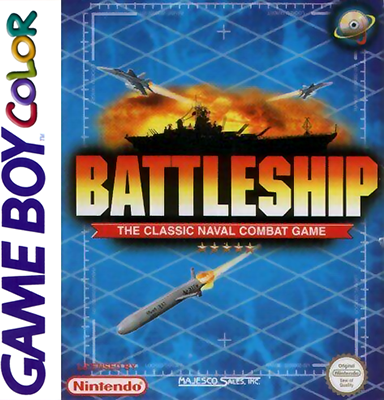


 (GB Compatible).png)


 (En,Fr,De,Es,It).png)




.png)

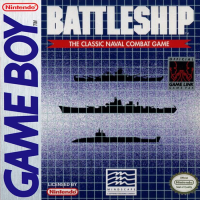

_1.png)