How to Enjoy This Game
HEXCITE is a board game for two players. Players compete for points by placing 18 randomly distributed playing pieces.
Factors like Bonus Zones and score subtraction make the outcome unpredictable until the end. The rules are simple, making it enjoyable for all ages.
Features Exclusive to Game Boy® Color Systems
On Game Boy® Color, the playing pieces and board are colored. You can also change the color of the board and pieces.
Contents
•
Basic Operations and Screen Descriptions
Before Starting the Game
Set the Game Boy® cartridge correctly and turn the power on. The title screen will appear.
A demonstration will begin if you do not start playing soon after the Game Boy® System is turned on.
Top Menu
This menu is displayed when you press Start.
Play against the computer (COM). Change the computer level to match your skill.
Two-player mode. To play against another player, you can use one Game Boy® or link two Game Boys®.
The game is divided into 4 classes: A, B, C, and Master. You automatically advance to the next class when you beat the computer (COM).
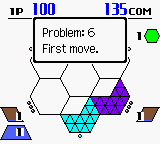
Here you will learn effective techniques for a real game. The computer trains you to find the best move in certain situations.
Includes settings, a description of HEXCITE's rules, and controls for background music and color.
Starts the game from a save in 1P mode or Level Game.
Game Modes
Common Features for Each Mode
Number of Rounds
•
Set the number of rounds to play (1 to 10 rounds). You can set an even number of rounds in "Level Game" with "Alternate On".
Time Limit
•
Each player has 10 minutes to play a game. If a player uses up their 10 minutes, 5, 10, 15, etc. points will be subtracted for each 30 seconds that passes.
•
The player will not be able to place pieces at all after their points are subtracted 10 times.
•
In Level Game, Time Limit will be turned on from A5.
Alternate
•
P1 and P2 alternate selecting pieces and take turns making the first move after the first round.
Save and Continue
Go to the menu by pressing Select during the game and select Save and Exit. Select Continue in the top menu to start the game from the saved place.
Do not turn off the power while the game is saving.
1P Mode
In this mode, you can improve your skill by playing against the computer. You can set the number of rounds, the computer's skill level, and whether there is a Time Limit and Alternation. The computer's highest skill level is Master.
You can select the computer's skill level from Practice, Beginner, Intermediate, Advanced, and Master.
2P Mode
In this mode, two people can play each other. You can set the number of rounds, time limit settings, and alternation. The settings for Game Modes, like the Linked Game, are set automatically.
Play with one Game Boy® by handing it back and forth.
Use Super Game Boy® to play the game on the Super Nintendo® Entertainment System.
Use a link cable to play the game.
Linked Game
Requirements
How to Play a Linked Game
1. Connect the link cable. After making sure that the cartridge is set correctly, turn on the power of both Game Boy®s.
2. When one of the players selects 2P mode, the screen will automatically switch to the Linked Game setting screen. Select the settings you prefer and start the game.
3. While playing the Linked Game, a player can Pause on their turn only. You cannot save during a Linked Game.
Note
Game operations cannot be executed if you turn off the power or disconnect the link cable while playing a Linked Game. Only disconnect the link cable or turn off the power after confirming that the game is over. The timer does not function in a Linked Game.
Level Game
In this mode, you can move up skill levels from C to Master.
Save the result of a game or load past data. You can select from files 1 to 10 and save your data to that file. If you save to a file holding a previous record, the data will be overwritten, so be careful.
Displays the current skill level. There are a total of 16 levels: C5 to C1, B5 to B1, A5 to A1, and Master.
Displays the results of the last 10 rounds played at the current skill level. Your level goes up when your victory percentage passes a certain point.
Displays the number of times you have won consecutively at the current skill level. If all