PLAYING THE GAME
GETTING READY
•
Insert a Memory Card into Slot A and the Controller Plug of the Nintendo GameCube Mic into Slot B. •
Press START/PAUSE to skip the opening cinematic.
Playing for the First Time
You'll need to create a game file the first time you play. From the file-selection screen, choose a new file and enter your name to get started. When you finish, you'll be ready to head to the mode-selection screen.
Continuing
To continue your game, choose the game file you want to play on the file-selection screen and press the A Button.
To copy a game file, choose Copy and select the empty file you want to copy to. To erase a game file, choose the file you want to erase and select Erase.
MEMORY CARD INFORMATION
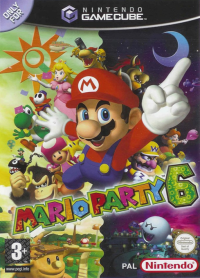
Mario Party 6 requires 5 blocks on your Memory Card to save your game. You can save up to three games on a Memory Card. GAME MODES
Select a game file and choose Play to reach the mode-selection screen. From there, you can access all game modes!
Party MODE
Whoop it up with up to four players in a challenge to collect the most Stars! You can either play a free-for-all Battle Royale match or split into teams for a two-on-two Team Match.
SOLO MODE
Embark on a single-player expedition for coins and mini-games! Explore three special Solo Mode boards, but watch out for Bowser and his wicked crew of Koopa Kids! Play this mode to collect lots of mini-games.
Mic MODE
Put your Mic skills to the test! In this mode, you can choose to play Speak Up, a quiz game you can play with up to three of your friends; Star Sprint, a side-scrolling action game you control with your voice; or any Mic Mini-game!
Mini-game Mode
There's no better place to be if you're in the mood for mini-games! Play all the mini-games you've collected on the Mini-game Tour, or challenge your friends or the CPU to a game of Battle Bridge, Treetop Bingo, Mount Duel, or Decathlon Park. Put your mini-game skill to a solo test at Endurance Alley!
Star Bank
Spend your hard-earned Stars here to buy all kinds of cool stuff!
Option MODE
Adjust your game settings, listen to Mario Party sounds, and see the all-time mini-game records in this mode. SAVING
During a Party Mode game, the game will automatically save after the end of each turn. In Solo Mode, the game will save when you finish a board or choose to end your game early.
If you choose to start a new Party Mode game instead of continuing your previous game and the game saves your progress, your old saved game will be deleted. Please do not switch Memory Cards during a game.
PARTY MODE
GAME SETTINGS
Before you can start partying, you'll need to choose the game settings and rules. If you're playing with someone else, you may want to agree on the rules before starting the game. Player 1 makes the selections.
Choose the Board
GAME TURNS
Set the number of turns from 10 to 50, in increments of five.
Number of Players
Character Selection/Teaming Up
Handicap
With the handicap feature, you can give a player or team an advantage by changing the number of Stars they will start the game with. Once you've chosen the settings, it's time to party!
RULES
Battle Royale
Four players compete in a free-for-all!
Team Match
Players split into teams and go head-to-head!
BONUS STARS
If you choose to play a game "With Bonus," special award Stars will be handed out at the end of the game.
MINI-GAME SETS
Choose the mini-games that can appear during the game. You can choose one of the following options:
•
All Games: You'll play with all the mini-games.
•
Easy Games: You'll play with only easy mini-games.
•
Action Games: You'll play with only action mini-games.
•
Hard Games: You'll play with only hard mini-games.
•
Weird Games: You'll play with only weird mini-games.
PARTY MODE TUTORIAL
If you're playing for the first time, you may want to view the tutorial. It teaches you everything you need to know to play like a party champ!
PARTY MODE RULES
In Party Mode, whoever ends the game with the most Stars wins! To get Stars, you have to win mini-games and earn coins. You can then spend your hard-earned coins to buy precious Stars!
TURN
•
Everyone will hit a Dice Block to determine the player order.
•
Hit the Dice Block to see how many spaces you'll move.
•
If you want to use an Orb, be sure to do it before you hit the Dice Block.
•
Trigger an event, depending on the type of space you stop on.
•
When all the players have taken their turn, everyone will play a mini-game!
This is how a turn is played. The time of day changes










_1.png)