Starting a New Game
Insert the MEGA MAN MAVERICK HUNTER X UMD disc into the PSP system and turn on the power. Press the START button any time during the intro movie to display the Title screen. From the Title screen, press the START button to display the Main Menu.
Main Menu
•
New Game: Select a mode (X Mode or Vile Mode) and preferred difficulty level and start a new game from the beginning.
•
Continue: Display the Data Load screen and load saved data to continue from the progress point where the data was saved.
•
Movie: Begin Movie Chapter Mode. Only available when X Mode has been completed once.
•
Options: Adjust audio settings, turn auto-save On/Off, etc.
Sub-Screen
Press the START button during a stage to display the Sub-Screen, which contains Weapon Select Mode, Sub-Tank Mode, and Options Mode. Press the Directional buttons ⬅/➡ to switch screens. Press the START button again to exit the Sub-Screen and return to the stage.
Weapon Select Mode (X Mode Only)
Shows the weapon currently equipped. To change weapons, highlight the weapon you want to equip and press the X button. The available weapons are:
•
X BUSTER (Fires Charge Shots. Does not consume WE.)
Sub-Tank Mode
Once you acquire a Sub-Tank, a gauge displays the Sub-Tank's level. To use the Sub-Tank, move the cursor to the gauge and press the X button. You can confirm the Power Up Parts you have in this mode.
•
SUBTANK: Restores valuable LE.
Options Mode
•
Escape: Quit the current mission and return to the Stage Select screen.
•
Title Screen: Reset the game and return to the Title screen.
•
Sound: Adjust various sound settings (BGM, SE).
•
Control Config: Customize the button configuration.
•
Save: Bring up the Data Save screen. (You cannot save mid-stage progress. Loading a file saved during a stage resumes the game at the Stage Select screen.)
Ride Armor
•
Getting On/Off: Line yourself up with a Ride Armor to board it. Press the Directional button ⬆ + the ✕ button to dismount.
•
Attack: Press the ▢ button to perform a Punch attack.
•
Damage: While you're on the Ride Armor, it takes damage instead of X. Once it takes a certain amount of damage, it will be destroyed.
Power Up Parts
Power Up Parts are hidden in different stages. By equipping these parts, you can bring out X's powers and perform a wider variety of actions. Certain Power Up Parts are required in order to locate other Parts.
•
Body Parts: Applied to X's body. They reduce the damage X takes from attacks by 50%.
•
Foot Parts: Applied to X's feet. Press the ◯ button or double-tap the Directional buttons ⬅ or ➡ to perform a Dash. You can also destroy certain blocks with Wall Kicks.
•
Head Parts: Applied to X's head. You can destroy certain blocks by jumping and head-butting them with X's head.
•
Arm Parts: Applied to X's arms. If you don't have a Special Weapon equipped, hold down the ▢ button to unleash the Spiral Charge Shot. With a special weapon equipped, hold down the ▢ button briefly, then release it to unleash an even more powerful attack.
Equipping Vile's Weapons
•
Acquiring Weapons: By defeating boss enemies, Vile gains new weapons to use. Defeating a certain boss enemy may unlock a different weapon, depending on the order in which you defeated the bosses.
•
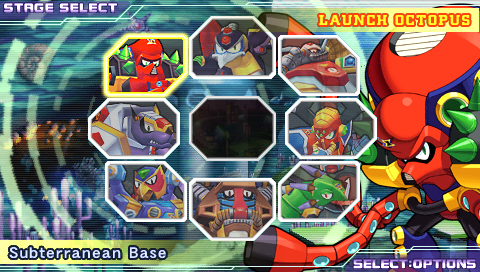
Selecting a Weapon: After selecting a stage from the Stage Select screen, you can select weapons to equip to your arms, shoulders, and legs.
•
Weapon Cost: Each weapon has a specific cost noted underneath its name. The total cost of the three equipped weapons cannot exceed Vile's total available resources (shown at the top right of the screen). This resource value increases when you defeat boss enemies.
.png)

.png)
