GETTING STARTED
Important Information
Do not insert or remove Peripherals or Memory Cards once the power is turned ON. You will need a Memory Card to save your games.
Console Setup
1. Set up your console according to the instructions in its Instruction Manual.
2. Make sure the power is OFF before inserting or removing a disc.
3. Insert the Breakout® PlayStation® disc and close the disc cover. 4. Insert the Game Controller (or Controllers; or Multi Tap and Controllers if playing Multiplayer).
5. If you want to load or save your progress during play, insert a Memory Card into Memory Card slot 1.
6. Turn ON the console and the introductory sequence will begin.
MEMORY CARDS
You will not be able to save your progress if you do not use a Memory Card. Make sure there is at least one free block on your Memory Card before beginning your game.
You cannot swap Memory Cards during play and you must leave the Memory Card in the slot for the complete duration of play. You must insert a Memory Card into Slot I on your PlayStation® or Memory Card Slot I-A of your Multi Tap (if you are using one). If you already have a saved game stored on the Memory Card, you will be asked if you want to load your game in progress.
•
Use the UP or DOWN direction buttons to highlight your choice and press the button to select.
•
Selecting YES will restore the game to the same point as when you last saved on that Memory Card.
Warning!
Do not forget to save your progress before you quit any game.
MULTI TAP
If using a Multi Tap, it must be inserted in Controller port I. When using the Multi Tap, at least one Controller must be connected to Controller port I-A. Additional controllers should then be inserted in the sequence I-B, I-C and then I-D.
Shaped Paddle
If you are using the curved paddle, the place where the ball hits the paddle determines the angle at which the ball will be returned.
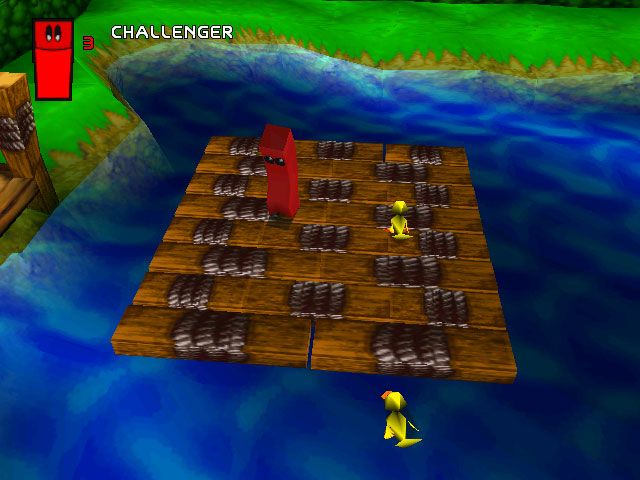
As you progress you will rescue more of Bouncer's friends. Each of these friends has special strengths that you can use to your advantage.
CHOOSE A CHARACTER
Choosing a Paddle
•
To choose among the paddles you have rescued, press the SELECT button to bring up the menu.
•
Press the LEFT and RIGHT directional buttons to choose which paddle you want to use and press * to select.
•
Press the ▲ button if you want to re-select your current paddle.
POWER-UPS
Power-ups are crucial to your success in Breakout. Most of these special powers are temporary, or allow only a small number of uses. Be careful not to waste them!
•
Press the ● button to cycle through the power-ups you've collected.
•
Press the * button to activate the current power-up.
Power-up Examples
Here are some of the power-ups you may come across while playing Breakout:
•
+1 Extra Life - Gives you an extra chance to keep on playing.
•
Big Paddle - You're less likely to miss a ball with a big paddle.
•
Grab Ball - Allows you to grab the ball and reposition it before shooting it at an object.
There are many others to collect, but you'll have to discover their powers for yourself.
COACH STEEL'S PRISON CELL TRAINING
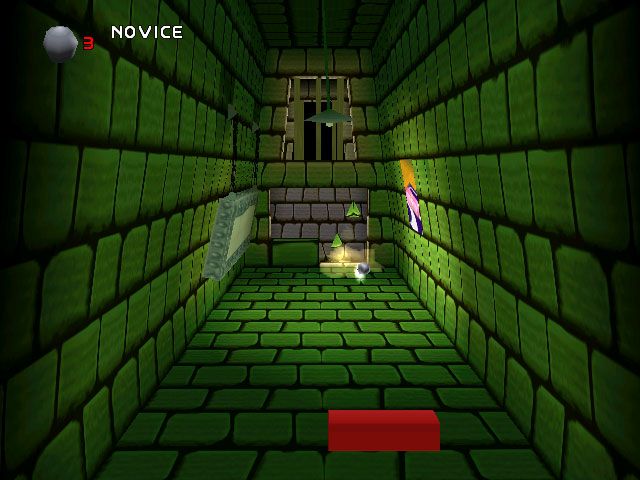
At the beginning of the game, Bouncer is imprisoned in a dank prison cell. You've got to help him break out and rescue his friends and the beautiful Daisy. But in order to defeat Batnix, you'll need to learn a few skills.
Before you break out of prison, Coach Steel will teach you all the skills you'll need to defeat Batnix. Over a total of four challenges he will explain a new skill and then test you.
Once you have completed all four challenges he will help you break out of the prison and will also rank you on your escape. Your ranking will determine the difficulty level of the game. The higher your ranking, the more difficult the challenge you'll face.
You can change your ranking at this point if you want a more or less challenging game.
PRISON MAP
Batnix left behind a partially complete Prison Map that shows where some of Bouncer's friends have been imprisoned. Once you have escaped prison, you'll be taken to the map.
Initially, you'll only be allowed to visit the first few locations. Each location contains a chapter, with various levels, that you'll have to play through. Once you've completed the initial chapters, you'll be able to visit other locations and play through additional chapters.
Game Stats
•
Average Ranking - Shows how well you are doing at the game.
•
Current Ranking - Shows how Batnix rates you as an opponent. You can increase your average ranking by completing levels with a higher current ranking.
•
Chapter Stats - Shows your average ranking for the chapter.
To Select a Level
•
Use the LEFT and RIGHT directional buttons to move Bouncer from one chapter to another.
•
Press the button to enter the chapter.
•
You will then be given a choice of levels to play within the chapter.
•
Use the UP and DOWN directional
.png)

.png)
.png)
