GETTING STARTED
Set up your PlayStation® game console according to its Instruction Manual. Make sure the power is off before inserting or removing a compact disc. Insert the Casper™: Friends Around the World™ disc and then close the Disc Cover. Insert the game controller and turn on the Playstation® game console. Follow on-screen instructions to start a game. POWER
SETUP
MEMORY CARD
A MEMORY CARD, sold separately, is optional for Casper™: Friends Around the World™. A MEMORY CARD can be used to save and resume a game at certain points so that progress is not lost.
Do not insert or remove a MEMORY CARD while loading or saving a game because problems may occur.
RESET BUTTON
If it becomes necessary to reset the game, press the RESET button on the PlayStation® game console. Casper™: Friends Around the World™ does not support the soft reset function which consists of holding the START and SELECT buttons simultaneously for 2 seconds.
SETTING UP A GAME
First, insert the Casper™: Friends Around the World™ disc. Close the disc cover. Turn the PlayStation® game console ON with the POWER button. After the introductory sequence, when the game first starts, it will bring you to the OPENING MAIN MENU. You may choose to start a NEW GAME, load a SAVED GAME, or go to the OPTIONS menu.
OPENING MAIN MENU
•
NEW GAME will start you at the very beginning of Casper's adventure at the MAP SCREEN.
•
LOAD GAME will take you to the SAVED GAME MENU where you may load a previously saved game.
•
OPTIONS will take you to the OPTIONS SCREEN where you may view or modify a variety of options before playing a game.
HOW TO SAVE AND LOAD A GAME
The SAVED GAME MENU allows you to access and remove saved game data on a MEMORY CARD. You may enter the Saved Game Menu from either the initial OPENING MAIN MENU or from the MAP SCREEN. The MEMORY CARD must be properly inserted before entering the SAVED GAME MENU.
It is recommended that you save your game every time you arrive at the map screen. To save a game from the map screen, pause the game by pressing the START Button. Select "SAVE THE GAME" and then select "OK". You will now be able to select one of 4 game slots to save your game.
PICK A GAME TO LOAD FROM
To save a game during gameplay, pause your game by pressing the START BUTTON and then choose QUIT. This will take you to the map screen where you can follow the save game instructions as listed above.
PAUSING A GAME
Press the START Button to PAUSE game play at any time. This will display the PAUSE MENU on the screen. Use the standard Menu Controls to navigate this menu. There are two options to choose from:
•
RETURN TO GAME will exit the PAUSE MENU and resume the current game
•
QUIT will exit the current game without saving and return you to the MAP SCREEN. Follow the save a game instructions above if you wish to save your game.
OBJECTIVES
As Casper makes his way through a level, there are several objectives:
•
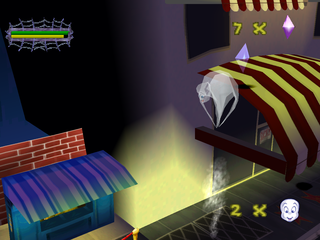
CASPER MUST AVOID DANGER. In every level, there are highly dangerous hazards that may cause Casper to lose a TRY. There are unfriendly ghosts, which Casper must dissolve and BOO BOMBS which are scattered throughout each level to stop Casper. Stand back and use Casper's Ghostly Spheres to harmlessly explode the Boo Bombs.
•
CASPER MUST COLLECT THE PAGE. In each game level, there is a hidden book which will take you to the FIND-A-PAGE GAME. Casper must complete the game to collect the page that will help him locate the next stop on his journey. When the game is set on Easy, Casper only needs to find the friend to advance to the FIND-A-PAGE GAME.
•
CASPER MUST FIND HIS FRIEND. Casper's FRIEND is hidden somewhere within each level. If Casper collects the PAGE and finds the FRIEND, he will exit the level.
•
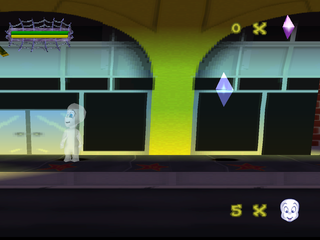
CASPER CAN COLLECT FRIENDSHIP CRYSTALS. Forty FRIENDSHIP CRYSTALS are scattered throughout each level. If Casper collects all of the FRIENDSHIP CRYSTALS in the entire game before finding the last friend, he advances to a SPECIAL BONUS LEVEL at the end of the journey.
•
CASPER MUST FIND THE 3 MISSING PIECES OF KIBOSH'S IMPRISONING DEVICE. If Casper earns all three pieces by defeating The Ghostly Trio™™, then all 10 of his friends will get back home safely.
BOSS LEVELS
There are four Boss Levels that Casper must face on his journey. The Boss Levels are very short, but very difficult. In the first 3 Boss Level, Casper faces a member of The Ghostly Trio™.
If Casper defeats the ghost in a Boss Level, he will be rewarded with a vital piece of the Imprisoning Device needed to free his friends. If all of the pieces of the Imprisoning Device are collected, Casper will advance to the SPECIAL BONUS LEVEL where he will battle the King of Spooks himself, Kibosh!
FIND-A-PAGE GAME
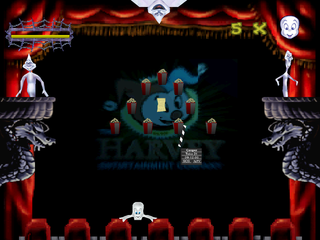
Hidden in each level, there is a book that will lead the way to a FIND-A-PAGE GAME. In the FIND-A-PAGE GAME, Casper takes the shape of a paddle at the bottom
.png)

.png)
.png)
.png)
