GETTING STARTED
Set up your PlayStation® game console in accordance with its instruction manual. Follow your system directions to open the Disc cover and place the CD onto the bed of the drive, ensuring the printed side faces upwards.
Close the Disc cover. If the unit is switched off, press the POWER button to begin play. If the unit is already on, press the RESET button.
Now follow on-screen instructions to start the game.
WARNING!
Do not insert or remove Controllers or any other peripherals once the power has been turned on.
MAIN MENU
Use the Directional Buttons to highlight required options. Press the X button to confirm. Press the △ button to return to the previous menu.
The game will automatically enter demo mode if no selections are made. Press X or Start to return to the main menu.
•
Start Game: A brief cinematic sequence will play, taking you into the first mission.
•
Enter Password: Use this to continue playing from a previous game.
•
Two Player Game: Offers you a choice of two player game options when two supported Controllers are inserted.
•
Options: Use the Up/Down controls to choose an option.
•
Credits: Press the X Button to return to the Main Menu.
OPTIONS
•
Controller Setup: From here you are able to choose from a selection of different Controller set-ups.
•
Sound Levels: Allows you to adjust the in-game sound and music levels.
•
Position Screen: Allows you to re-position the game screen to your preference.
•
Music Selection: Allows you to choose your in-game music settings.
PLAYING THE GAME
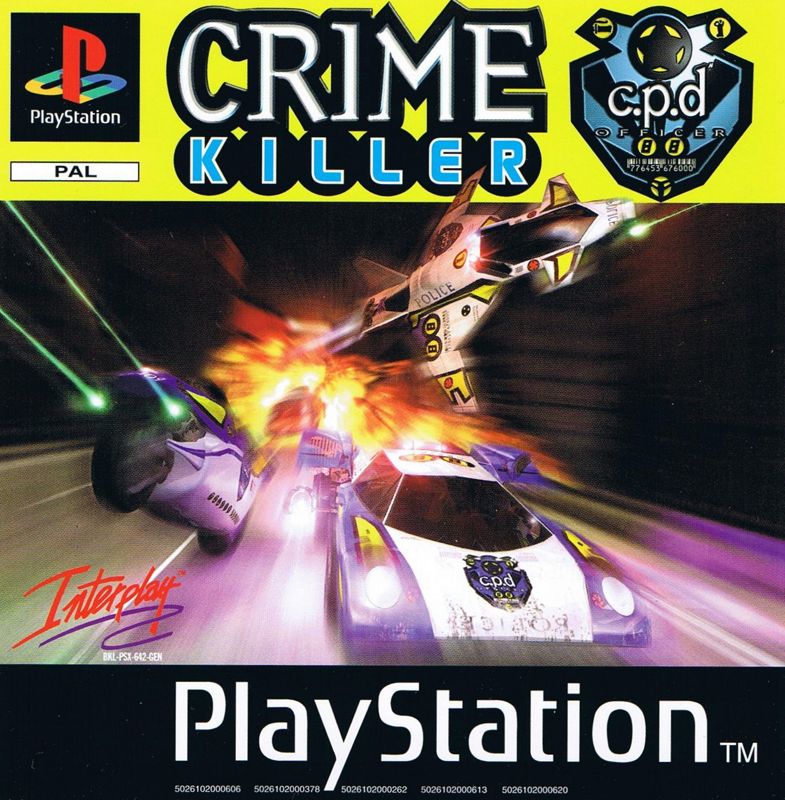
Selecting Start Game will take you into the first mission, where you will be in control of the Patrol Car. Take a few minutes to get used to the controls and learn the layout of the city block.
When you feel ready, activate your police scanner by pressing the UP Directional Button. If there are any reported crimes in the area, they will appear as targets on the dashboard radar display. If no targets appear, drive to another area and try scanning again.
Once you have a target, carry out the orders sent from police dispatch. When you have successfully completed the order, re-activate your scanner for the next potential felon.
TWO PLAYER GAME OPTIONS
Use the Up/Down controls to choose a game type. Make sure there is a second controller plugged into the PlayStation before you turn it on. HOLOTAG
In this game you are racing against a City Police Officer (player 2). To win you must collect more of the randomly dropped Holotags than your rival in the given time. To enable you to be the first to collect the most Holotags, Pursuit Mode pick-ups will also be randomly dropped in the city. Once you have collected a Pursuit Mode pick-up, activate it in the normal way. The number of pursuit mode pick-ups you have is indicated on your dashboard.
Holotag is a game of driving skill and your weapon systems are disabled. Police Holotag icon
These are represented on your scanner by a blue target. If a Holotag remains uncollected for more than ten seconds it changes to a red target and will be linked to your position by an “elastic” line.
WEAPONS TEST
In this game you are pitted against a rival officer (player 2) and allowed access to a wide range of lethal weaponry. To win, you must be the first to score a set amount of Kills, or to have the most Kills when the timer runs out.
To aid you in your duel, Crowline Radar and Radar Invisibility pick ups are randomly dropped within the city. Crowline Radar gives you an elastic line to your rival - it lasts for 10 seconds. Radar Invisibility makes you disappear from your opponents radar map for 10 seconds.
TWO PLAYER OPTIONS
•
POLICE UNIT: Allows you to choose from the three game vehicles.
•
CITY BLOCK: Two city blocks are available per vehicle.
In Holotag
•
HOLOTAG: The first player to reach the chosen limit will win the game.
•
TIME: The player with the most Holotags when the time runs out is the winner.
In Weapons Test
•
KILLS: The first player to score the set amount of Kills will win the game.
•
TIME: The player with the most Kills when the time runs out is the winner.
.png)

.png)
.png)



 (Es,It,Pt).png)
.png)