MENUS
USING MENU SCREENS
Use the Directional buttons to highlight required options.
Press the X button to confirm.
Press the A button to return to the previous menu.
MAIN MENU
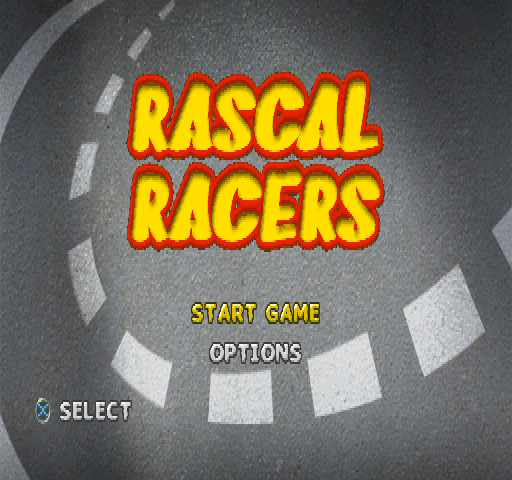
Once the loading sequence has ended, the Main Menu will be displayed.
•
START launches directly into a new game of Rascal.
•
OPTIONS accesses the Options Menu.
Use the Left and Right Directional buttons to switch between START and OPTIONS and press the X button to confirm.
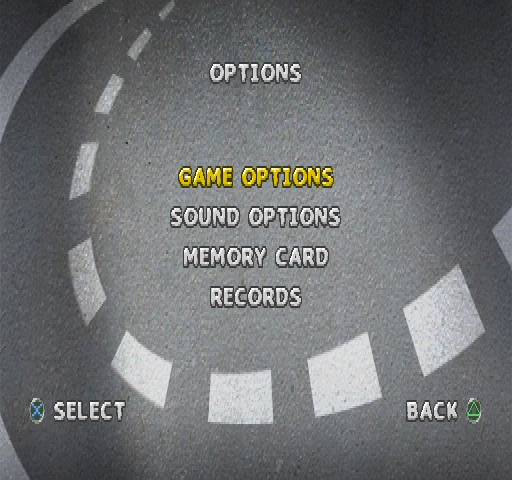
OPTIONS MENU
Use the Directional buttons to switch between the Controls, Key, Center Screen, Volume and Analog Bubbles and press the X button to confirm.
Press the A button at any time to return to the Main Menu.
CONTROLLER BUBBLE
Reconfigure your controls on this screen.
The Bubble Gun icon will begin to vibrate. This is the "Fire Bubble Gun" function and is set to the button as default. It can be reconfigured by pressing the Left and Right Directional buttons. The new button will now appear alongside the Bubble Gun icon.
Now press the Down Directional button and the icon of Rascal will begin to jump up and down. This is the "Jump" function and is set to the X button as default. It can be reconfigured by pressing the Left and Right Directional buttons. The new button will now appear alongside the icon of Rascal.
Press the X button to confirm the new settings or the A button to cancel the changes. Either way, the Options Menu will then be displayed.
KEY BUBBLE
If you are smart enough to work out Rascal's secret password then you can enter it here to reveal a wicked cheat mode for the game. The cheat mode screen displays five slots for a five-letter word.
Use the Left and Right Directional buttons to access each slot. Use the Up and Down Directional buttons to scroll through the alphabet. Repeat this process until happy with your selection and press the X button to confirm.
If you have entered the correct password you will be able to access the secret cheat mode or modes. The following on-screen message will be displayed: "Valid Password".
If you have entered an incorrect password, the following on-screen message will be displayed: "Invalid Password".
Either way, you will be returned to the Options Menu. So, think carefully about what the password could be. Remember, it has something to do with Rascal's home-life.
Press the START or X button at any time to return to the Options Menu.
CENTER SCREEN BUBBLE
Use the Directional buttons to position the screen to your satisfaction.
Then press the X button to return to the Options Menu.
VOLUME BUBBLE
The Sound Effects function is represented by a yellow explosion icon. The Music function is represented by a musical note icon.
Use the Up and Down Directional buttons to choose between Sound Effects and Music. The chosen icon will flash. Then use the Left Directional button to decrease and the Right Directional button to increase the volume.
Press the START, X or A button to return to the Options Menu.
ANALOG CONTROLLER BUBBLE
When using an Analog controller make sure it is switched to Analog mode (LED display: Red). Rascal does not support the Analog mode (LED display: Green).
The Analog controller, when inserted, can be calibrated from within this screen. Use the Left stick and follow the on-screen instructions to calibrate the Analog controller. Once calibration has been completed successfully, an on-screen message will be displayed to that effect. Press the X button to return to the Options Menu.
If calibration is unsuccessful, an on-screen message will advise you to press the X button to recalibrate the Analog controller.
Press the A button at any time to cancel your selection, and return to the Options Menu.
The action buttons cannot be configured within the Analog controller Bubble (see Controls Bubble).
NOTE: the Analog controller can only be used in Controller port s.
IN-GAME MENU
Press the START button to pause the action. The options RESUME, MAP or QUIT will be displayed.
Use the Up and Down Directional buttons to switch between RESUME, MAP and QUIT and press the X button to confirm.
•
Choose RESUME to return you to the point of the game at which you left it.
•
Choose MAP to access the MAP screen (see page 18).
•
Choose QUIT and the following message will be displayed: "Are You Sure? No Yes".
Use the Up and Down Directional buttons to select YES or NO. Then press the X button to confirm. Choose NO to return to the point of the game at which you left it. Choose YES to return to the MAIN MENU.
Press the START button at any time to return to the game.
MAP SCREEN
Press the "SELECT" button during a game. The game-screen will fade and the Map Screen will be displayed. Press the Δ button to return to the game.
The Map Screen displays the name of the current level and a diagram too. The diagram displays the rooms/corridors/arenas that you have already discovered. Use the Map to re-trace your steps, work out where you are and work out where you must get.
The Map is your guide throughout the Rascal world - so use it wisely!
Press the START button at any time to return to the game.
GAME OVER
When Rascal's lives run out, you will be returned to the Main Menu to try to complete the rescue mission again. But hurry, for the
.png)

.png)
.png)
.png)



 (Es,It,Pt).png)
.png)





.png)

.png)
.png)
.png)


