System Components
Getting Started
Set up your PlayStation®2 computer entertainment system according to the instructions supplied with your system. Check that the system is turned on (the on/standby indicator is green).
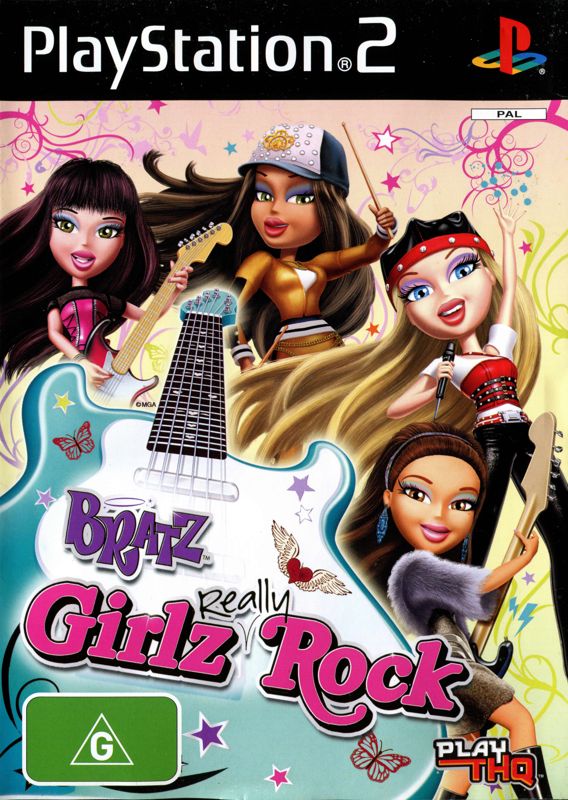
Insert the Bratz™ Girlz Really Rock disc in the system with the label side facing up. Attach game controllers and other peripherals as appropriate. Follow the on-screen instructions and refer to this manual for information on using the software.
Memory Card
To save game settings and progress, insert a memory card (8MB) (for PlayStation®2) into MEMORY CARD slot 1 of your PlayStation®2 system.
You can load saved game data from the same memory card or any memory card (8MB) (for PlayStation®2) containing previously saved games.
Main Menu
After the game starts up, you will be at the Main Menu. Make your selection from the following choices.
•
NEW GAME: Start a new game.
•
LOAD GAME: Load a game that you previously saved.
•
MULTIPLAYER GAMES: Compete against your friends in exciting mini-games that you have unlocked during the main game. •
EXTRAS: See the extras that you have earned during the game.
•
OPTIONS: Adjust volume, vibration, and subtitles.
Mini-Games
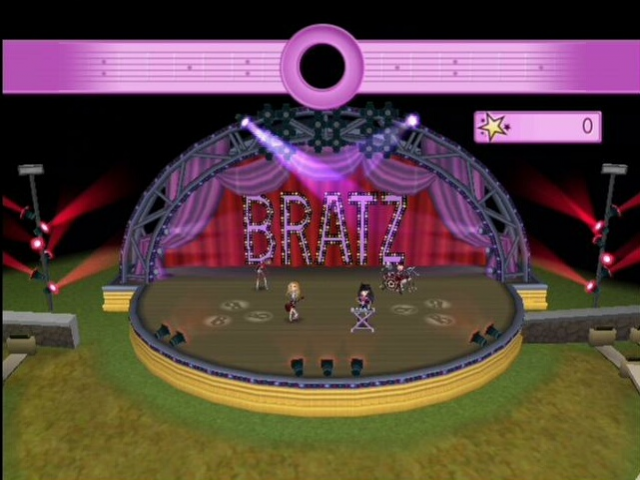
ROCKIN' GUITAR/JAMMIN' KEYBOARD/SIZZLIN' MOVES
Use the left analog stick to select your options before the game. Press the button to confirm your selection, press the button to go back.
When you and the other Bratz™ are playing music, press the,,, or button as the pattern scrolls from right to left. X-TREME SKYDIVING
Use the left analog stick to select your options before the game. Press the button to confirm your selection, press the button to go back.
Use the left analog stick to move through the air. Move your character into position then use the left analog stick and right analog stick to copy the gestures shown to pose on screen.
MINI-GOLF MADNESS
Use the Directional buttons to select your options before the game. Press the button to confirm your selection, press the button to go back.
Use the left analog stick to aim your shot. Pull the right analog stick back to vary the power of your shot. Quickly move the right analog stick forward to hit the ball. Press the button to get an overhead view. Press the button to step up to the ball after a practice swing.
Fashion Design
Tap in to your inner fashion Designer and create some super stylin' outfits for your Bff's, the Bratz™! Use the left analog stick to move the onscreen cursor. Press the button to select the different options.
Drag and drop the different fabrics and colors into the available slots to customize your clothes.
Make-Up
Use the left analog stick to move the cursor around the screen. Press the left analog stick and the button to apply the make-up. Press the button to Undo. Press the button to Exit.
Make-Up Tips
Eye Make-up
Pick a color from the available compacts. Then choose from one of the two Eye Shadow Brushes to apply the make-up using the left analog stick and the button.
Blush
Select the Blush brush and pick a color. Use the left analog stick and the button to apply the make-up.
Lipstick
Select the lipstick icon and then pick a color from the palette. Use the left analog stick and the button to apply the make-up.
Clean
Select the tissues to wipe away make-up with the left analog stick. You can remove some of your make-up or wash your whole face.
Saving & Loading
Throughout the game you are prompted to save your progress. Choose the Save option on the Cell Phone or Lap Top at any time to save your game.
When you want to play again, choose Continue Game from the Story Mode option in the Menu to continue your adventure! You can select from any of the three available Save Slots to save your game.
Game Options
SOUND & MUSIC VOLUME
Use the slider to set the Sound & Music Volume. SPEECH VOLUME
Use the slider to set the Speech Volume.
VIBRATION
Turn Vibration on or off for your Dual Shock 2 Analog Controller.
SUBTITLES
Turn the Subtitles on and off.
.png)

.png)

.png)



_1.png)
.png)

.png)



_1.png)
_1.jpg)

.png)
.png)
.png)