Getting Started
Set up your PlayStation®2 computer entertainment system according to the instructions supplied with your system. Check that the system is turned on (the on/standby indicator is green).
Insert the Alvin and the Chipmunks disc in the system with the label side facing up. Attach game controllers and other peripherals as appropriate. Follow the on-screen instructions and refer to this manual for information on using the software. Memory Card (8MB) (for PlayStation®2)
To save game settings and progress, insert a memory card (8MB) (for PlayStation®2) into MEMORY CARD slot 1 of your PlayStation®2 system.
You can load saved game data from the same memory card or any memory card (8MB)(for PlayStation®2) containing previously saved games.
Game Overview
You'll join the band as they play concerts on their way to the Rockathonapalooza. Some of the venues are small and intimate, while others are huge and intense!
It'll take some pretty fantastic playing for the Chipmunks to make it through!
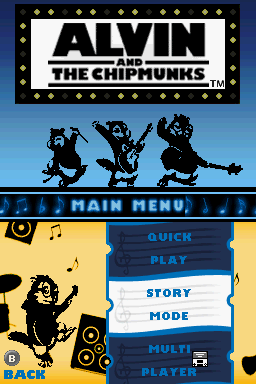
Quick Play
Select Quick Play from the Main Menu to play any song that's been unlocked in Story Mode. The Quick Play screen shows your unlocked songs with stats for each one.
Video Mode
Select Video Mode to watch any of the songs you've unlocked in Story Mode. Watch Alvin and The Chipmunks rock out to all the songs you've mastered!
Multiplayer
Challenge your friends with songs unlocked in Story Mode. See page 12 for more info.
Options
Learn how to play the game, view credits and delete saved games. See page 9 for more info.
World Map
Select the song you want from the World Map. Use the directional buttons to select a ticket and play the song associated with that location by pressing the button.
You must first play through a song and location in Story Mode before you can play that song in Quick Play or Multiplayer.
Gameplay
Play along with Alvin and The Chipmunks in fast-paced musical gameplay. Time your button presses for the moment the Notes near the center of their four corresponding Star Targets.
The better your timing, the more points you'll be awarded and the faster your Rockometer will be replenished!
Combos
When you hit a certain number of Notes in succession without missing any, your combo multiplier increases. The longer you keep your streak alive, the higher the multiplier becomes—doubling, tripling or even quadrupling your points!
Options Menu
How to Play
In the tutorial, Dave will show you how to use the controller to play along with Alvin and The Chipmunks.
View Credits
See all the people who brought you the game!
Clear Story Mode Data
Clear Story Mode data to start the game from the beginning and get all new high scores!
Rockathonapalooza
The Biggest, Baddest, Most Rockingest Concert Ever! Enough said.
Multiplayer
Play a split-screen game along with a friend! First make sure there are two controllers attached to your PlayStation®2 System.
Select Multiplayer from the Main Menu and choose your song and options. You can select any song that's been unlocked in Story Mode.
Winning
Win multiplayer games by getting the highest score. Get more points than your opponent by timing your Star Target selections better and earning combo multipliers.
At the end of each session, you'll see the stats screen that'll show the score for each song and the overall champion. The player with the highest score wins.
Get the high score by building combo multipliers and more precise timing of your Notes. You can select any song that's been unlocked in Story Mode.
.png)

.png)

.png)



_1.png)