PROLOGUE
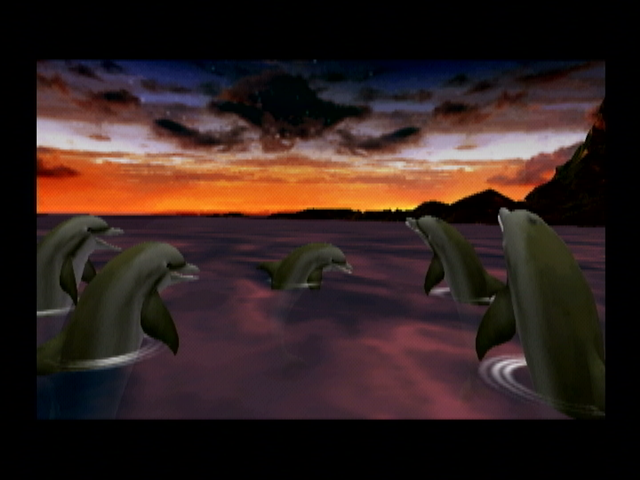
At the dawn of the 30th century, after five hundred years of unity and fellowship, dolphin and man set out from the Earth to explore the great unknowns of space.
But where man and dolphin founded a civilization of peace, others based theirs on strength, conquest, and domination. Even as man and dolphin went out from the Earth, a sinister Foe cast envious eyes upon it. For the Earth was a prize beyond measure, a pristine world to be cherished or exploited.
But the Earth was not defenseless. The mighty Guardian - the greatest creation of dolphin kind - shielded it with its power.
Undeterred, the Foe persisted, probing for a moment of weakness they were certain must come.
It was in this time that a dolphin named Ecco arrived at the Isle of the Guardian, seeking to learn from the scholars of peace, but destined to be the only hope and champion of the Earth. LANGUAGE
You will come to the Language Select screen. Highlight your choice and press the button to advance.
At the title screen, press the START button. You will advance to the Main Menu.
MAIN MENU
Start Game
Select Start Game to begin a new game. If you have saved game progress or return to the main menu during a game, this option will read Continue Game.
Level Select
Once you have unlocked game levels during game play, you can return here to choose any unlocked level to play on.
Player Menu
Select the Player menu to input your name so you can save games, start a new game and use the Manual Save function.
New Game
Begin a new game with the associated player initials.
Enter Initials
Enter a player name in order to save your game progress to a memory card (8MB) (for PlayStation®2). You can enter three characters.
•
Highlight a character by pressing a direction on the directional button/left analog stick, and press the button to enter it.
•
When your initials are complete, highlight END and press the button.
Manual Save
You can elect to save your game at any time by pausing the game and selecting Exit to return to the main menu. From there, navigate to this option.
Gallery
The gallery allows you to view images, movies and any Vitalits you've earned. See page 11 for details.
.png)

.png)
.png)
.png)


_1.png)


.png)
.png)


.png)

.png)