NASCAR Legends
To race as a NASCAR legend, you must first unlock the driver by performing well in a Championship Season. Run a season at a length of 50% or higher and finish in the top-5 in these races to earn the following drivers:
•
CHARLOTTE: Bobby Allison
•
TALLADEGA: Davey Allison
•
DARLINGTON: Cale Yarborough
•
MARTINSVILLE: Richard Petty
Single Race Weekend Menu
The Single Race Weekend menu contains all the features you need to spend a weekend at your favorite NASCAR track. To get down to the track, select PRACTICE, QUALIFY, or RACE.
•
SELECT TRACK: Choose the track you want to race.
•
NASCAR OPTIONS: Adjust options that affect the rules and realism of the race.
•
GAME OPTIONS: Adjust options that affect the overall game environment.
•
PLAYER OPTIONS: This menu appears only when you select a TWO PLAYER game.
•
SPEED COMP: Set OFF or ON (the trailing player's car gets a speed boost to catch up).
•
COMPUTER CARS: Set OFF (head-to-head) or ON (grid of eight total cars).
•
VIEW RECORDS: View your 12 most recent personal records by driver on every track, including starts, wins, top-5s, top-10s, and fastest lap time.
Car Setup
To win in NASCAR 99, you have to tune your car for each track.
Practice
Run solo practice laps to learn new tracks and locate your car's optimum setup.
Qualify
Qualifying is a solo attempt to post your fastest single lap time. After your qualifying run, an overlay displays your time relative to the other drivers. Be sure to qualify before each race. If you don't, you start from the back of the field.
Race
RACE takes you to the starting grid for the main event.
Championship Season
Following NASCAR's official scoring system, Championship Season is an 18-race season that establishes the top driver. This section helps you get started on your championship bid.
NASCAR 99 Championship Points System
Each driver who leads the race for at least one lap receives five bonus points. The driver who leads the most laps in a race receives an additional five bonus points.
Season Load/Save Menu
From the Main menu, choose CHAMPIONSHIP SEASON. The Season Load/Save menu appears. At this menu, you can begin a new season or save, resume, or delete a season in progress.
Season Setup Menu
To begin a new season, choose NEW SEASON from the Season Load/Save menu. The Season Setup menu appears. Choose the car you want to drive throughout your championship season.
To begin a new season race:
1. From the Season Setup menu, select a car, then choose DONE. The NASCAR Options menu appears.
2. Set NASCAR options, then choose DONE. The Game Options menu appears.
3. Set Game options, then choose DONE. Racing analyst Bob Jenkins and NASCAR legend Benny Parsons introduce the season.
4. Following the season introduction, the Race Weekend menu appears.
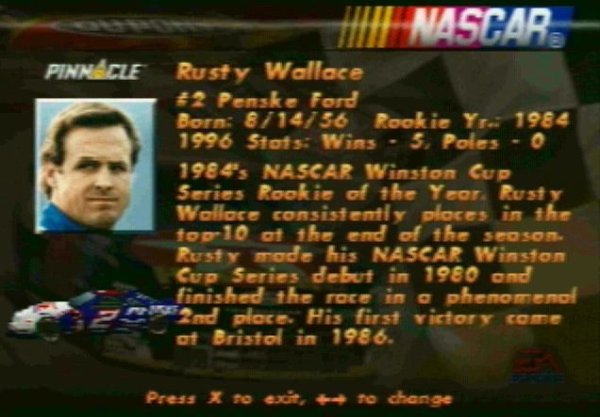
Motorsports Hall of Famer Benny Parsons is recognized as one of NASCAR's 50 greatest drivers. Parsons won the 1973 championship, the Daytona 500, and a Cable ACE award as best Sports Analyst.
When the race is over, the Season Standings screen appears. Check your results, then press to advance to the Season menu.
Season Menu
From the Season menu you can access your next season race, keep tabs on the championship battle, and save your progress.
•
GO TO TRACK: Choose this option to go to the next scheduled race in your season.
•
LOAD/SAVE: Return to the Season Load/Save menu to save, load, or delete a season in progress. If you have a Memory Card inserted in your PlayStation, you can save your season after any race and resume it at a later time. To save a season:
1. From the Season Load/Save menu, select SAVE SEASON. The Save Season window appears.
2. Highlight the Memory Card Slot to which you want




.png)