Setting Up Your PlayStation 2
Set up your PlayStation®2 computer entertainment system according to its Instruction Manual. Ensure the MAIN POWER switch (located at the back of the console) is ON.
•
When the power indicator lights up, press the OPEN button.
•
Place the MAGNA CARTA™ disc on the disc tray with the label side facing up.
•
Press the OPEN button again to close the disc tray.
•
Attach game controllers and other peripherals as appropriate.
•
Follow on-screen instructions and refer to this manual for software use.
Memory Card
To save game settings and progress, insert a memory card (8MB) (for PlayStation®2) into MEMORY CARD slot 1. You can load saved game data from the same memory card or any memory card (8MB) (for PlayStation®2) containing previously saved games.
Game Controls
•
SELECT button: Display the Chi available in the surroundings
•
Directional buttons: Select item •
Left analog stick: Move character
•
Right analog stick: Control camera angle (only in certain fields)
Start Menu
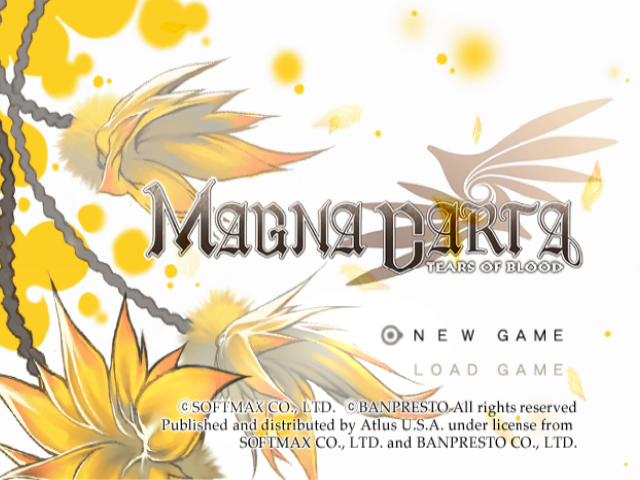
Turn on your PlayStation®2 computer entertainment system and insert the Magna Carta: Tears of Blood disc. Pressing the START button during or following the opening movie will display the Start Menu. You can select between "NEW GAME" and "LOAD GAME." To load a game, you must have previously saved Magna Carta: Tears of Blood data to the Memory Card (8MB)(for PlayStation®2) inserted in MEMORY CARD slot 1. New Game
Select this option if you wish to play Magna Carta from the beginning or if you do not have any saved data. If the start menu is left idle for a few minutes, the opening movie will replay. Load Game
Select this option to continue your progress from a previously saved game. Make sure you have a Memory Card (8MB) (for PlayStation®2) inserted into MEMORY CARD slot 1.
There are 16 slots available for saving, and at least 80KB of free space is required to save.
Save Game
Before you end your game play session, be sure to save your game at a save point or inside an inn. Saving will enable you to continue your progress at a later time. If you are defeated in battle, the game will end.
Flow of the Game
At the start of Magna Carta: Tears of Blood, you will control the main character, Calintz. The game consists of cut scenes, conversations, field movement, and battles. Note that the controls are different for field movement and battles. Be prepared to fight through battles and unravel mysteries as the story unfolds.
Cut Scenes/Conversations
Cut scenes and conversations will appear at critical moments in the game. These sequences relay important developments, provide background information and clues, and are crucial to the progression of the story. Be sure to pay close attention to what is said.
Field Movement
In cities and villages, you will be able to walk around, purchase items, and gather information. Battles will take place in areas called dungeons. You will also need to accomplish certain tasks there. Dungeons are treacherous and filled with traps, so be sure to save often.
Moving Between Fields
As the game progresses, you will be able to move from place to place by various means, without necessarily having to walk to your destination. When you leave certain areas, the Destination Screen will be displayed.
Here, the Party Leader Icon indicates your present location and the yellow circles indicate possible destinations. Select a destination and confirm your choice by pressing the x button. Then, you will be taken to the chosen location. Battle
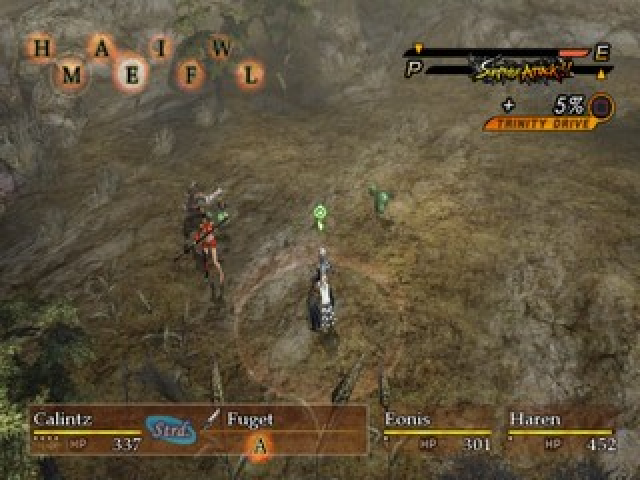
Battle will ensue when you encounter an enemy. In battle, you will use the skills Calintz and his party members have learned to take on your opponents. Experience Points (EXP) are gained by winning battles. Once your characters have earned enough experience, they will level up and become stronger.
Exploring the World
There are two types of fields in the game: cities/villages and dungeons (areas where monsters roam). Use the left analog stick to move your character, and press the x button to talk to someone or open a treasure chest. Moving to certain areas on the field will initiate cut scenes and conversations.
Special Field Commands
•
△ button: Display Field Menu (P.21)
•
□ button: Rest and restore party's HP (P.16) •
R1 button: Change movement mode (P.16)
•
SELECT button: Display the Chi available in the surroundings
Viewing the Field Screen
•
The Field: This is where the locations you can explore are displayed.
•
Player Character: The character the player controls.
•
Mini Map: A map of the surrounding area which displays save points, treasure chests, and other notable features. The range of the viewable area will change according to the movement of the player character.
Field Features
•
Building/Door: There are many structures on the field; some you can enter, others you cannot. For those you can gain entry into, simply approach the door and the screen will change.
•
Treasure Chest: Chests contain various items that can be obtained by pressing the X button. Some treasure chests require keys.
•
Save Point: Pressing the □ button will take you to Camp Mode (P.26), where you can save your game and restore party members' HP. •
Communication Sphere: Communication Spheres can be used