GETTING STARTED
PlayStation 2 Setup
Set up your PlayStation 2 computer entertainment system according to its Instruction Manual. Ensure the MAIN POWER switch (on the back of the console) is ON. Press the RESET button. When the power indicator lights up, press the OPEN button to open the disc tray.
Place the METAL SLUG 4 & METAL SLUG 5 disc on the disc tray with the label side facing up. Press the OPEN button again to close the disc tray.
Attach game controllers and other peripherals as appropriate. Follow on-screen instructions and refer to this manual for software information.
Memory Card
To save game settings and progress, insert a memory card (8MB) (for PlayStation 2) into MEMORY CARD slot 1. You can load saved game data from the same memory card or any other compatible memory card. This game is designed for use with the separately sold PlayStation 2 Memory Card (8MB). Do not turn off the PlayStation 2 console or remove the Memory Card while saving and loading game data. Controllers
Both games are for one to two players and can be used with a DUALSHOCK analog controller and a DUALSHOCK 2 analog controller. For single-player, insert the controller into PlayStation 2 Slot 1. For two players, insert a second controller into PlayStation 2 Slot 2. Commands are described for the DUALSHOCK 2 analog controller. Both games were designed solely for use with the vibration function of the analog controller and cannot be used in analog mode.
The controller vibrates whether the analog controller's LED is on or off. The vibration function can be switched on or off using the Key Config in the Game Options Mode (see p. 9).
When using a PlayStation controller, basic commands are the same as for the analog controller. PlayStation controllers do not have a vibration function.
You can reset the game during gameplay by pushing the START and SELECT buttons together.
Note
Illustration may not match all PlayStation 2 console types. For owners of SCPH-70000 series PlayStation 2 systems, refer to the setup instructions supplied with your system. All images shown herein were created during game development. Some aspects of the game and specifications may have been modified for product improvement.
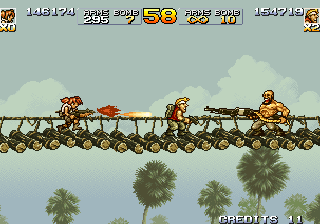
METAL SLUG 4 - BEGINNING GAME PLAY
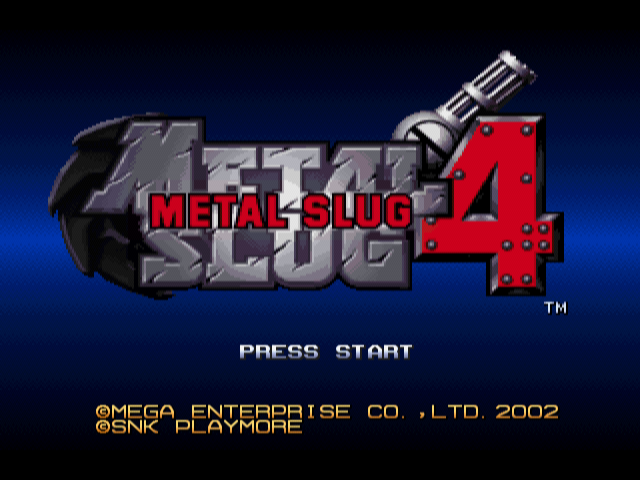
Push the START button during the introduction to display the Main Menu Screen. Select menus by pressing the ↑ or ↓ directional buttons and push X button to confirm. The △ button cancels selections and returns to the previous screen.
MAIN MENU
ARCADE GAME
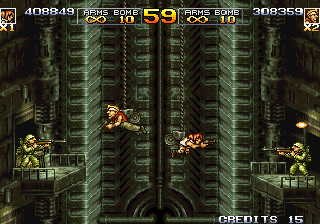
Play an arcade perfect version of METAL SLUG 4. STAGE SELECT
Select and replay a completed mission from the Arcade Game. Only Mission 1 is available at the beginning. You must reach a level in the Arcade Game for it to be available in the Stage Select screen. You cannot advance your progress through the game via the Stage Select screen. OPTION
Lets you change various game settings.
•
GAME OPTION: Hero, Difficulty, Sound, Default Settings, Exit
•
BUTTON CONFIG: Changes your controller setup
•
SAVE LOAD UTILITY: Save, Load, Auto Save (on/off)
RECORD
View high scores and fastest completion times in the Arcade Game and by Mission (Stage). You can also view the names of rescued hostages under the Soldiers List. METAL SLUG 5 - BEGINNING GAME PLAY
Push the START button during the introduction to display the Main Menu Screen. Select menus by pressing the ↑ or ↓ directional buttons and push X button to confirm. The △ button cancels selections and returns to the previous screen.
ARCADE GAME
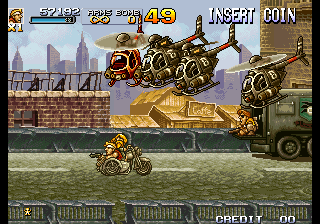
Play an arcade perfect version of METAL SLUG 5. STAGE SELECT
Select and replay a completed mission from the Arcade Game. Only Mission 1 is available at the beginning. You must reach a level in the Arcade Game for it to be available in the Stage Select screen. You cannot advance your progress through the game via the Stage Select screen. OPTION
Lets you change various game settings and save or load game data.
•
HERO - Adjust the number of Lives
•
DIFFICULTY - Adjust the level of difficulty
•
BUTTON CONFIG. - Change your controller setup
•
SAVE/LOAD - Adjust Save, Load, Auto Save (on/off)
•
DEFAULT - Return options to their default settings
RECORD
View high scores and fastest completion times in the Arcade Game and by Mission (Stage). You can also view the names of rescued hostages under the Soldiers List. TROPHY
View the war trophies awarded to you for a job well done.







_1.png)


_Front_Cover.jpg)