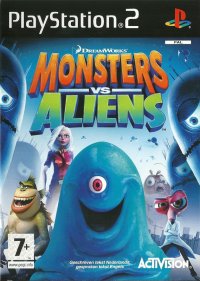
PlayStation 2 Setup
Set up your PlayStation®2 computer entertainment system according to the instructions supplied with your system. Check that the system is turned on (the on/standby indicator is green).
Insert the Monsters vs. Aliens disc in the system with the label side facing up. Attach game controllers and other peripherals as appropriate. Follow the on-screen instructions and refer to this manual for information on using the software.
Memory Card (8MB) (for PlayStation®2)
To save game settings and progress, insert a memory card (8MB) (for PlayStation®2) into MEMORY CARD slot 1 of your PlayStation®2 system.
You can load saved game data from the same memory card or any memory card (8MB) (for PlayStation®2) containing previously saved games.
Other Options
•
Select this option to turn subtitles, dialog, tutorials, audio commentaries and controller vibration on or off, or invert the Y-axis crosshair.
Savegame Options
•
Select this option to manage save slots and re-enable autosave.
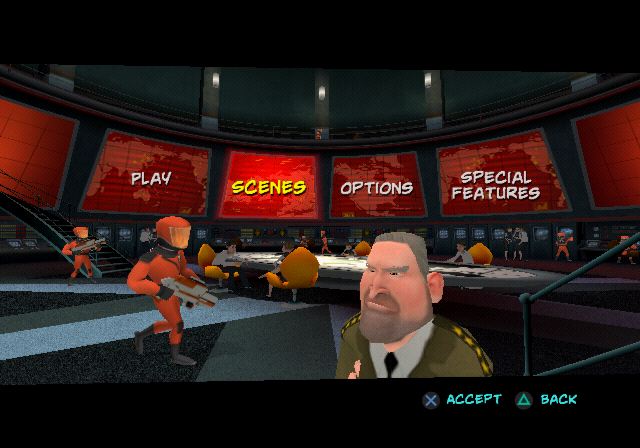
Special Features
•
DNA Lab - Select this option to use collected Monster DNA to unlock character upgrades and cool extras like movie stills!
•
Credits - Select this option to view the game credits.
•
Characters - Select this option to get to know the government-captured monsters.
•
Madagascar: Escape 2 Africa™ Game Video - Select this option to view the trailer for the Madagascar: Escape 2 Africa video game.
Save System
Monsters vs. Aliens uses a checkpoint system. When progressing through a scene, you'll restart at your last checkpoint if you lose all of your health.
Monsters vs. Aliens also uses an autosave system—your game will automatically be saved each time you complete a scene and at certain checkpoints during some scenes.
Game Modes
Single Player
Aliens have invaded Earth, and it is up to the monsters to save the day. Play as B.O.B., The Missing Link and Ginormica and travel from the caverns of the top-secret U.S. government Monster Containment facility, to the hangars of Gallaxhar's inter-galactic mothership! Cooperative Multiplayer
Anytime during single player Story mode gameplay when the "join" prompt is present at the upper-right of the screen, a friend can join by plugging in a second controller and pressing the button.
Player 2 can now control one of Dr. Cockroach, Ph.D.'s inventions to shoot or pick up enemies and collect items. To exit Cooperative Multiplayer Mode, simply stop controlling the device.
.png)

.png)








_1.png)






_1.png)
.png)


