Getting Started
Set up your PlayStation®2 computer entertainment system according to the instructions in its Instruction Manual. Make sure the MAIN POWER switch (located at the back of the console) is turned on.
Press the RESET button. When the power indicator lights up, press the open button and the disc tray will open. Place the NBA STREET Vol. 2 disc on the disc tray with the label side facing up. Press the open button again and the disc tray will close.
Attach game controllers and other peripherals, as appropriate. Follow on-screen instructions and refer to this manual for information on using the software.
Multitap
Up to four players can play NBA STREET Vol. 2 by using the multitap (for PlayStation®2) inserted in controller port 1.
•
multitap connector (for PlayStation®2)
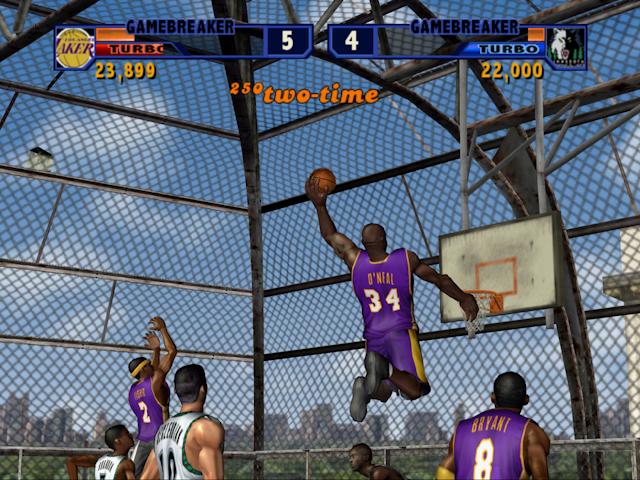
Using Gamebreakers
Light up the scoreboard with a Gamebreaker.
Gamebreaker Shot or Dunk
•
button while holding any two Turbo buttons
The Gamebreaker shot is available only when the Gamebreaker meter is full.
Pocketed Gamebreakers
Pocket a Gamebreaker and bust it out later in the game or mess with your opponent by canceling their pocketed Gamebreaker.
Pocket Gamebreaker
Cancel Gamebreaker
•
any Turbo button + the SELECT button
Advanced Defense
This section is for all y'all that wanna put the lock down.
Advanced Defensive Moves
Turbo Block
•
button + any two Turbo buttons
Trick Counter
•
button + any two Turbo buttons
The advanced defensive moves are not easy to perform but with practice, you'll get it. It takes time and practice to rise to the skill level of the NBA's best. Use development points to raise your Created Baller's defensive ratings.
Hittin' The Streets
The trash talkin' stops here. It's time to back up that smack with some sweet moves on the court. Take it to the house in a Pick Up Game, or take on the league's best in NBA Challenge. You can also work your way to the top in Be A Legend mode and more. The ballin' starts from the Main menu.
Main Menu
From the Main menu you can choose the NBA STREET Vol. 2 game mode you want, create a baller or a custom team, unlock players and courts with Reward Points, adjust game settings or check out the greatest ballers of all time. Press the D-button to change a Main menu selection.
•
Choose the game you want to play
•
Create a baller or a custom team
•
Unlock new players and courts with reward points
•
Adjust game settings and manage user names
•
Check out the greatest street ballers of all time.
•
Check out what's new in NBA STREET Vol. 2, or get a preview on all the available dunks and moves featured in the game.
Default options are listed in bold in this manual.
Pick Up Game
Playing a Pick Up Game helps you get quickly acquainted with life on the streets. These games don't mean jack, so brush up on your skills without worrying too much about the outcome.
To Begin a Pick Up Game
•
From the Play It menu, highlight PICK UP GAME and press the * button. The User Setup screen appears.
User Setup
Before you start shootin' the rock or making sweet no-look passes in a Pick Up Game, create a user name for your bad self in order to track your progress and game records.
To Hook Yourself Up With a User Name
1. From the User Setup screen, choose HOME or AWAY and press the button. Next, select YES to enter a name or select a pre-existing user name. If you don't wish to save user stats select NO. After a name has been created or selected, the User Setup pop-up screen appears. Here you can review your career stats.
2. When you're finished reviewing the career stat categories, press the * button. Now wait for any other users to finish their setup.
If you're only ballin' with one human-controlled team, press the button again to continue to the Choose Team screen.
If you're hoopin' it up with 2-4 players, Player 2, Player 3, and Player 4 can join the game at any point during the User Setup process by pressing the START button on the respective controller. Players 2-4 must select to play with or without a user name, as well as Home or Away, before advancing to the Choose Team screen.
Two user controlled players per team. The third baller will be controlled by the CPU. When playing with 3-4 players only controllers inserted into the multitap will be recognized.
Choose Team
Ah yeah, the NBA world is now your playground. Select from one of the 2




.png)
_1.png)


.png)


.png)
.png)




_1.png)