GETTING STARTED
Set up your PlayStation®2 computer entertainment system according to the instructions supplied with your system. Check that the system is turned on (the on/standby indicator is green).
Insert the NARUTO™: Ultimate Ninja™ 2 disc in the system with the label side facing up. Attach game controllers and other peripherals as appropriate. Follow the on-screen instructions and refer to this manual for information on using the software.
PlayStation®2 Components
MEMORY CARD (8MB) (FOR PLAYSTATION®2)
To save game settings and progress, insert a memory card (8MB) (for PlayStation®2) into MEMORY CARD slot 1 of your PlayStation®2 system. You can load saved game data from the same memory card or any memory card (8MB) (for PlayStation®2) containing previously saved games.
When Saving for the First Time
Saved data for this game will be created on your memory card (8MB) (for PlayStation®2). Insert the memory card (8MB) (for PlayStation®2) into MEMORY CARD slot 1.
When the "Create new NARUTO: Ultimate Ninja 2 data" confirmation screen appears, select "Yes" and confirm your selection with the button.
•
Note: Game supports only MEMORY CARD slot 1.
ATTACKS AND COMBO ATTACKS
You can trigger a Combo Attack by rapidly pressing the button, or by doing so in combination with one of the directional buttons. When you input the correct sequence, a Combo Attack will begin.
Some characters use different combinations to trigger Combo Attacks. Check the Pause Menu (see page 27) for details.
RUSH ATTACKS
You can perform Rush Attacks to counter any attack other than a throw. See the Pause Menu (see page 27) for details.
•
Note: Some characters do not have Rush Attacks.
JUTSU
•
directional button ↑↑+ button
•
directional button ↓↓+ button
This uses up chakra in order to perform a special attack.
THROWS
•
directional button ←+ button (1P side)
•
directional button →+ button (2P side)
This attack causes you to grab and throw your opponent.
•
Note: You can also use this attack in mid-air for an aerial throw.
ROCK LEE
Lee has no talent for ninjutsu or genjutsu, but his constant efforts at training allow him to fight using extraordinary taijutsu skills. He tends to go to the extreme in many things, including his haircut, the thickness of his eyebrows, and his respect for his teacher. He has a crush on Sakura.
Title Screen Options
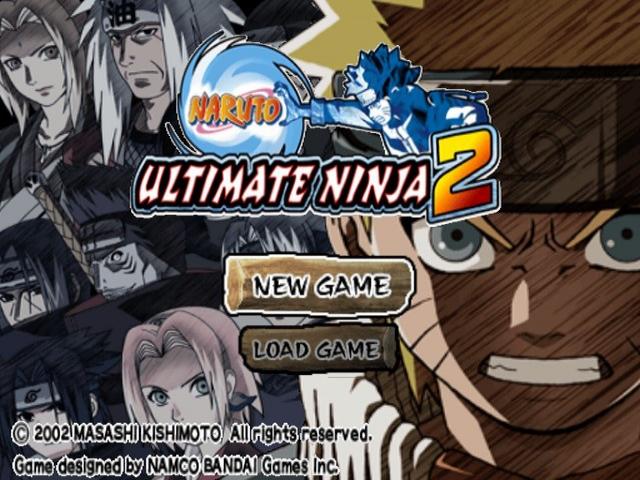
Select "New Game", "Load Game", or "Trailers" at the Title Screen.
•
Note: You can skip the opening movie that appears before the Title Screen by pressing the button or the START button.
NEW GAME
Start a new game from the beginning.
LOAD GAME
Load saved data and start the game from the time of that save.
TRAILERS
View trailers for the upcoming NARUTO game/movie.
MODE SELECT
Use the directional buttons to select a mode and press the button to start that mode.
ULTIMATE ROAD
Develop a character while enjoying the game's storyline.
VS. DUEL
Select any character to fight with.
IRUKA'S TRAINING
Use this mode to practice commands.
NARUTO'S HOUSE
This mode allows you to view display items that you have obtained and to input passwords to obtain rewards.
TANZAKU MARKET
You can buy unlockable items here.
ADJUST SETTINGS
This allows you to change various game settings.
CHOJI AKIMICHI
Choji is always eating something, and his body is shaped accordingly. He hates being called "fat", however, preferring to refer to himself as "chubby". He especially likes barbecue, and his special attacks are his Expansion Jutsu and Human Boulder, techniques that have been passed down through the Akimichi clan.
ULTIMATE ROAD
In this mode, you go through adventures in the world of NARUTO while collecting development points in order to develop your character.
WALK
Use the directional buttons or the left analog stick to move your character.
•
Note: Use the directional buttons or the left analog stick in conjunction with the R1 button to run.
You can move on to the next area by following these signs.
CHANGE MAPS
You can move to some places by selecting them from a list. Select the place that you want to go to and press the button.
TALK
When you approach some characters on the map, an icon will appear over their head. You can press the button to talk with these characters.
INO YAMANAKA
Ino is a rookie ninja who began studies at the same time as Naruto. She is a rival with Sakura in all things. In particular, she likes Sasuke, which keeps the two constantly at odds.
MENU
Open the menu by pressing the button.
ITEMS
This allows you to view items.
CUSTOMIZE
Here you can use development points to raise character parameters of your choice. Use the ↑↓ directional buttons to select a parameter, and the ←→ directional buttons to